In this article we will explore how to migrate the Engagement Data from Account Engagement to Marketing Cloud Next. If you are enabling Marketing Cloud Next for an organisation that is using Account Engagement you want to ensure they aren’t loosing insights about how their customers are interacting with their Brand.
Data Cloud Set-up #
Installing Marketing Bundle into Data Cloud #
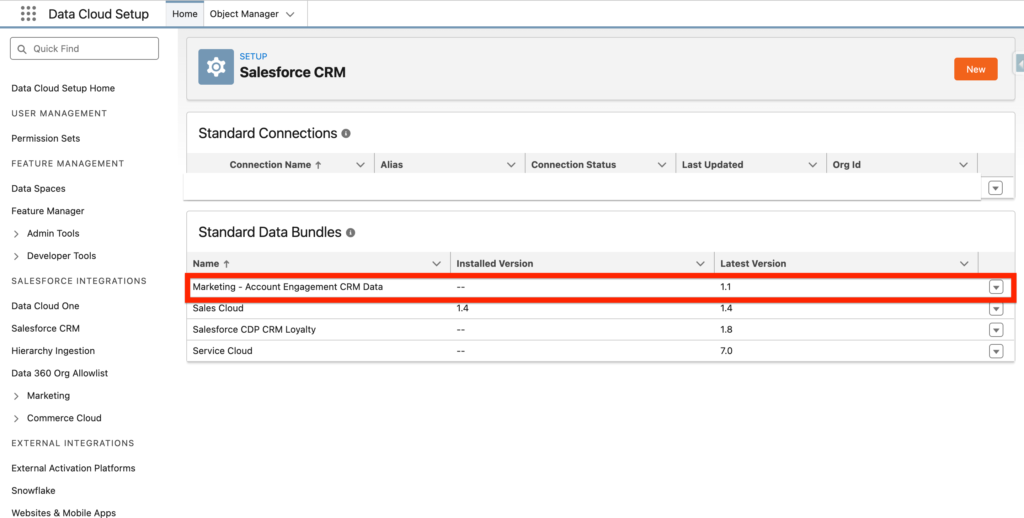
The very first step is to go into Data Cloud Set-up and within the Salesforce CRM tab install (Admin only) the ‘Marketing – Account Engagement CRM Data’ Bundle.
Creating a new Marketing Bundle Data Stream #
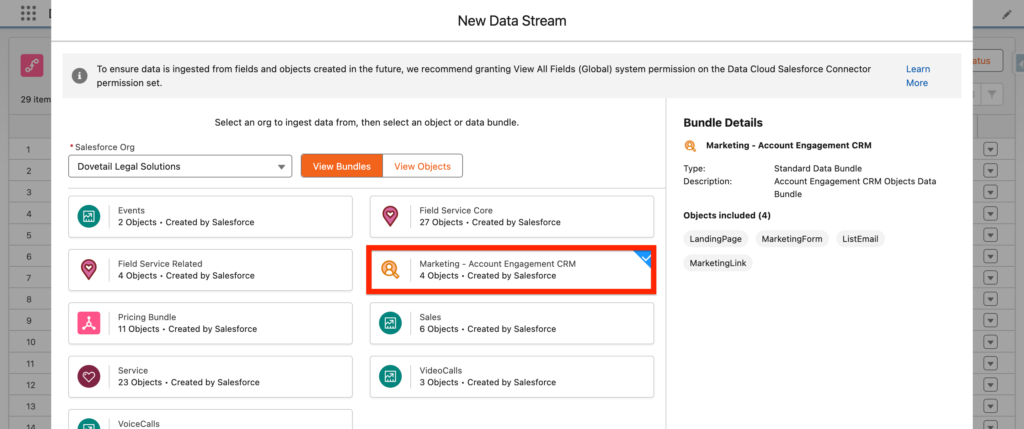
We are now going into Data Cloud to create a new Data Stream. We are selecting the Salesforce CRM connector and picking ‘Marketing – Account Engagement CRM’ as Bundle.
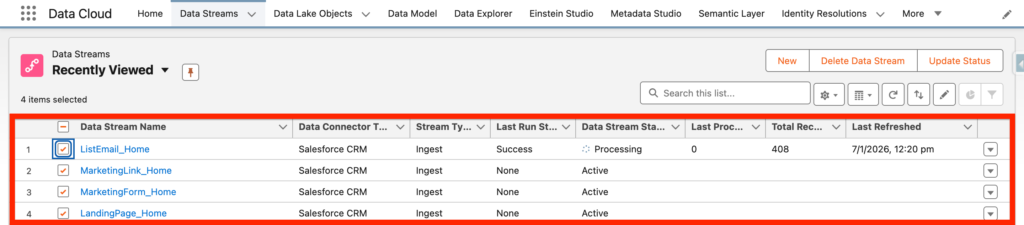
You can now see that the Data Streams are created from the Bundle:
Setting up the Account Engagement Integration for Data Cloud #
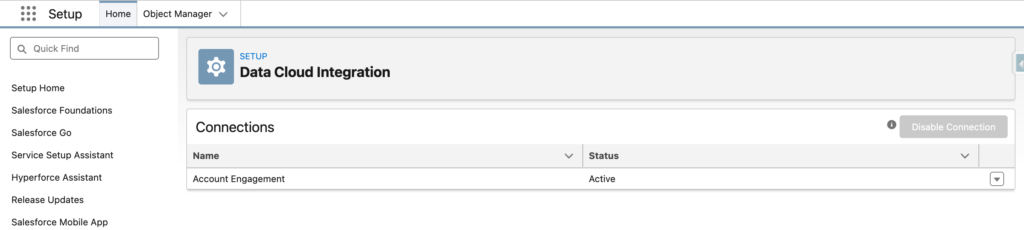
Go in Salesforce set-up, and click ‘Data Cloud Integration’ and select the your Account Engagement Business Unit.
Creating the Account Engagement Data Stream #
We are creating an Account Engagement Data Stream.

The Type of Data Stream will be Email Engagement Data in our case, and we will deploy it directly. There are also other type of Data that can be collected from Account Engagement including:
- Form Engagement Data
- Web Page Engagement Data
- Custom URL Engagement Data

Account Engagement Set-up #
In Account Engagement, all you have to do is go into the ‘Account Engagement Settings’ Tab and ‘Connectors’ then edit the Data Cloud Connector in order to provide a look back date up to 2 years. (Collect the Email Engagement over the last 2 years) – and then activate the connector.