
What is Reply Mail Management? #
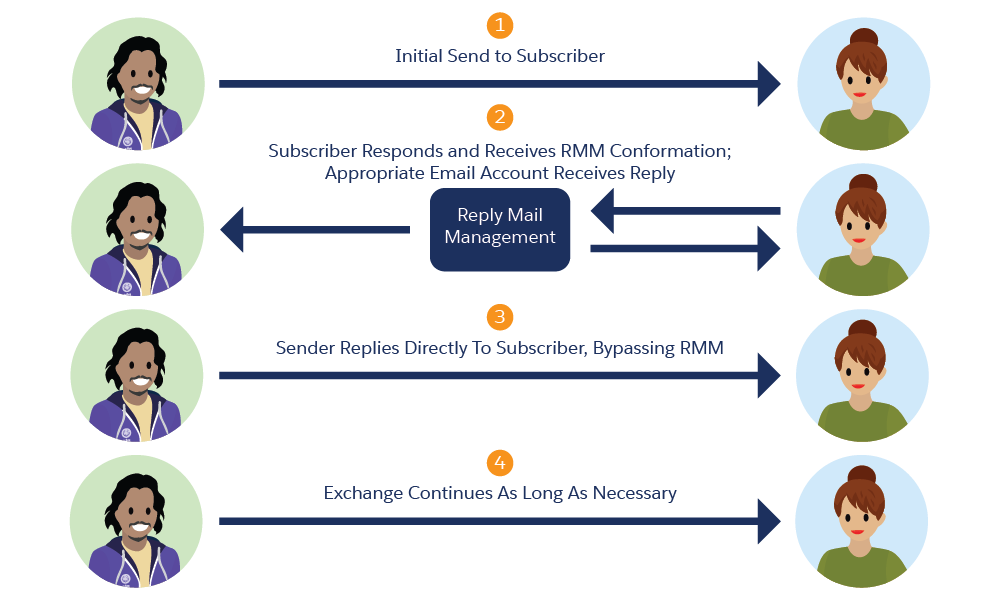
Reply Mail Management (RMM) is a feature available in Marketing Cloud Next that will allow your customer to reply to your email communications. If you are sending an Email Newsletter to 1000 Customers you might have 10 Customers interested in a specific product or service – They will reply directly to the Email Newsletter – and you want to be able to start a conversation from there. This is exactly what Reply Mail Management is for. Helping you to interact further with your customers and engaging conversation that leads to a better customer experience.
How to set-up Reply Mail Management #
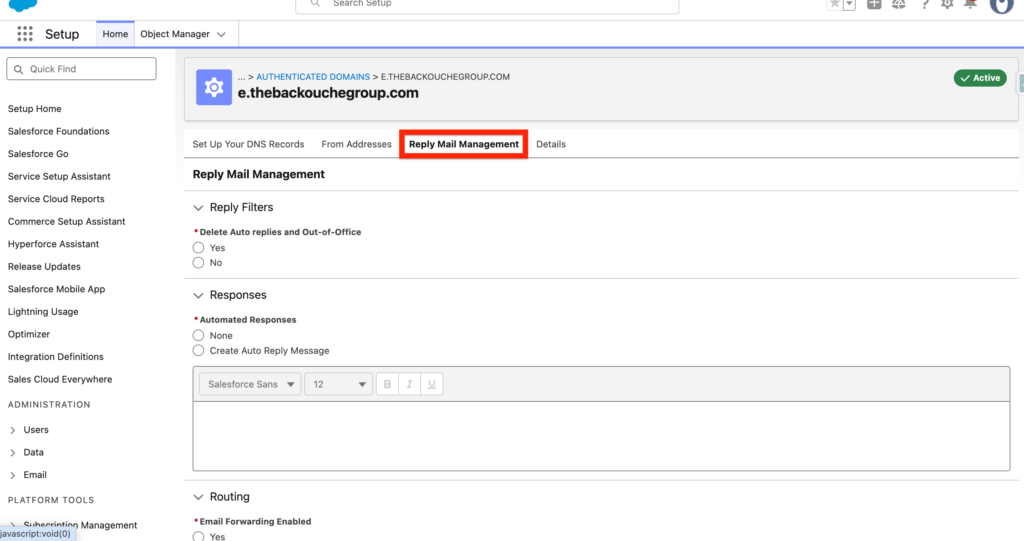
After you configured your Authenticated Sender Domain, click ‘show details’ and navigate to the ‘Reply Mail Management’ tab.
Reply Filters #
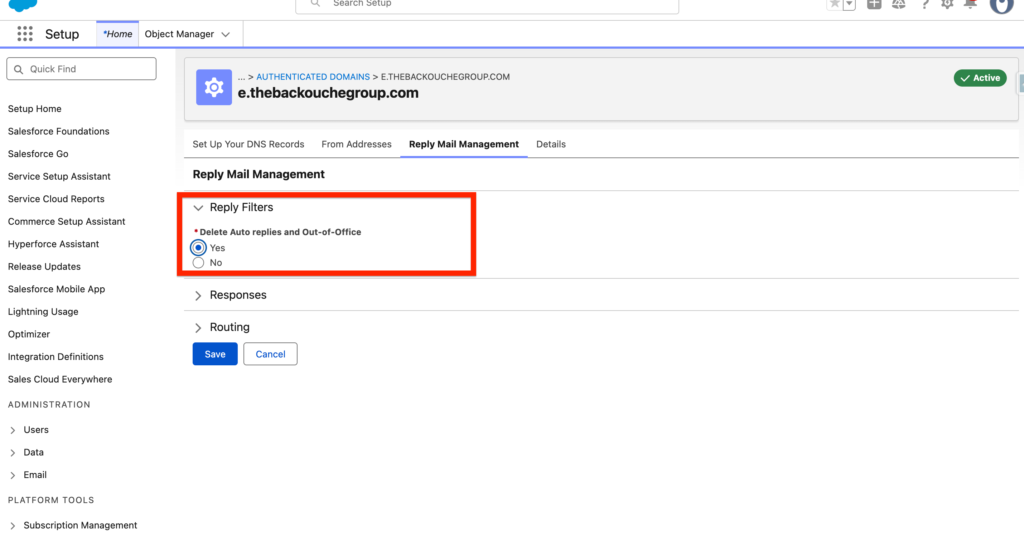
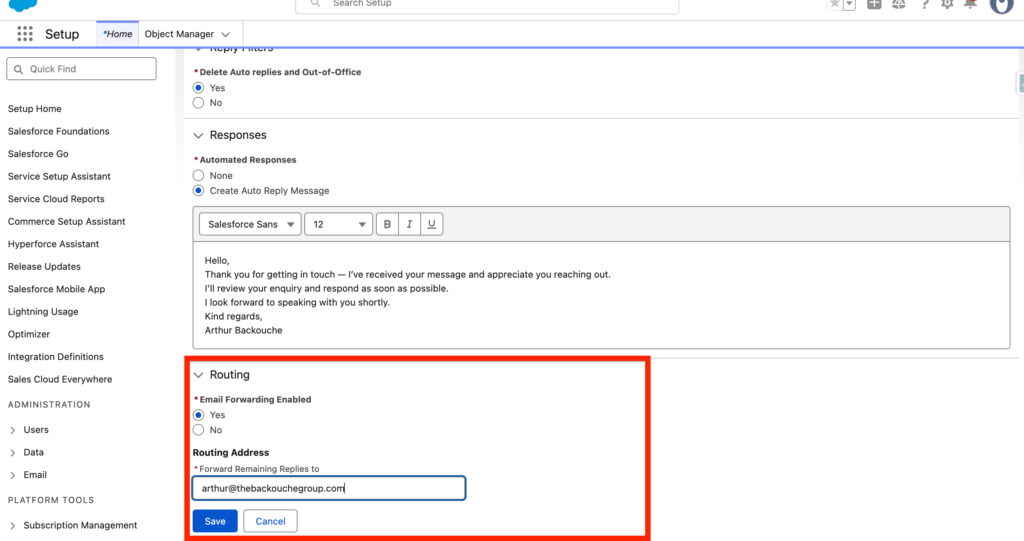
The first option will be in regards of deleting Auto replies and Out-of-Office message. When sending an email campaign to your customers, some of them might have set an Out-of-Office message and if 1000 of them have done it you will be flooded of automated response emails in your inbox. Thankfully you can avoid that with Marketing Cloud Next by selecting the ‘Yes’ Delete Auto replies and Out-of-Office message option.
Responses #
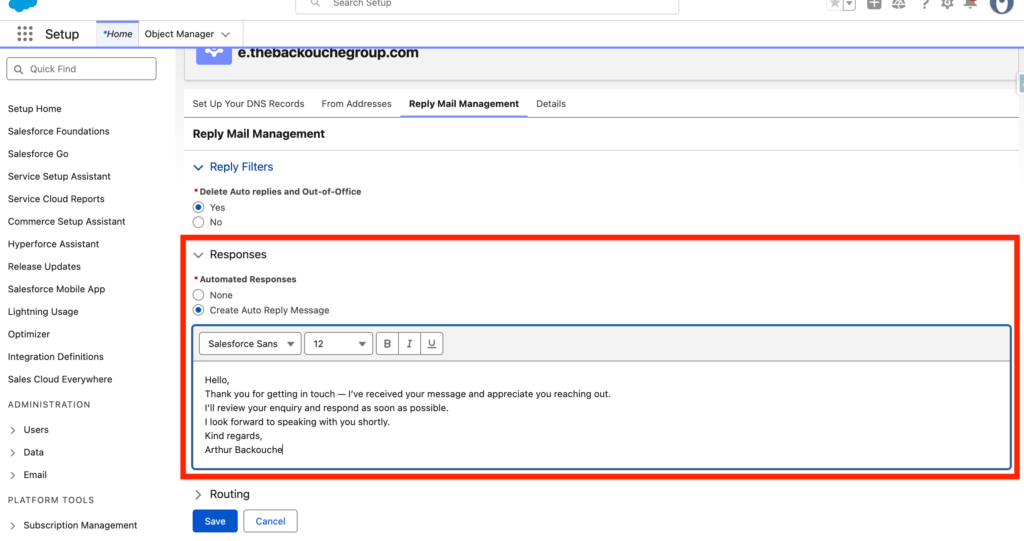
You will have the possibility to include a response so that when someone reply to your email campaign, they will initially receive this response automatically – then you can manually reply to the customer.
In my case I’ve inserted the following automated response:
Hello,
Thank you for getting in touch — I’ve received your message and appreciate you reaching out.
I’ll review your enquiry and respond as soon as possible.
I look forward to speaking with you shortly.
Kind regards, Arthur Backouche
Routing #
The final option of Reply Mail Management (RMM) is to do some routing on the Email Replies you will receive from your customers. This is probably the key feature of RMM as if a customer reply to your email address you probably want to be able to deal with it and provide a personalised answer to him. You can now click on ‘Save’ and the Reply Mail Management feature will be ready to go.
Ressources:
https://help.salesforce.com/s/articleView?id=002192963&type=1