The Einstein Engagement Frequency feature can help you to understand how often you should send emails to your customers. The objective is to maximise how engaged your customers are and reduce the unsubscribe rate/email fatigue.
What is Einstein Engagement Frequency? #
Einstein Engagement Frequency is a feature available in Marketing Cloud Next that analyse how your customers are interacting with your email communications over time. Based on how the customer is interacting with your emails over different frequencies (i.e. 1 week, 1 month, 3 months), Einstein Engagement Frequency can associate a scoring to your customer by retrieving other email recipients that are following similar engagement patterns.
Understanding the Email Engagement Classification #
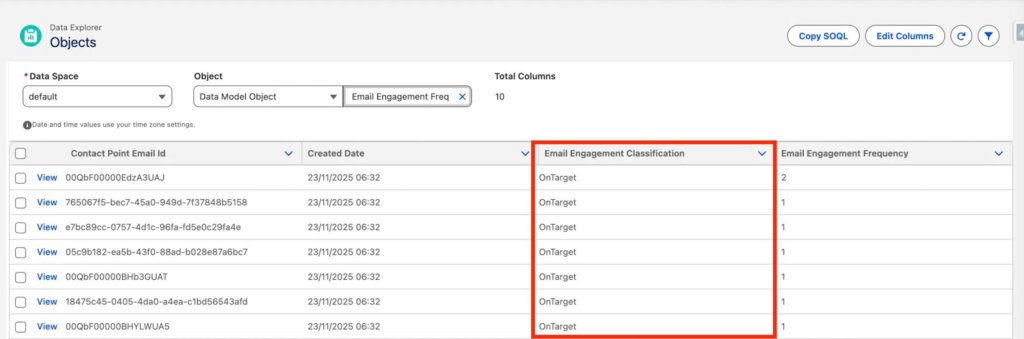
Einstein Engagement Frequency Data can be visualised in the Data Cloud Object Explorer by selecting the Email Engagement Frequency Data Model Object. As you can see on the screenshot below we note that all the records have an ‘Email Engagement Classification’ that is OnTarget – meaning normal. However it could also be ‘Saturated’ (Too many emails received) or ‘UnderSaturated’ (More emails could be sent) and Almost Saturated (Close to saturation).
Requirements #
- A minimum of 10 subscribers is required to model for engagement frequency.
- A minimum of five frequencies is required to model for engagement frequency. The audience must receive at least five variants of your email messaging over a 28-day period. For Einstein Engagement Frequency, a variant is defined as an email sending pattern, which is sending email to subscribers with at least five different intervals.
How to setup Einstein Engagement Frequency? #
Multiple steps are required to make use of Einstein Engagement Frequency.
Enabling the Einstein Engagement Frequency Feature #
In Salesforce setup, go into the Assistant Home and then click ‘Set Up Email’.
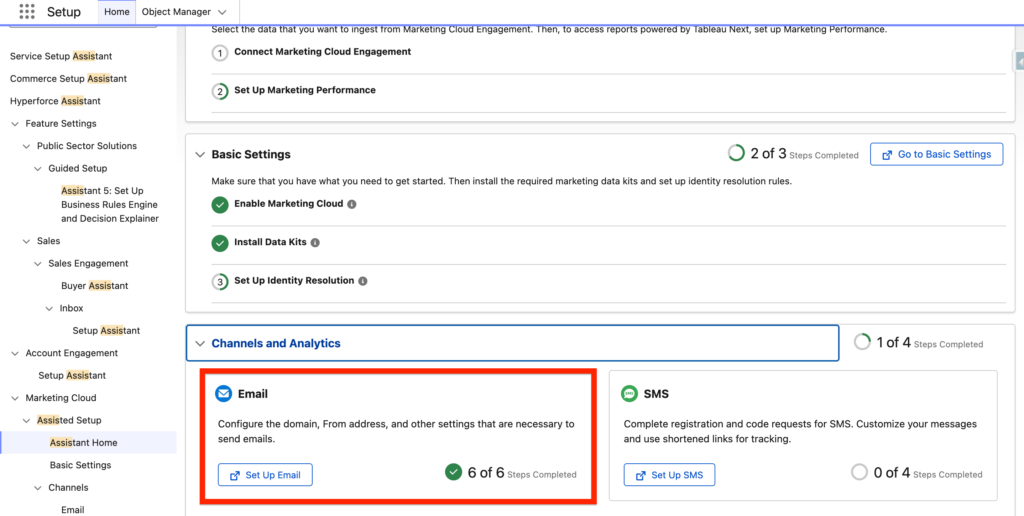
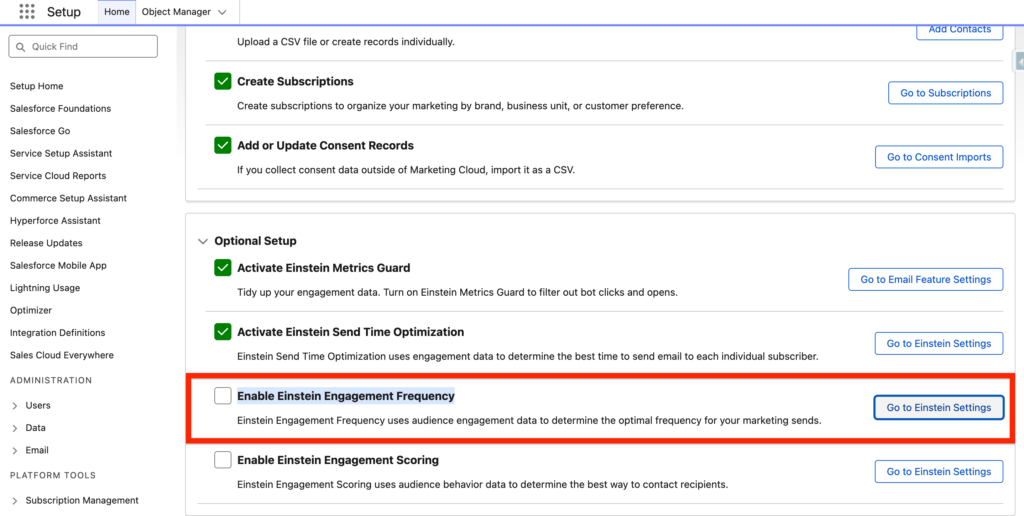
At the bottom of the page, navigate to the ‘Optional Setup’ section and then click ‘Go to Einstein Settings’ within the Enable Einstein Engagement Frequency section.
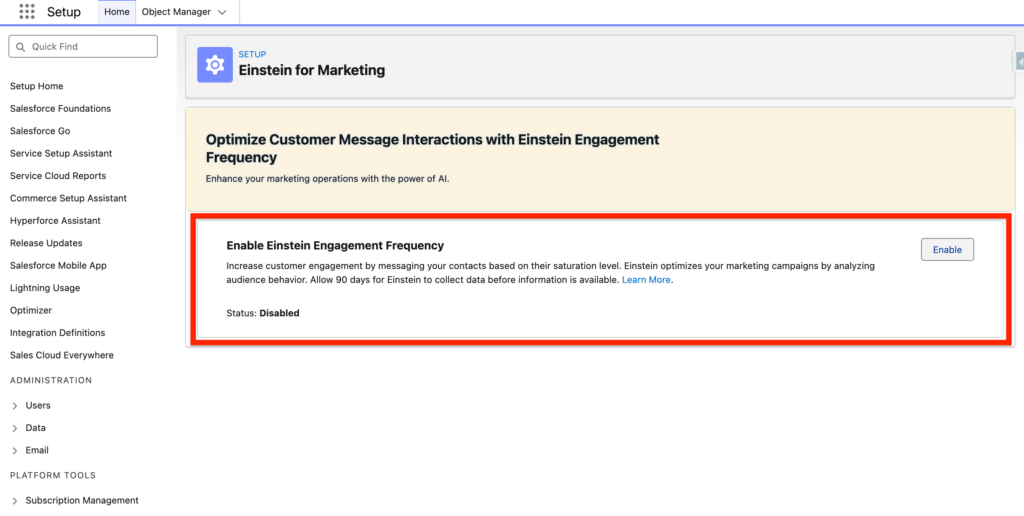
On the Einstein for Marketing page, Click Enable.
Adding the Email Engagement Frequency Data Model Object to the Data Graph #
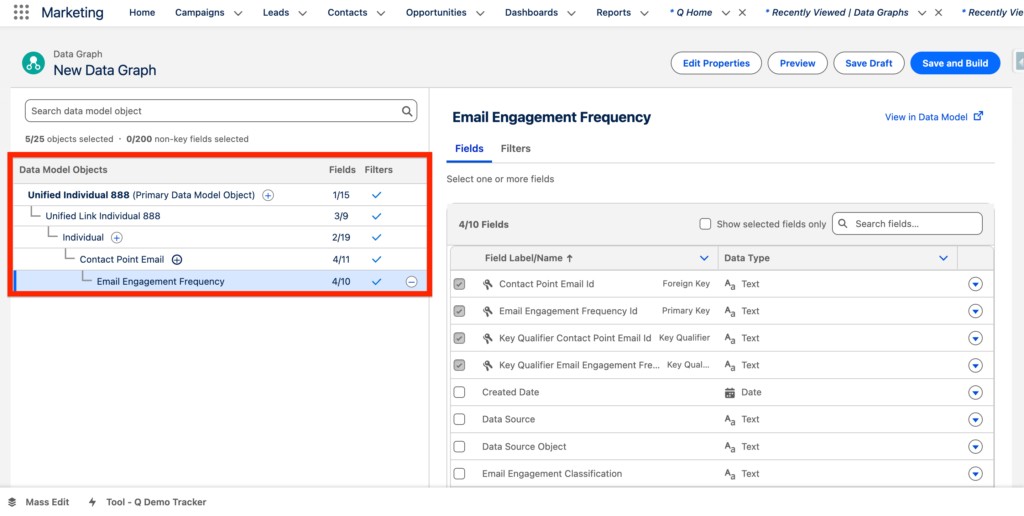
It is required to add the Email Engagement Frequency Data Model Object to the Data Graph in order to use the decision split related when creating a flow for sending Marketing Emails.
I’ve created a New Data Graph based on my Unified Individual Object that will leverage the Email Engagement Frequency Data Model Object (Follow path to select the DMO correctly).
I’ve also selected the Email Engagement Classification and Email Engagement Frequency field attributes.
How to use Einstein Engagement Frequency in a Flow? #
In a Marketing Flow, drag and drop the Einstein Decision Element and select Frequency.
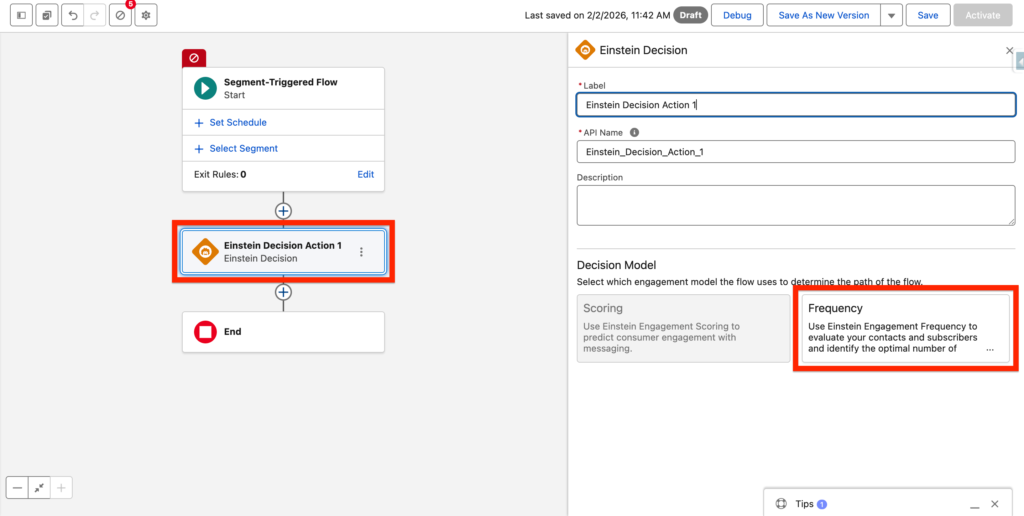
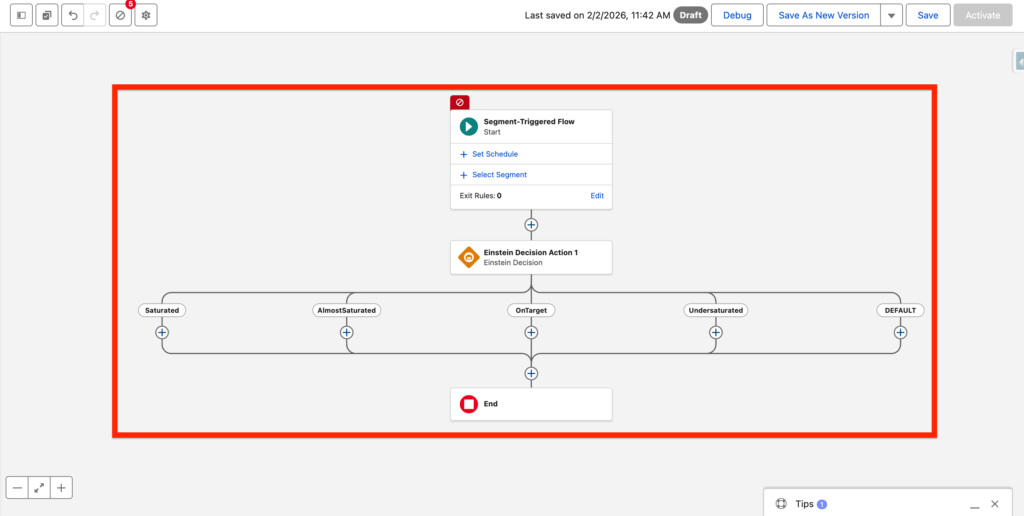
The Einstein Decision Element will split the Flow path into 5 Sub Paths related to each Einstein Engagement Frequency Classification:
- Saturated: Received too many messages.
- AlmostSaturated: Received nearly too many messages.
- OnTarget: Received the right amount of messages.
- Undersaturated: Received too few messages.
This will allow to deliver a personalised experience based on how engaged your customer data base is.
Ressources: #
https://help.salesforce.com/s/articleView?id=mktg.mktg_admin_setup_einstein.htm&type=5
https://help.salesforce.com/s/articleView?id=mktg.mktg_einstein_model_card_eef.htm&type=5