
In this article, we will learn how to track engagement activities on a Marketing Cloud Next Landing Page. After activating the tracking we will be able to get insights on Page Views, Form Submissions, Link Clicks, and Button Clicks.
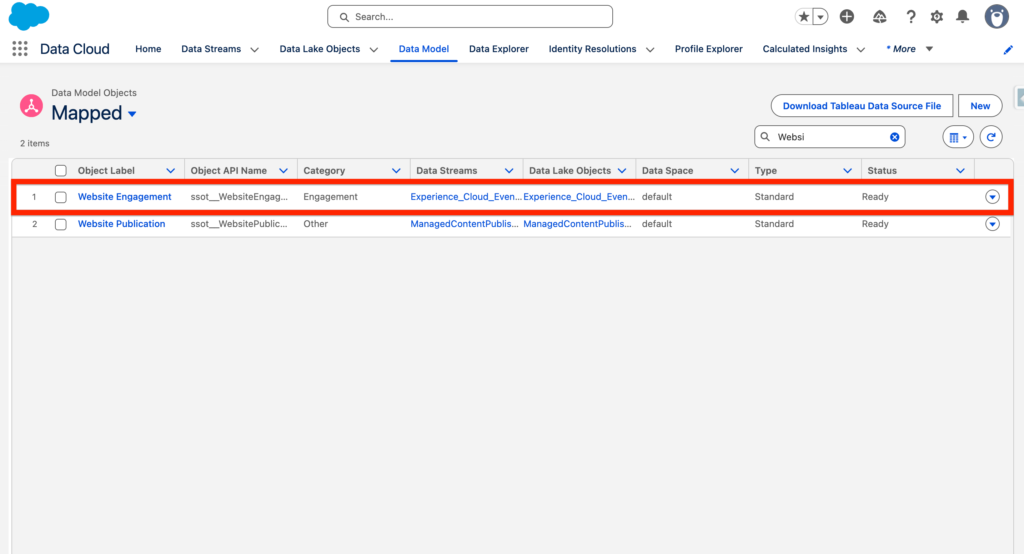
Website Engagement DMO #
The Website Engagement Activities will be stored into the Data Model Object Website Engagement. By storing information within this Data Model Object – You will able to create segments such as Identifying all the visitors that went on the Landing Page over the last 30 days – Or all the visitors that submitted a Form.
In Salesforce Setup, navigate to All Site and Click on Builder on the Marketing Landing Pages.
Security & Privacy #
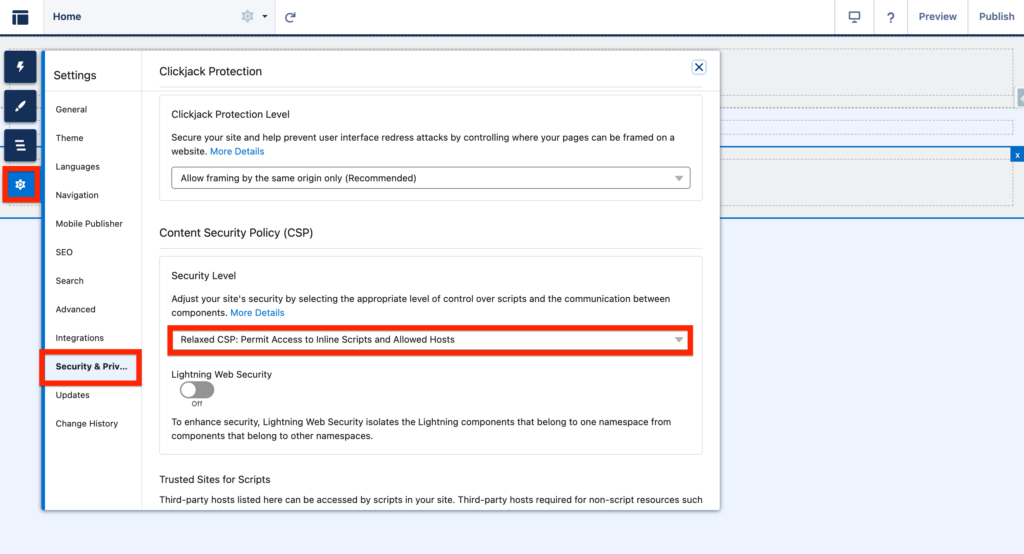
In the Marketing Landing Pages Builder, click on Setting then Security & Privacy and select Relaxed CSP: Permit Access to inline Scripts and Allowed Hosts.
Data Cloud Integration #
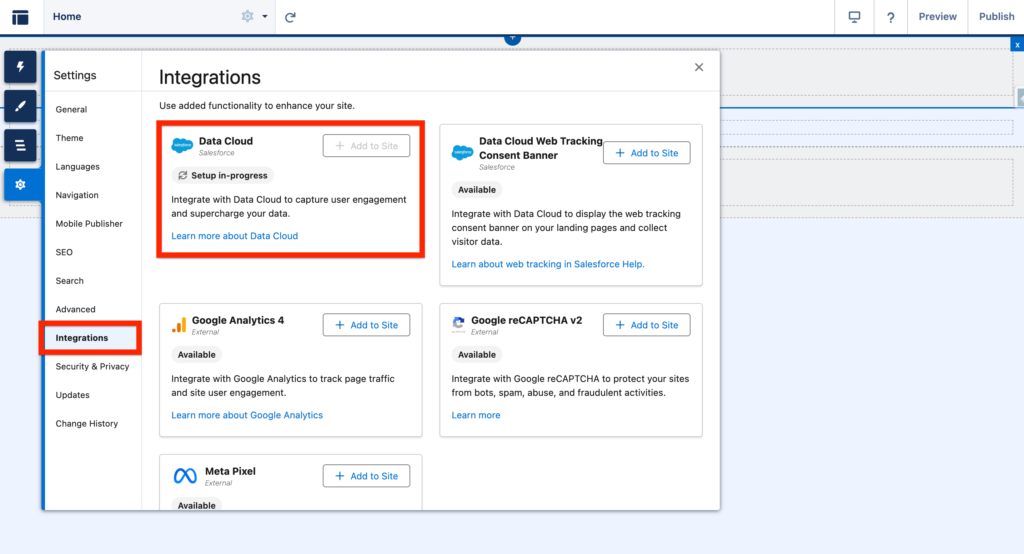
The next step is to navigate to the integration tab and add Data Cloud to Site.
Adding the Tracking Code #
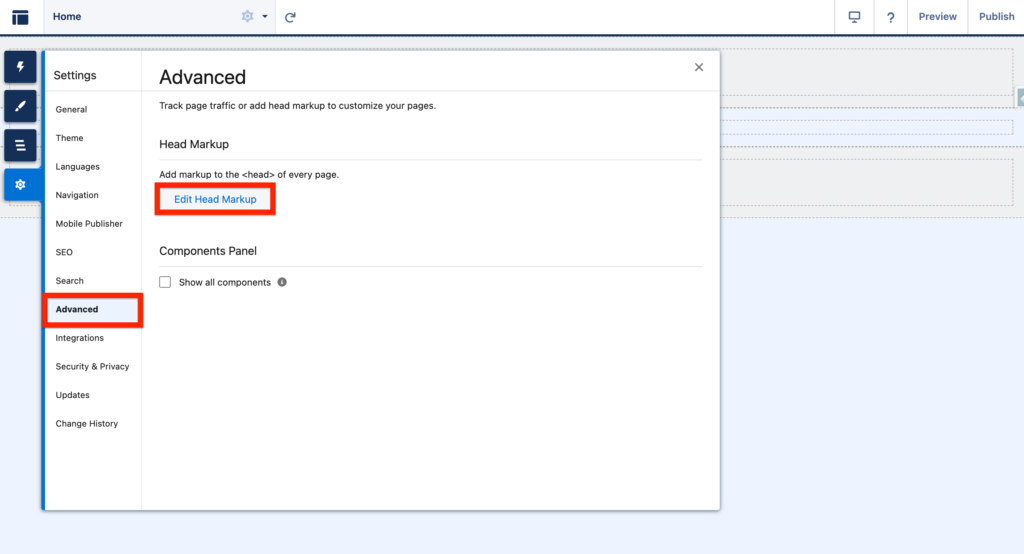
Finally click Advanced and Edit Head Markup. and Add the following script:
<script>
document.dispatchEvent(
        new CustomEvent('experience_interaction', {
            bubbles: true,
            composed: true,
            detail: {
                name: 'set-consent',
                value: true,
            },
        })
    );
</script>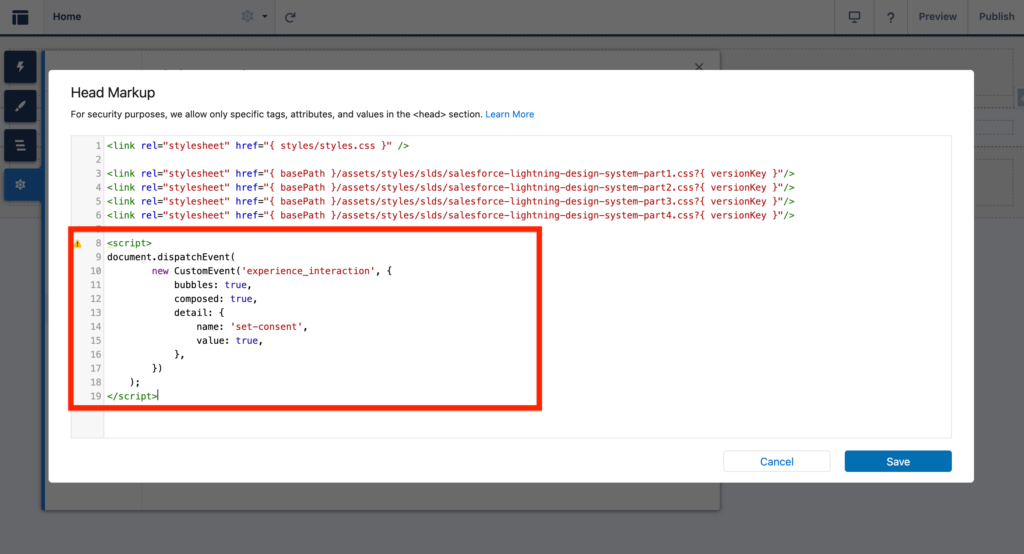
Ressources: https://help.salesforce.com/s/articleView?id=mktg.mktg_tracking_landing_pages_parent.htm&type=5