
Install the Marketing Data Kits (Pre-requisites) #
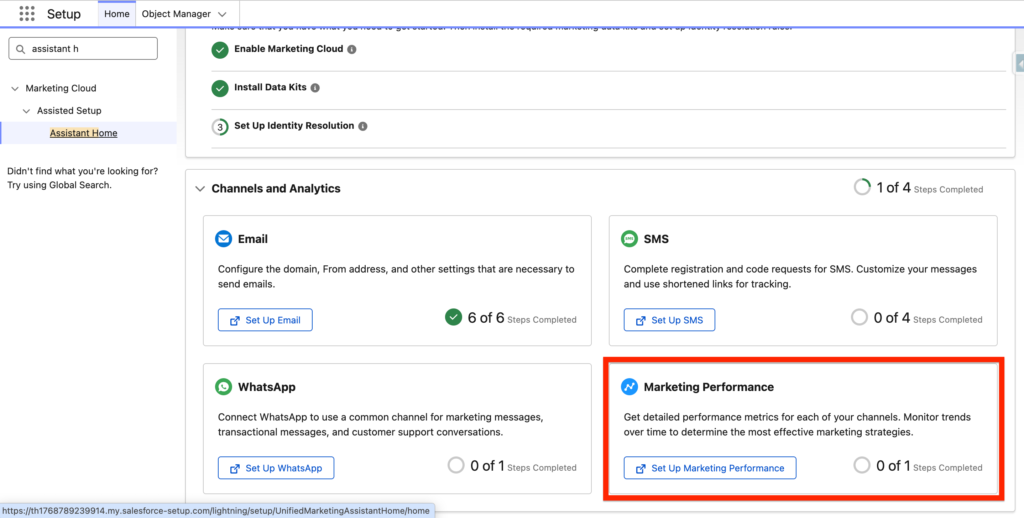
Navigate into Salesforce Setup and the Assistant Home Tab. From there locate the Marketing Performance card and click on ‘Set Up Marketing Performance’.
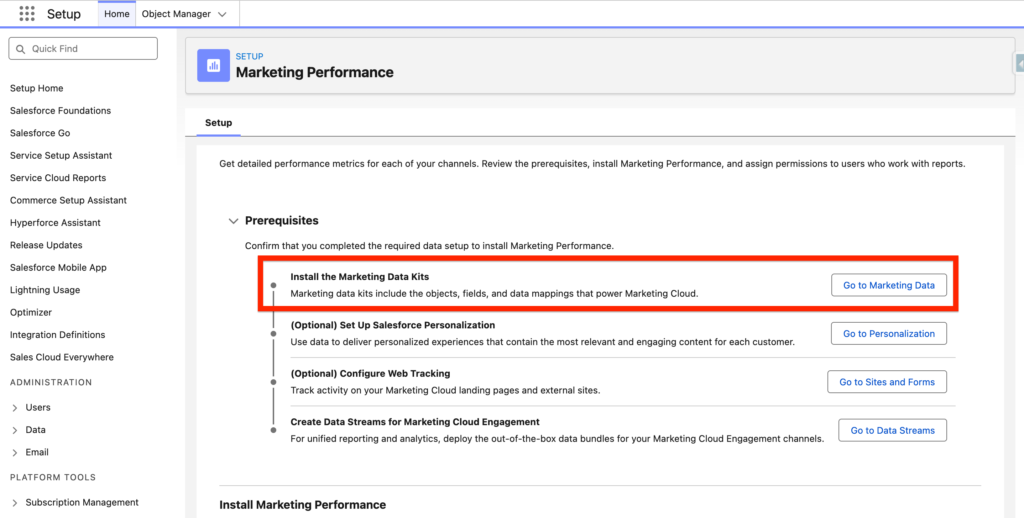
Within the Marketing Performance page click ‘Go To Marketing Data’ next to Install Marketing Data Kits.
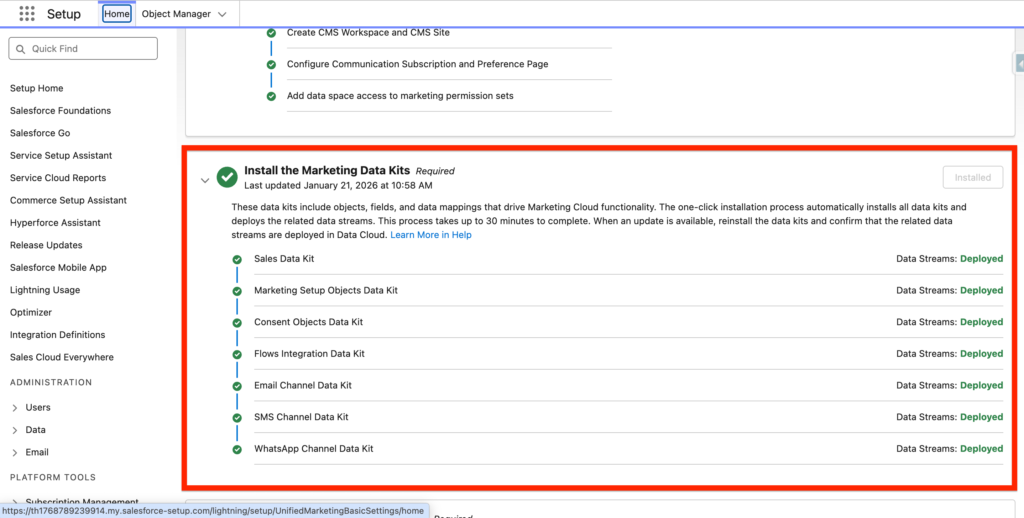
From there, make sure that all the Marketing Data Kits are deployed.
Install the Marketing Packages #
From Salesforce set-up, navigate to Analytics located under Reporting and Optimization.
In there, you will have the possibility to install the different packages:
- Marketing Engagement Analytics package: Gives you insights on how customers interact with your Email Marketing efforts.
- SMS Analytics package: Gives you insights on how customers interact with your SMS Marketing efforts.
- Landing Pages and Forms Analytics Package: Gives you insights on how customers interact with your Landing Pages and Forms.
- Flow Reports Analytics Package: Provides information such as how many users entered a specific action within the flow
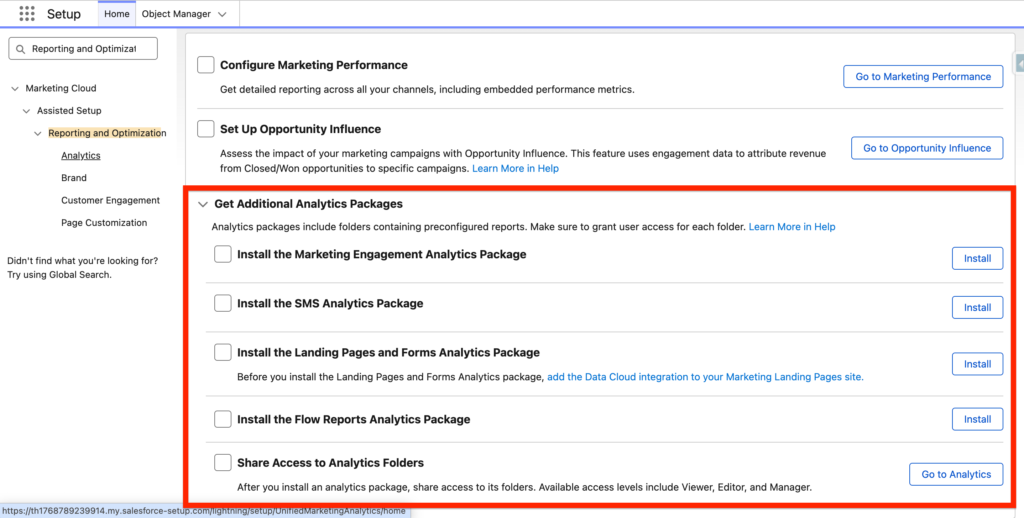
You will also need to ‘Share Access to Analytics Folders’ so that everyone from your team can get access to the insights from the reports.
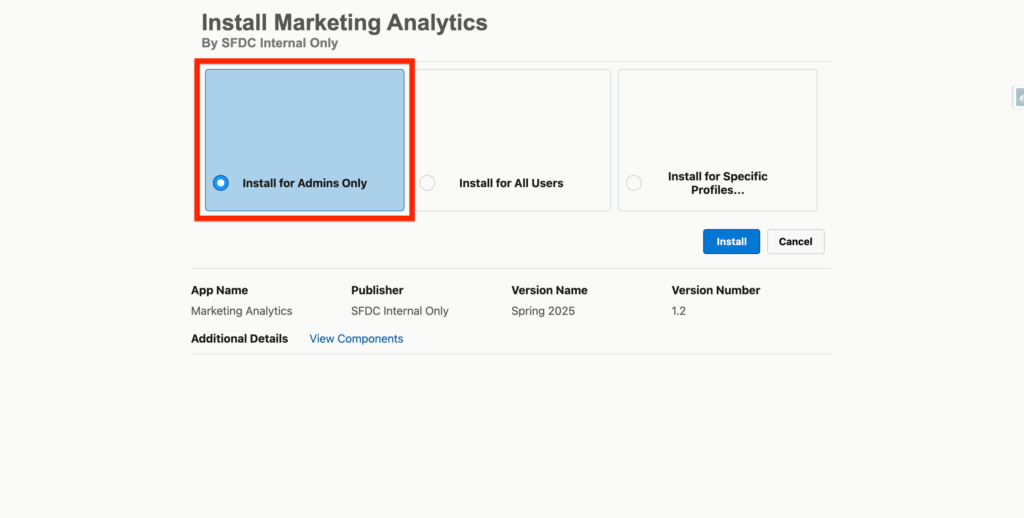
For each package, you can click Install for Admin only and confirm:
Get access to Marketing Reports #
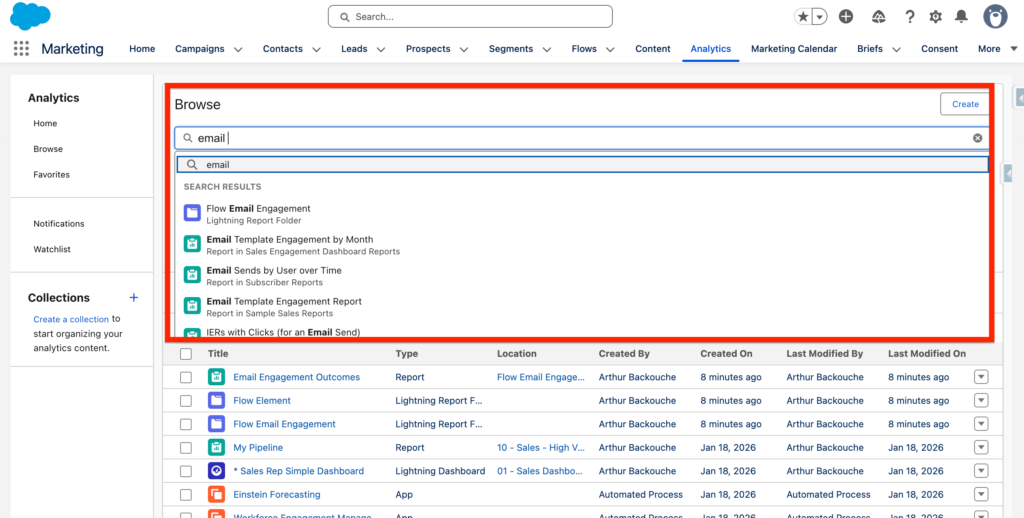
After installing the Marketing packages listed above, you can navigate to the Marketing App within Salesforce and click the Analytics Tabs. Within the Analytics tab you can access a range of reports related to Email, SMS, Landing pages & Forms, and Flow Engagement.
How to manage Analytics Access in Marketing Cloud Next #
In order to have the possibility to visualise Analytics Reports & Dashboards in Marketing Cloud Next some permission sets are required.
- Marketing Cloud Manager Permission: edit and share reports and dashboards.
If you need a more granular level of permission, you can still use the permission related to sharing Reports and Dashboards: https://help.salesforce.com/s/articleView?id=analytics.analytics_sharing_permissions.htm&type=5
https://help.salesforce.com/s/articleView?id=mktg.mktg_reporting_create.htm&type=5
Ressources:
https://help.salesforce.com/s/articleView?id=mktg.mktg_admin_reports.htm&type=5
https://help.salesforce.com/s/articleView?id=mktg.mktg_admin_install_analytics.htm&type=5
https://help.salesforce.com/s/articleView?id=mktg.mktg_admin_data_kits_install_main.htm&type=5


