
What is Salesforce Personalization? #
Salesforce Personalization is an App allowing you to personalise the experience of a user when interacting with your brand assets (Email, Website and more). When navigating your website the customer will be able to experience banners, product recommendations and other personalised content based on behavioural data (How he is navigating on the website) and demographic data (Who is he as an individual) – Recommendations and Personalisations can also be made based on understanding other individuals that have a similar profile to your customer (LookALike).

How does Salesforce Personalization work? #
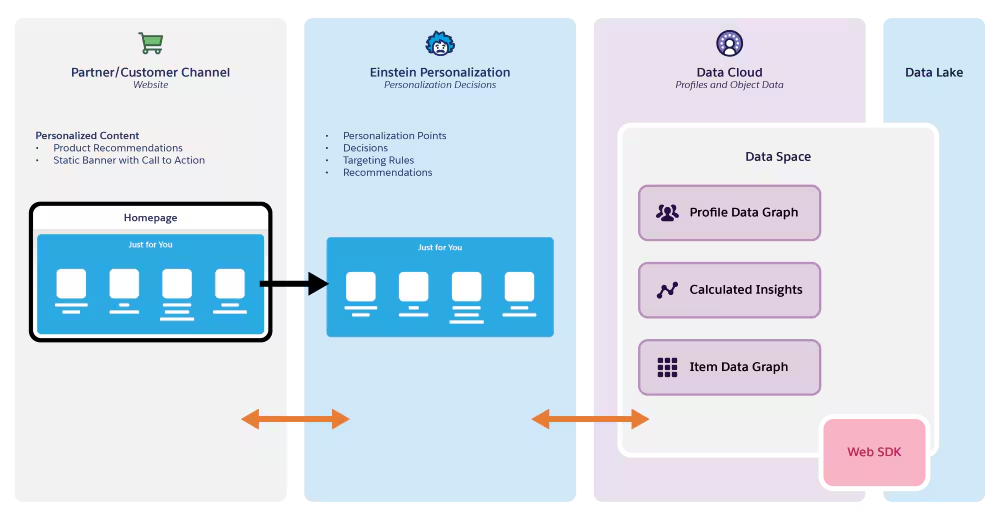
When a visitor lands on your website, the Web SDK captures their behavior and sends it to Salesforce Personalization. Personalization uses decisions and targeting rules to determine what content to show, pulling from Data Cloud where customer profiles, product data, and calculated insights are stored. Based on this information, Salesforce Personalization delivers personalized product recommendations and content back to the website in real-time, creating a tailored “Just for You” experience for each visitor.
How to setup Salesforce Personalization? #
Prerequisite: Create a Salesforce DataGraph.
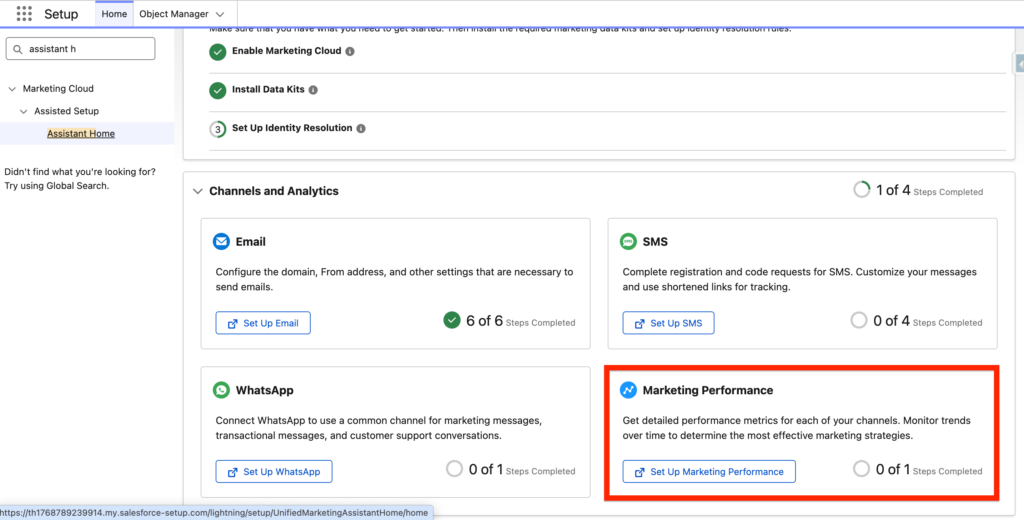
In Salesforce Setup, navigate to Assistant Home and click on Set Up Marketing Performance.
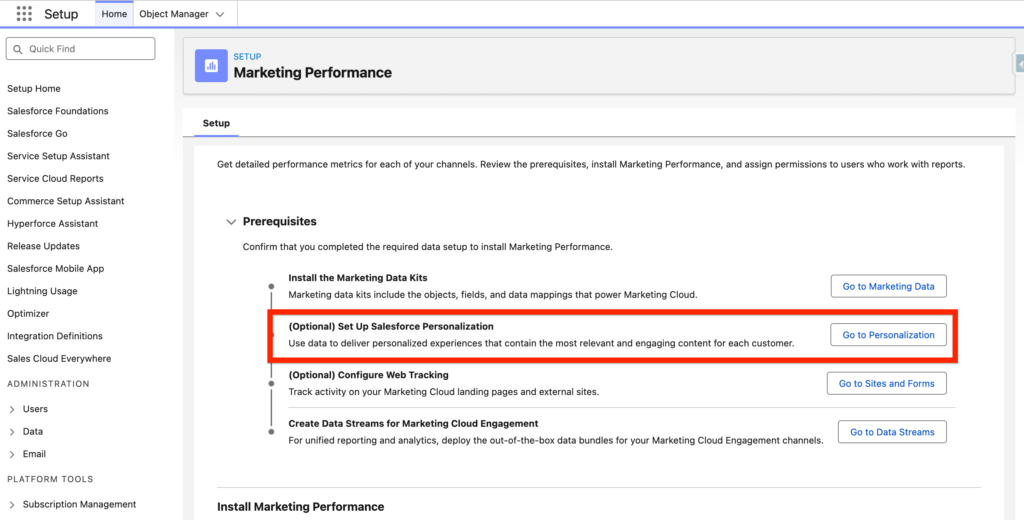
Then click on ‘Go to Personalization’ within the (Optional) Set Up Salesforce Personalization.
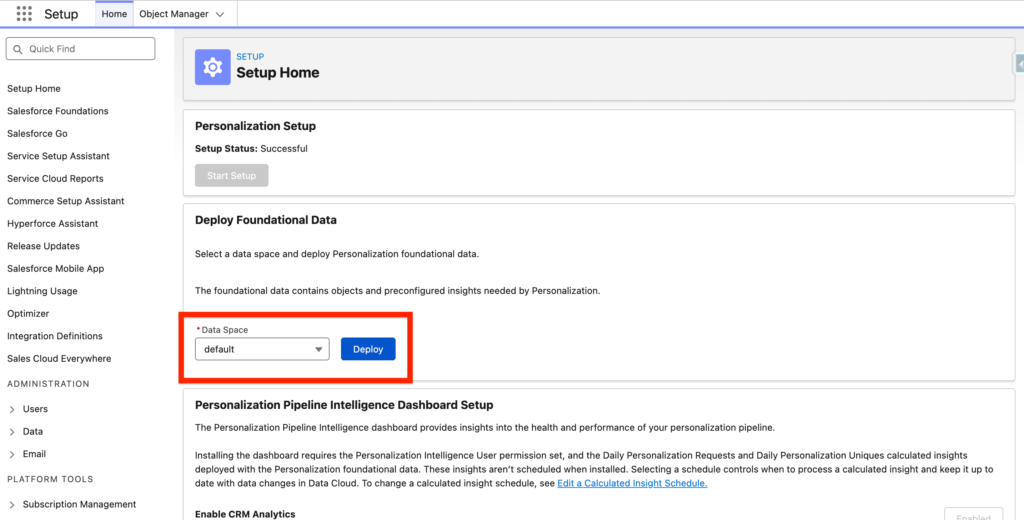
Within the Deploy the Foundation Data, select your data space (Default) and click Deploy.
The Foundational Data is composed of the following Data Model Objects:
- Personalization Point: The Personalization Point Data Model Object (DMO) defines a specific personalization experience point, like a grid location in Experience Builder, that is eligible for a personalization decision.
- Personalization Decision: The Personalization Decision Data Model Object (DMO) defines all object properties required to make personalized decisions for a Personalization point. Properties include eligibility criteria (targeting rules), priority settings, and so on.
- Personalizer: The Personalizer Data Model Object (DMO) defines what additional service is used to provide a complete decision response. For example, to provide a recommendations response, the personalizer uses the recommendation service to provide targeted, personalized results to visitors.
- Personalization Log: The Personalization Log Data Model Object (DMO) captures data from various data sources about engagement with Personalization.
As well as 2 Calculated Insights:
- Insights Daily Personalization Requests
- Daily Personalization Uniques
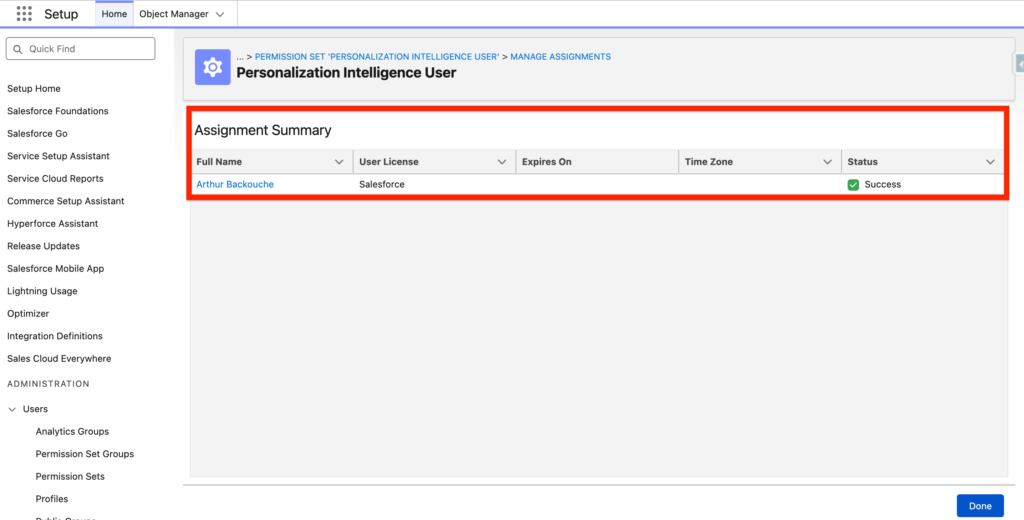
Give the permission set named ‘Personalization Intelligence User’ to your user (Arthur Backouche).
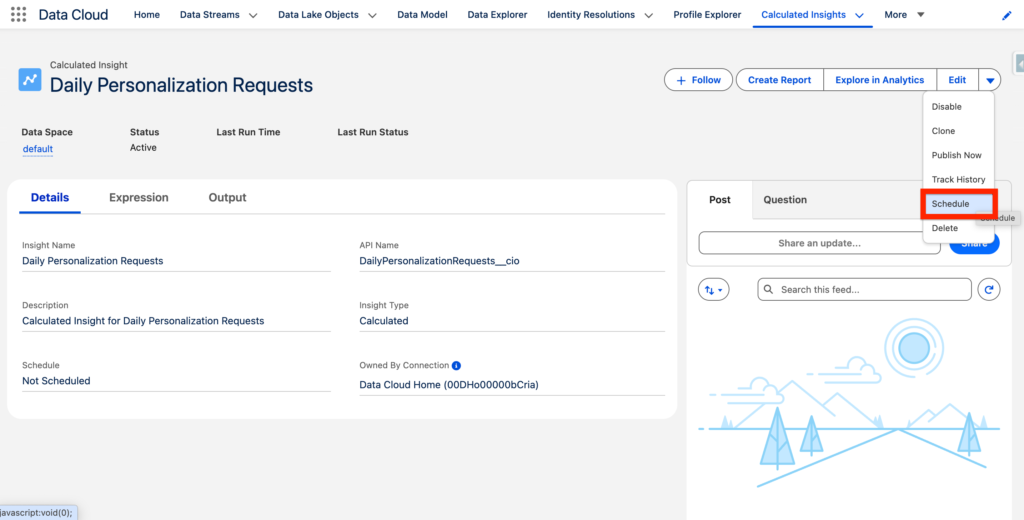
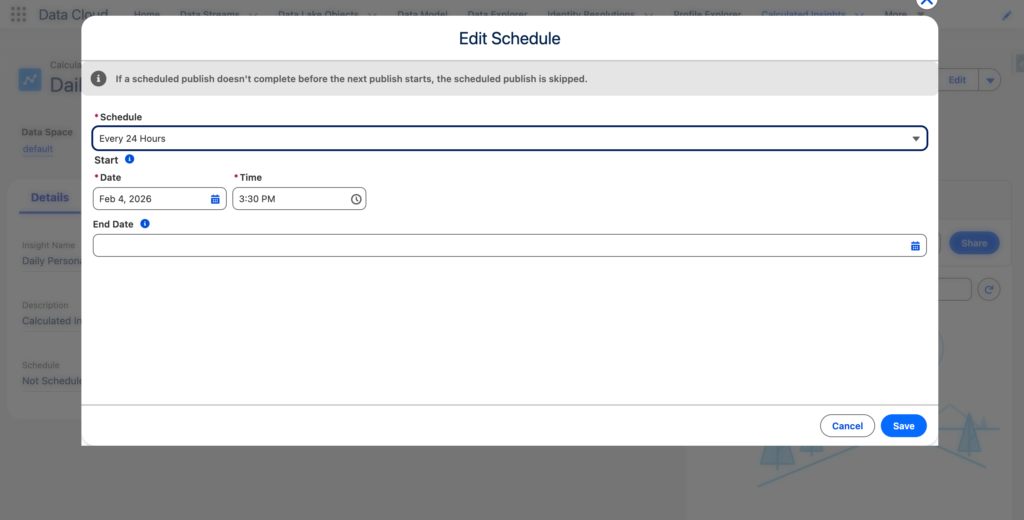
Navigate to the Data Cloud App and click on the Calculated Insights Tab. Edit the Calculated Insights Daily Personalization Requests and Daily Personalization Uniques and schedule them on a daily basis (24 Hours Refresh Rate).
—
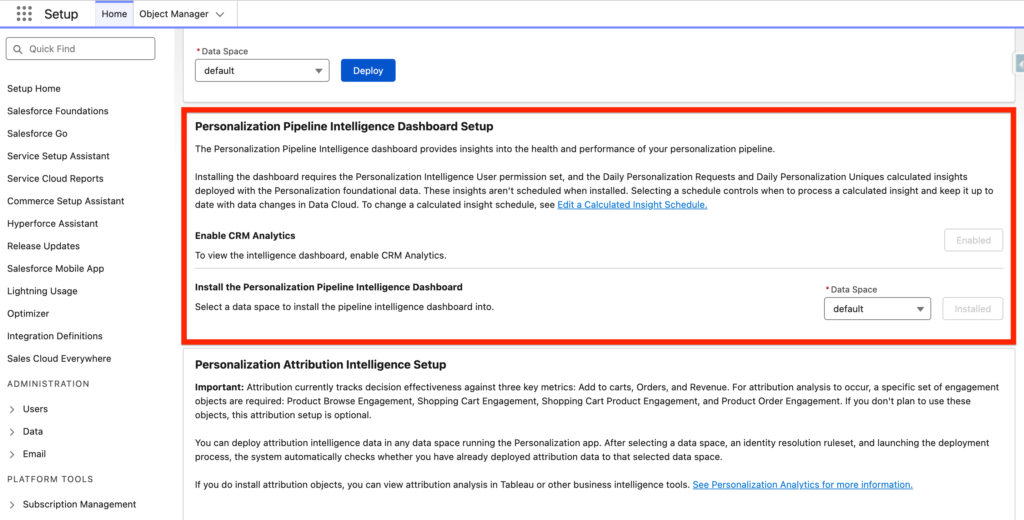
After that navigate back to the Salesforce Personalization Setup and within the Install the Personalization Pipeline Intelligence Dashboard Section click ‘Install’.
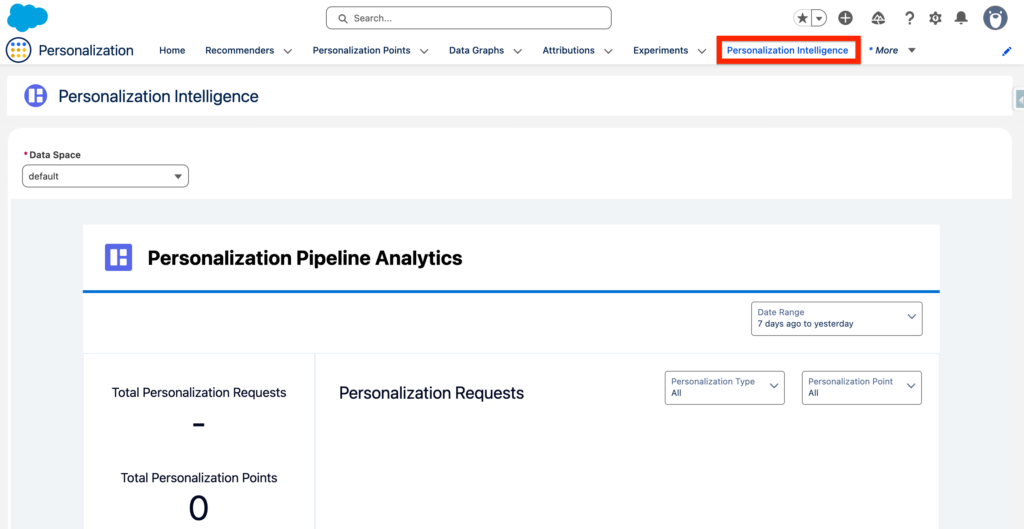
After getting the confirmation that the Personalization Pipeline Intelligence Dashboard is installed correctly we will ensure that we can access the Dashboard by navigating to the Personalization Tab and identifying the ‘Personalization Intelligence’ Tab. The Dashboard allows you to get insight how the health of your personalization modules (load times etc.) and the attribution of it (who is seeing it/when).
Pipeline Intelligence Definition: Help understanding how the Personalization app is performing using technical, operational performance metrics associated with inbound and outbound Personalization service requests. These metrics include the number of decision requests, number of personalization points, number of personalization decisions, and number of unique individuals targeted to highlight pipeline performance and health.
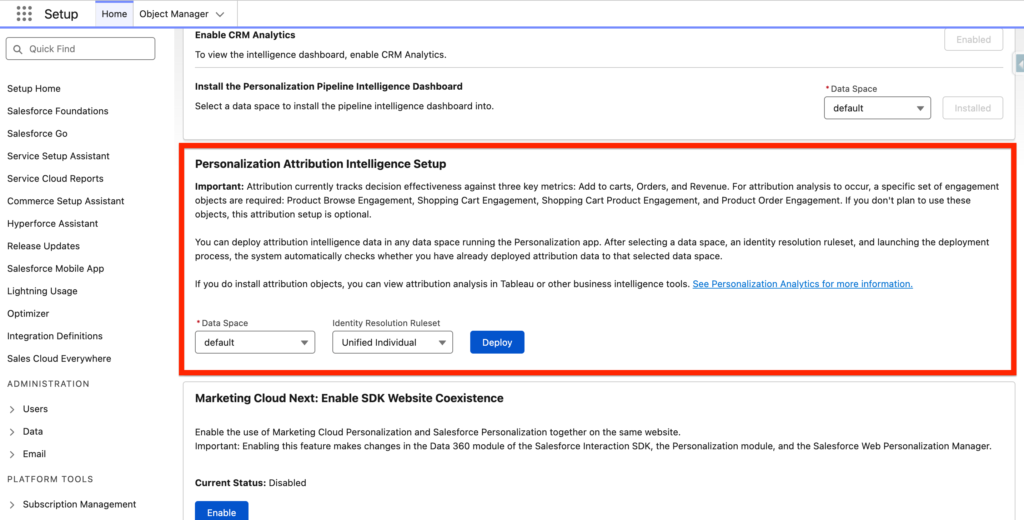
We are now activating the Attribution Model for Salesforce Personalization. It will allow us to track revenue information (Browse Products, Add To Cart, Purchase) – this option is optional if you are not selling online. It will install the following Data Model Objects:
- Product Browse Engagement
- Shopping Cart Engagement
- Product Order Engagement
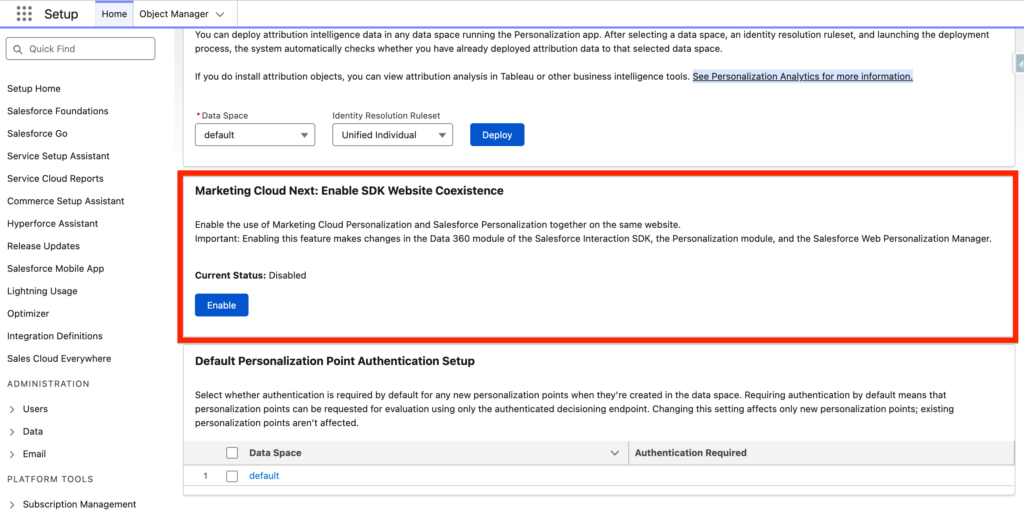
Finally we will not enable the last feature that is only required if we are using Marketing Cloud Personalization alongside of Salesforce Personalization.
Ressources:
https://help.salesforce.com/s/articleView?id=mktg.mc_persnl.htm&type=5
https://help.salesforce.com/s/articleView?id=mktg.mktg_data_graph_setup.htm&type=5
https://help.salesforce.com/s/articleView?language=en_US&id=sf.persnl_analytics.htm


