
What is Einstein Engagement Scoring? #
Einstein Engagement Scoring is a feature available in Marketing Cloud Next allowing you to understand the Profile/Persona of your customer based on how he interact with your email communications. i.e. a very engaged customer that opens all your emails will be called a Loyalist and the opposite – a customer that doesn’t opens/click your emails will be named ‘Dormant’. As well as how likely a customer will open/click your emails. Having the possibility to understand your customer allows you to deliver a personalised experience and adapt your email marketing strategy – different type of emails to different type of customers.
How to setup Einstein Engagement Scoring? #
Multiple steps are required to make use of Einstein Engagement Scoring.
Enabling the Einstein Engagement Scoring Feature #
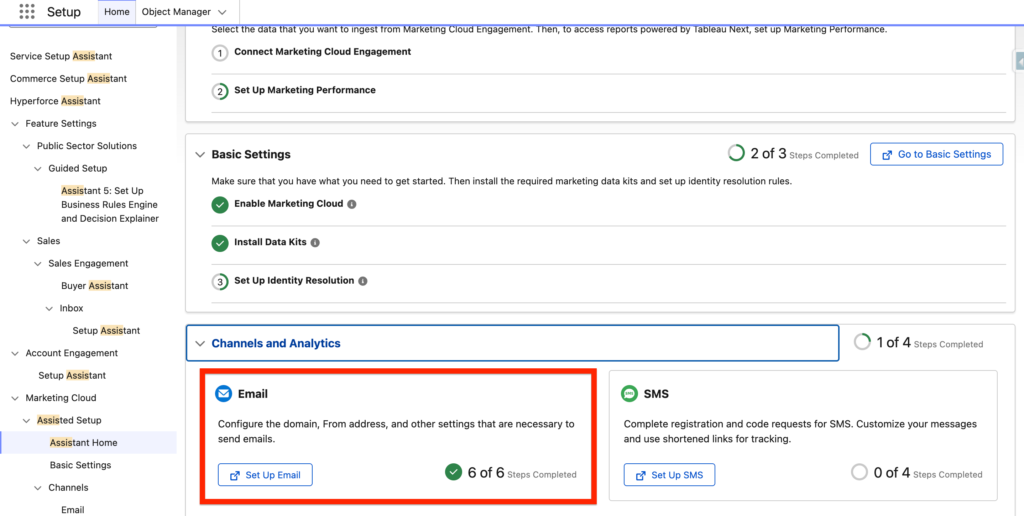
In Salesforce setup, go into the Assistant Home and then click ‘Set Up Email’.
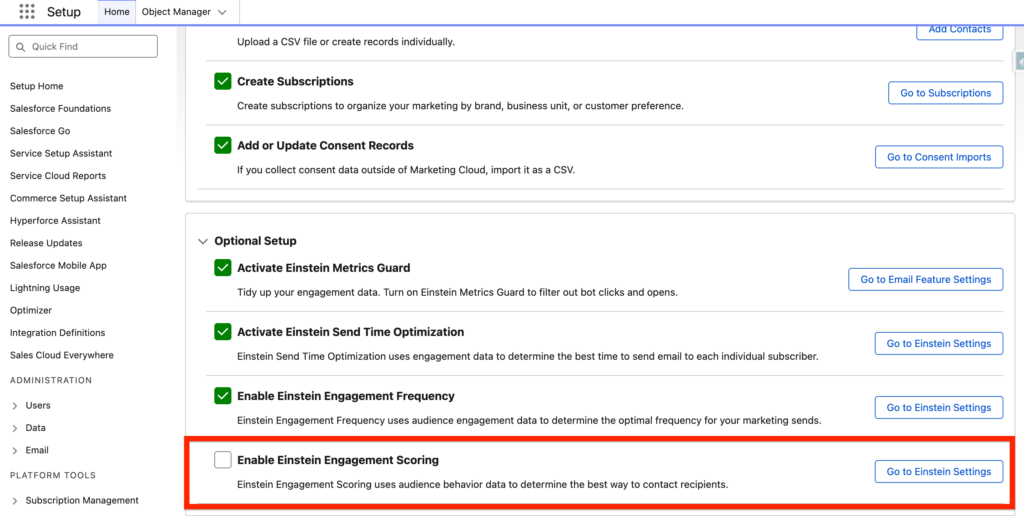
At the bottom of the page, navigate to the ‘Optional Setup’ section and then click ‘Go to Einstein Settings’ within the Enable Einstein Engagement Scoring section.
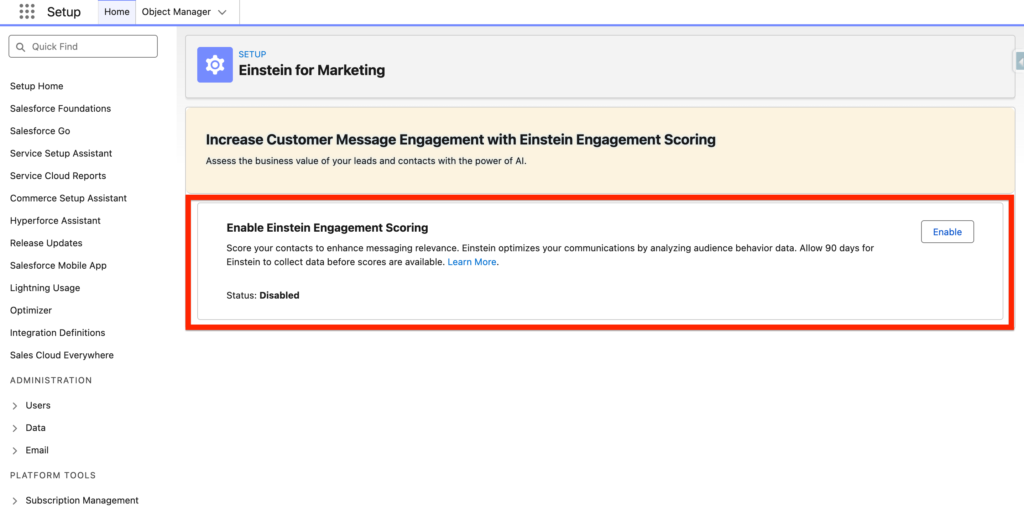
On the Einstein for Marketing page, Click Enable.
Adding the Email Engagement Scoring Data Model Object to the Data Graph #
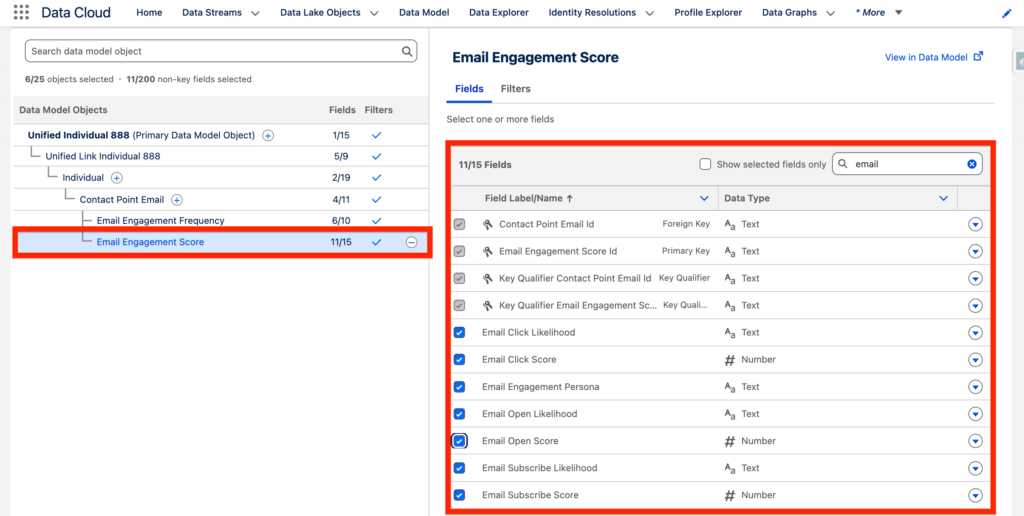
It is required to add the Email Engagement Scoring Data Model Object to the Data Graph in order to use the decision split related when creating a flow for sending Marketing Emails.
In this step I’m editing the ‘New Data Graph’ created in my article about Einstein Engagement Frequency. I will be adding the ‘Einstein Engagement Score DMO’ and I’ve also selected the following attribute fields:
- Email Click Likelihood
- Email Click Score
- Email Subscribe Likelihood
- Email Subscribe Score
- Email Open Score
- Email Open Likelihood
- Email Engagement Persona
How to use Einstein Engagement Scoring in a Flow? #
In a Marketing Flow, drag and drop the Einstein Decision Element and select Scoring.
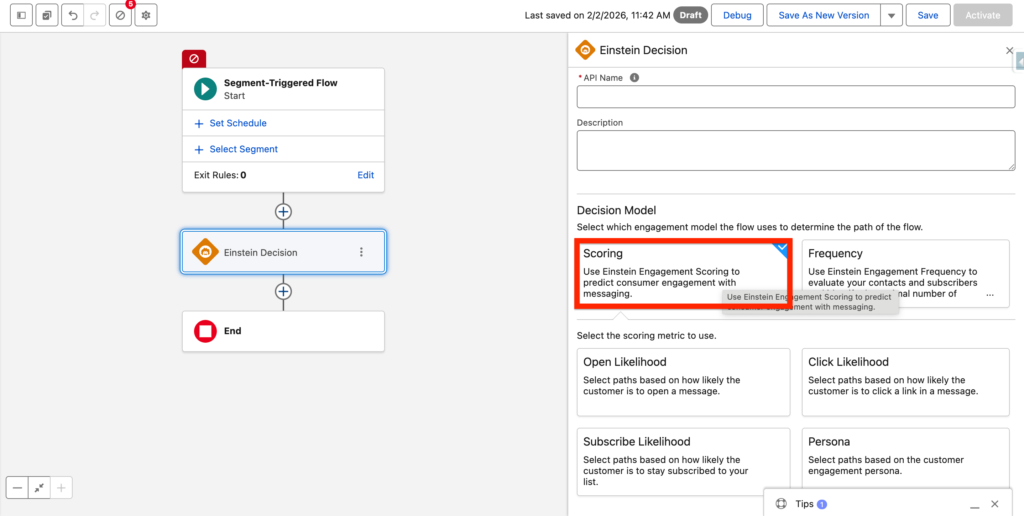
A sub menu will appear with 4 options:
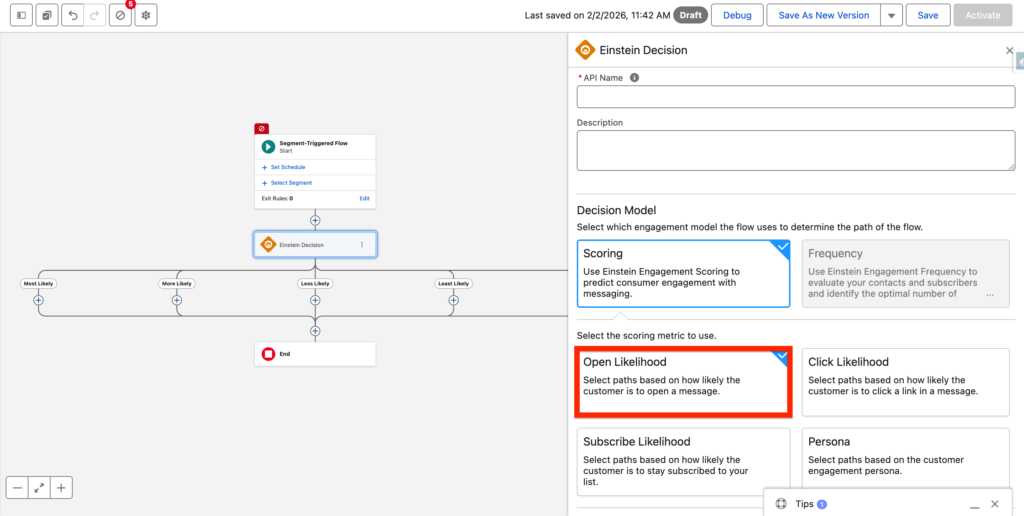
- Open Likelihood: Select path options based on how likely the customer is to open an email.
- Click Likelihood: Select path options based on how likely the customer is to click an email
- Subscribe Likelihood: Select path options based on how likely the customer is going to stay subscribed to your subscription channel.
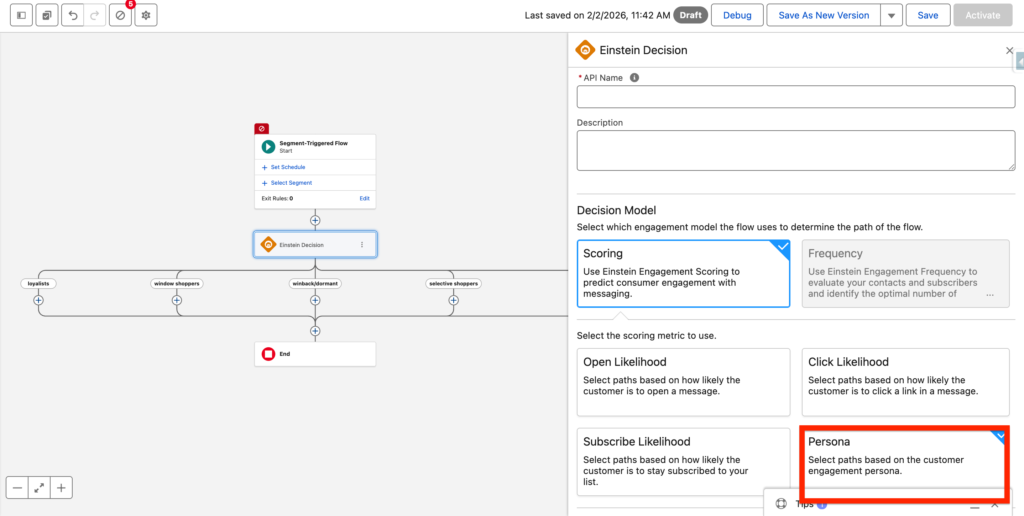
- Persona: Select path options based on the customer engagement persona.
Based on your selection the decision the split options will be different:
The options for the Persona option are:
- Loyalist: High open and click likelihood.
- Selective Subscriber: Low open but high click likelihood.
- Window Shopper: High open but low click likelihood.
- Winback/Dormant: Low open and click likelihood.
The options for Open Likelihood, Click Likelihood and Subscribe Likelihood are:
- Most Likely
- More Likely
- Less Likely
- Least Likely
Ressources: #
https://help.salesforce.com/s/articleView?id=mktg.mktg_einstein_model_card_ees.htm&type=5


