In this guide, you will be able to find out how to install step-by-step Marketing Cloud Growth and configure it properly.
Trello Board: https://trello.com/b/RuS2ZLpD/demo-marketing-cloud-advanced
Admin Ressource: https://help.salesforce.com/s/articleView?id=mktg.mktg_main.htm&type=5
Developer Ressource: https://developer.salesforce.com/docs/marketing/marketing-cloud-growth/guide/mc-getting-started.html?q=einstein
Basic Settings #
Data Cloud Configuration #
Trello Card: https://trello.com/c/7b5m6X7c/1-user-story-11-data-cloud-configuration
Loom Video: https://www.loom.com/share/5039e0e061994d6aa4381ffa8f7a31f6?sid=2a329d5a-348a-4b72-aeb5-abbc0ae834fc
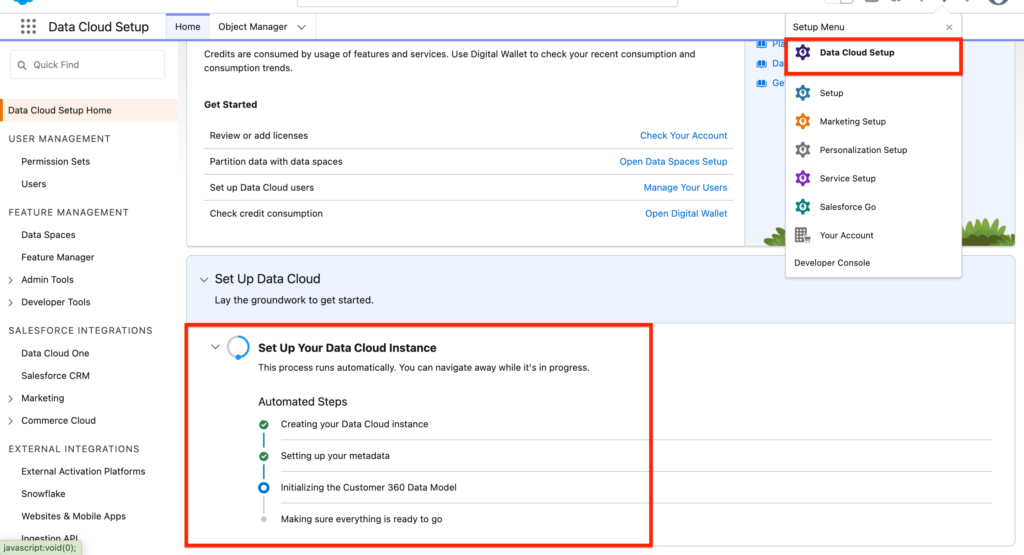
The very first step to enable Marketing Cloud Growth is to activate Data Cloud. In order
Go into Data Cloud Set-up and Activate the ‘Set Up Your Data Cloud Instance’
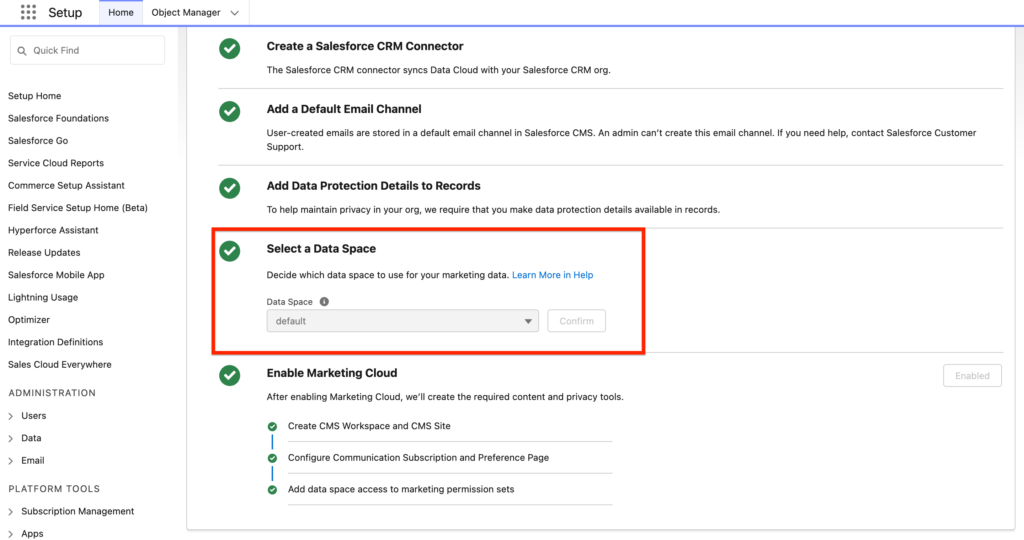
Another required step to enable Data Cloud for Marketing Cloud Growth is to select the Data Space from Data Cloud that will be in use for Marketing Cloud Growth. In Salesforce Set-up, go into ‘Assistant Home’, and click on ‘Go to Basic Setting’, from there you can select the Data Space ‘Default’.
Trello video: https://www.loom.com/share/d0bcb3af522a4031bcc72d02a698aadf?sid=1a2ae5f6-5cec-4a6d-a517-943bcece443c
Installing the Marketing Data Kits #
Trello Card: https://trello.com/c/KP5Lfy6e/1-user-story-121-installing-the-marketing-data-kits
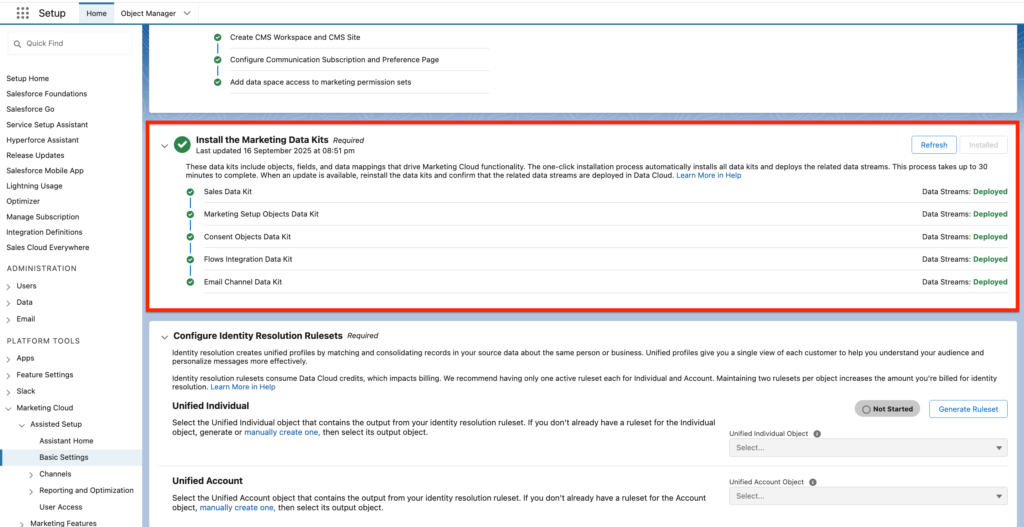
We now need to install the Marketing Data Kits into Salesforce in order to enable Marketing Cloud Growth. Data Models Objects, Field Attributes Mapping will be automatically installed in Salesforce.
In Salesforce Set-up, go into ‘Assistant Home’, and click on ‘Go to Basic Setting’, from there you can Install the Marketing Data Kits.
Identity Resolution Rulesets #
Trello Card: https://trello.com/c/lWwU15Kt/2-user-story-12-identity-resolution-rulesets
Loom: https://www.loom.com/share/ef6ff9c8ad684e1bbfe6b693a04b212b?sid=e900c5ea-ce84-4aec-9610-93e08288bfc0
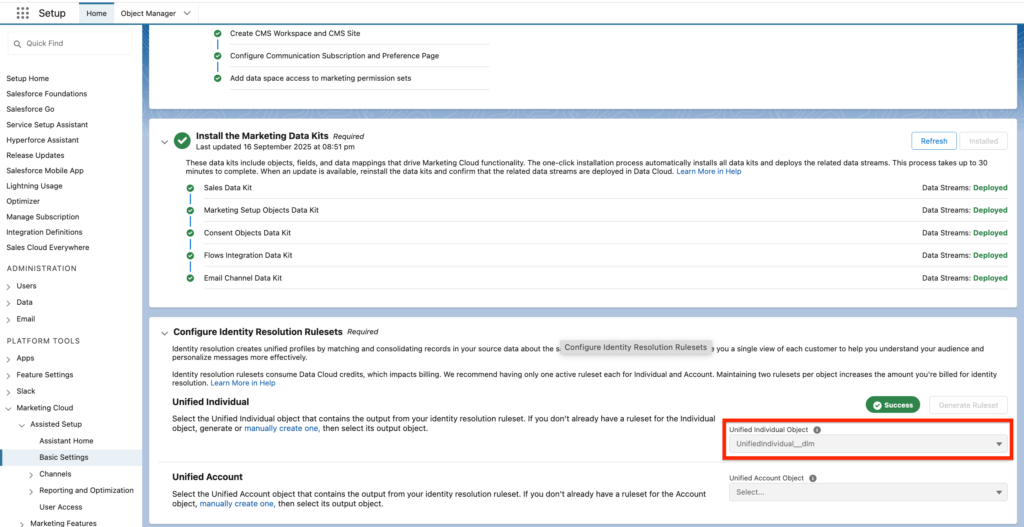
As Marketing Cloud Growth relies on Data Cloud Technology. The way Marketing Cloud Growth Identify email subscribers is by using ‘Rule Sets’ – A group of rules that allows us to identify an individual based on a range of criteria i.e Email Address, Phone Number, First Name, Last Name.
Marketing Cloud Growth allows you to generate a Rule Set for Individual automatically by clicking on ‘Generate Ruleset’. The default Identity Resolution Ruleset is based on Email Address matching only – which is more than enough to start, in the future you can build more complex rulesets.
Email Settings #
Set-up Authenticated Domains #
Loom: https://www.loom.com/share/4bde856c5bfc4fc18f6ae183e5533dd3?sid=88631c6e-d71f-4be0-8e38-1b062d10bcb7
Ressource: https://help.salesforce.com/s/articleView?id=001533984&type=1, https://www.linkedin.com/pulse/email-authentication-marketing-cloud-growth-sabuhi-yahya-kaote/?trackingId=E5PPgyT%2BRBqgF3wqPzWI8w%3D%3D
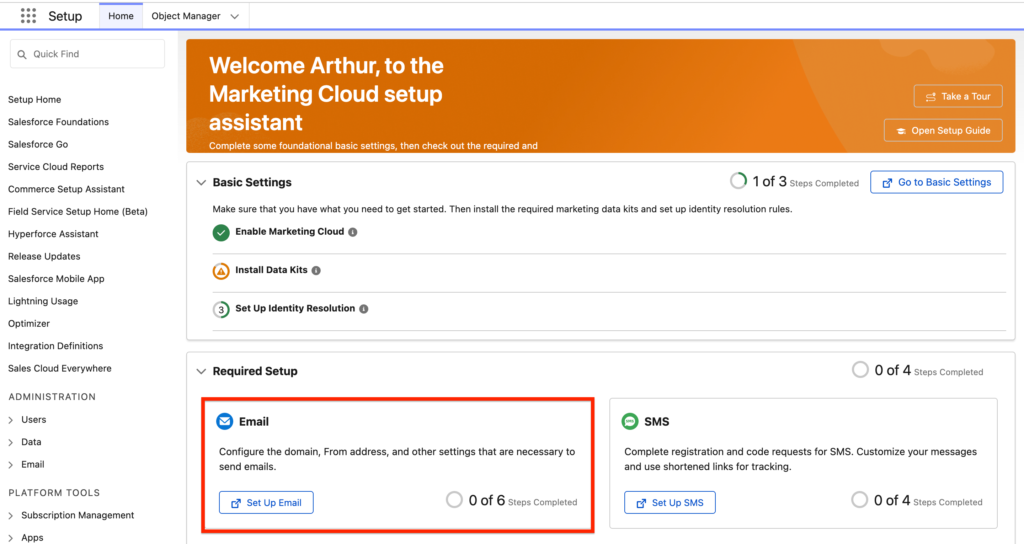
The process to authenticate a domain is very straightforward in Marketing Cloud Advanced, from the ‘Assistant Home’ you can navigate to ‘Set up Email’.
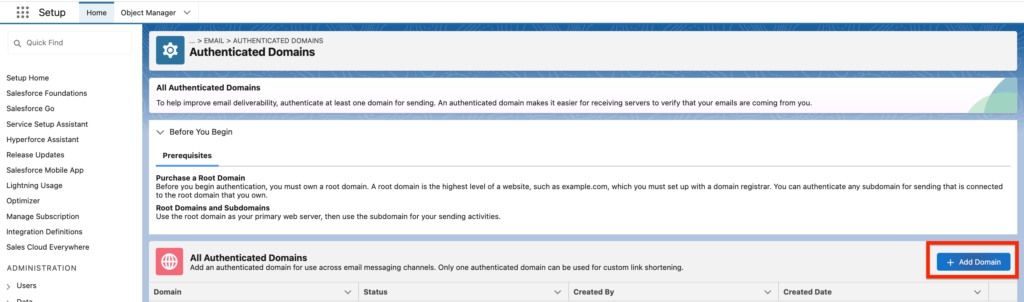
From there you can click ‘Go to Authenticated Domains’ and and ‘Add Domain’. It is recommended to create a subdomain dedicated to email send such as email.example.com to not mess with the current set-up of your root domain.
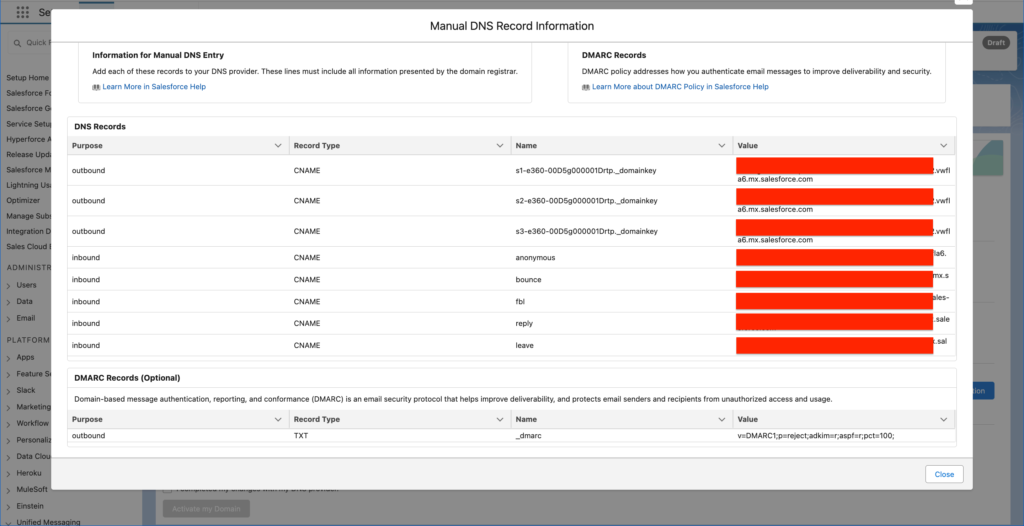
After adding the subdomain, you should be able to visualise the DNS Records that needs to be added to your domain Registrar such as GoDaddy. Once the records added you should be able to validate the domain.
The additional step is to add the optional feature within the Email Set-up.
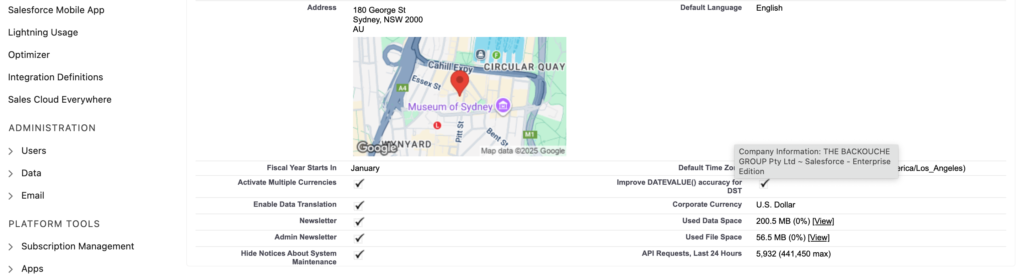
Add or Update Physical Address #
The email address that will appear at the bottom of your email template:
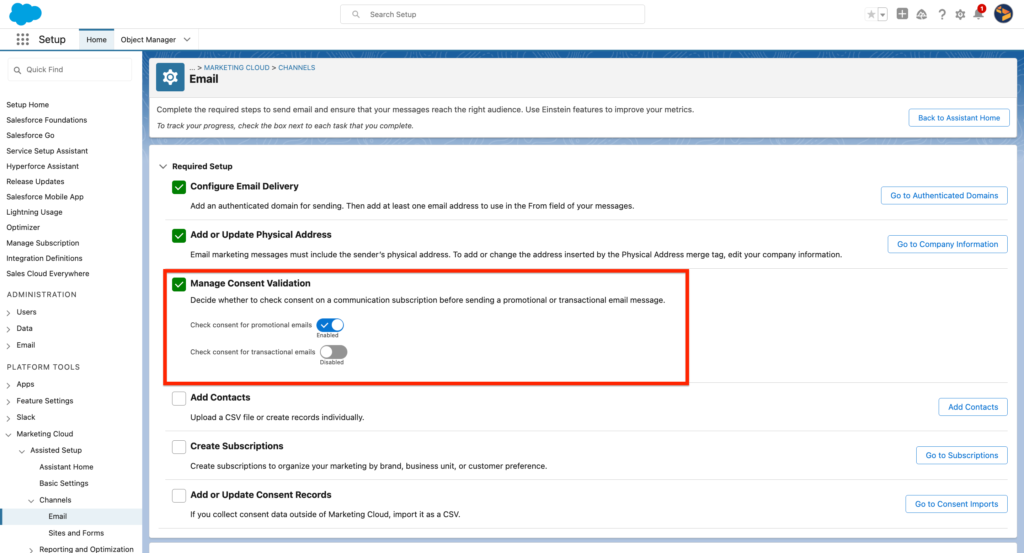
Manage Consent Validation #
As we are only interested in handling the consent for commercial communications we can keep the default set-up as it is (Transactional Consent is not obligated/required).
Add Contacts, Create Subscriptions, Add or Update Consent Records #
Not required as we will ingest the connect from Salesforce CRM throughout the Data Cloud Data Streams.
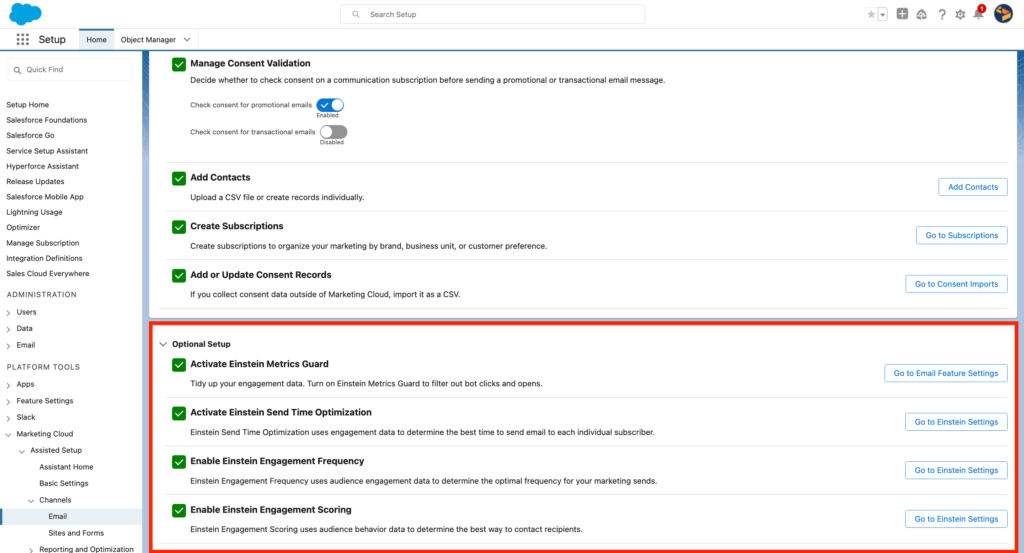
Activate Einstein Metrics Guard, Activate Einstein Send Time Optimisation, Enable Einstein Engagement Frequency, Enable Einstein Engagement Scoring #
We have enabled the Out of the Box AI feature in Marketing Cloud Advanced. It is interesting to turn them ON in order to get insights such as when is the optimal time to send an email, how often should I send an email and how engaged my customers are.
Analytics Settings #
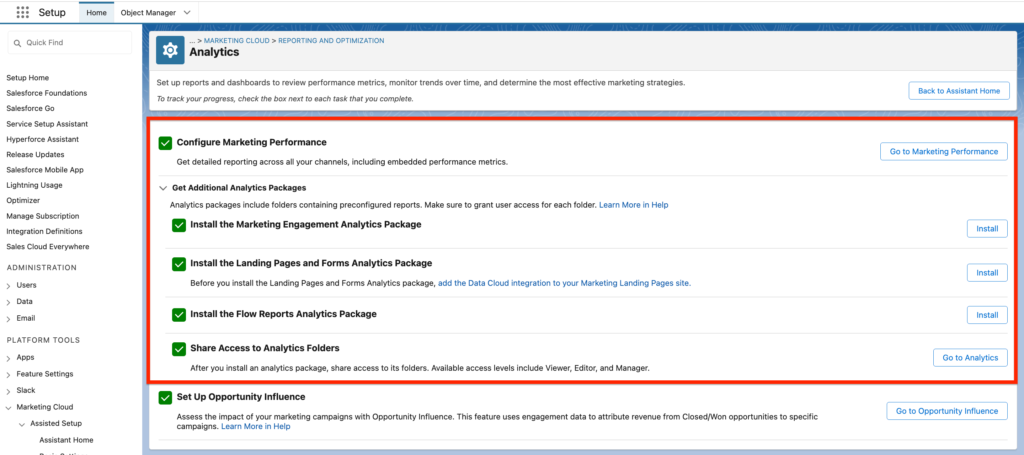
The Analytics part of Marketing Cloud Growth allows you to measure and visualise the results of your Marketing Efforts.
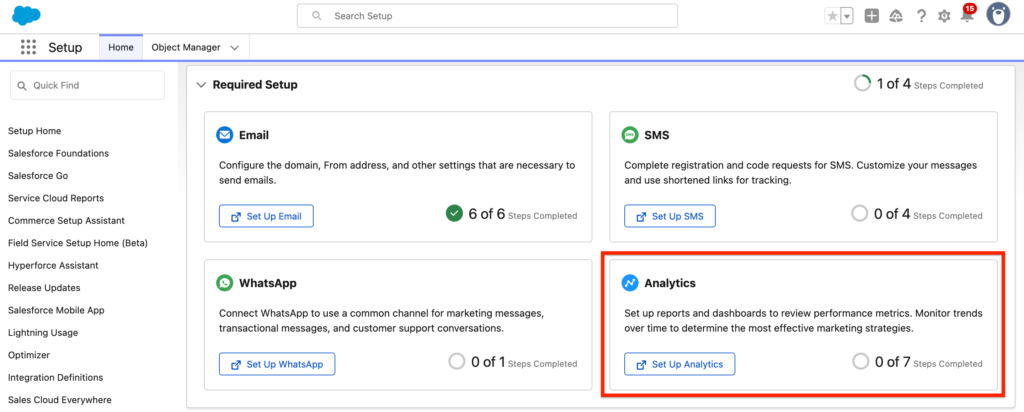
Most of the set-up related to Analytics is relies on installing packages in Salesforce including:
- Install the Marketing Engagement Analytics Package
- Install the Landing Pages and Forms Analytics Package
- Install the Flow Reports Analytics Package
- Share Access to Analytics Folders
Additional Features #
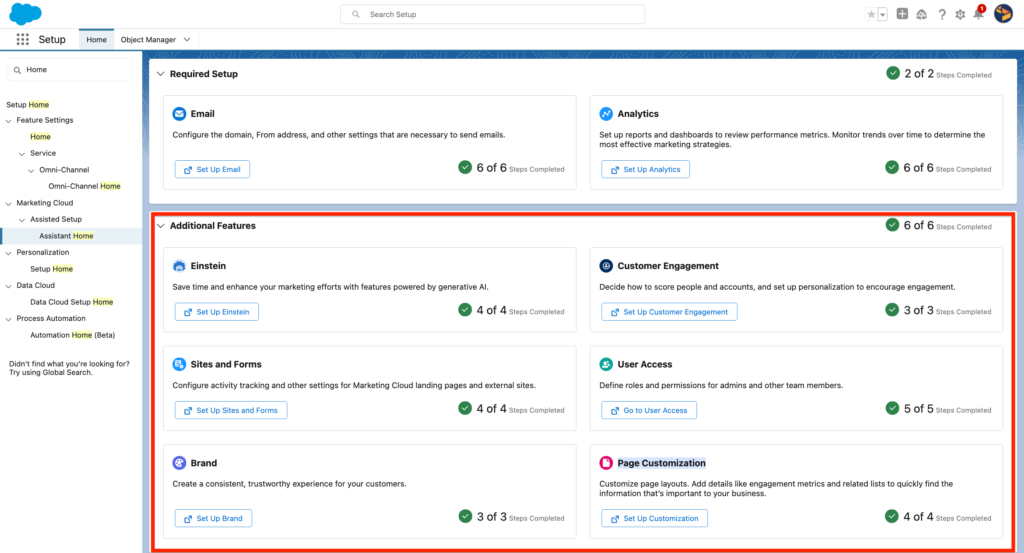
The Additional feature in Marketing Cloud Advanced are not required however it is a nice to have.
Additional features include Einstein, Customer Engagement, Sites and Forms, User Access, Brand, Page Customization.
Einstein #
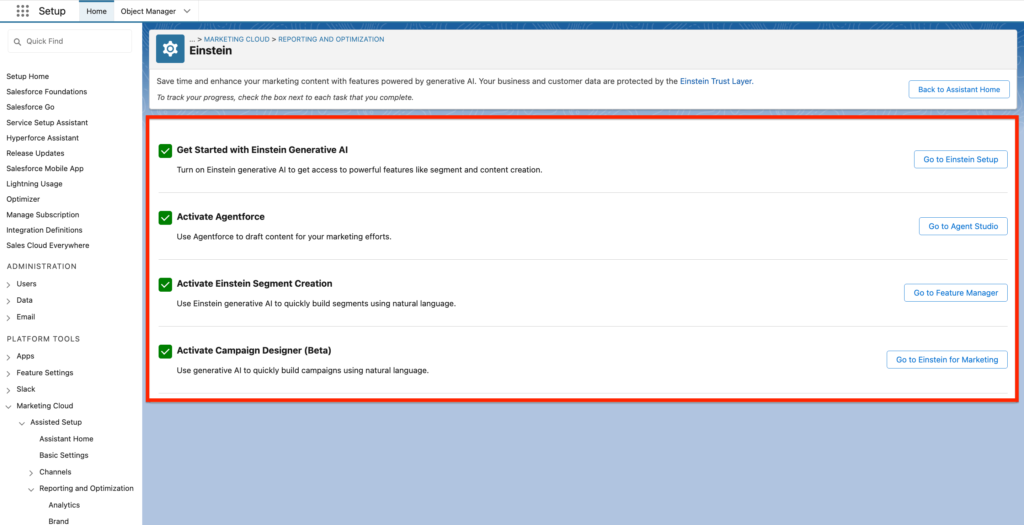
Einstein features are leveraging Artificial intelligence to give you better insights on your Marketing Efforts.
Optimize Email Send Times
Einstein Send Time Optimization is a predictive AI feature that uses historical data to help you send emails on the days and times when your customers are most likely to open them. To use this feature in Marketing Cloud Next Growth Edition, you must opt in to the Global Data Model for Einstein. In Advanced Edition, you can enable global models or disable them to opt out.
Filter Non-Human Clicks from Your Report
Einstein Metrics Guard uses predictive AI to filter bot activity from your org’s engagement metrics. It removes most clicks and opens generated by security scanner bots without filtering out legitimate visitor activity.
Increase Customer Engagement with Einstein Engagement Scoring
Einstein Engagement Scoring is a predictive AI feature that uses historical data to assign individual contact-level scores to determine the most efficient way to message recipients to increase customer engagement. This feature is available only in Marketing Cloud Next Advanced Edition.
Analyze Behavioral Data with Einstein Engagement Frequency
Einstein Engagement Frequency is a predictive AI feature that aggregates behavior data to determine how frequently to contact customers and improve the likelihood of customer engagement. This feature is available only in Marketing Cloud Next Advanced edition.
Customer Engagement #
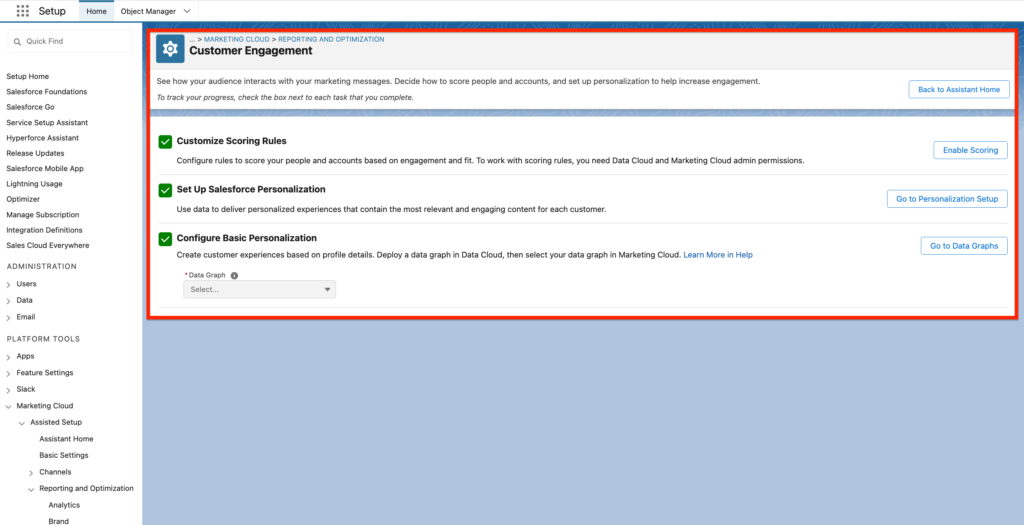
We have enabled the Scoring set-up in Marketing Cloud Growth.
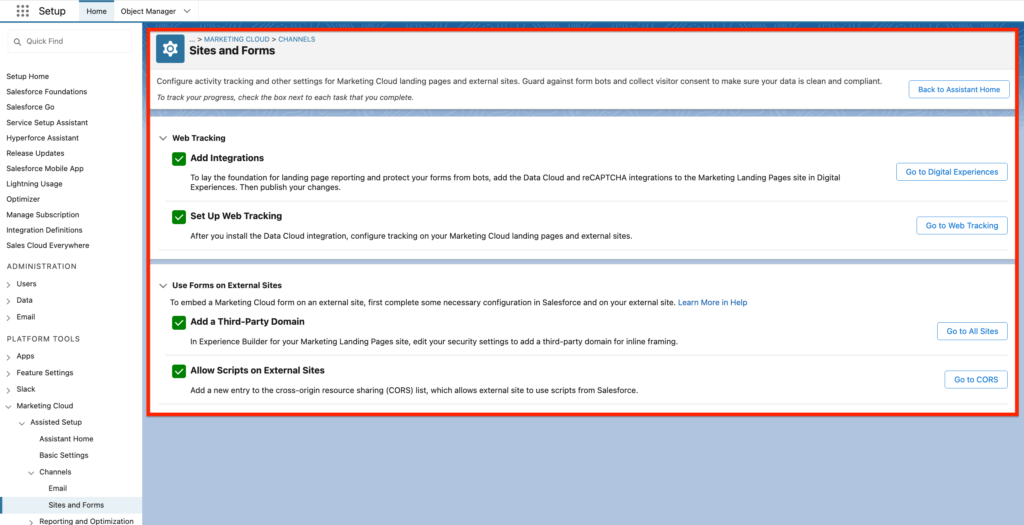
Sites and Forms #
User Access #
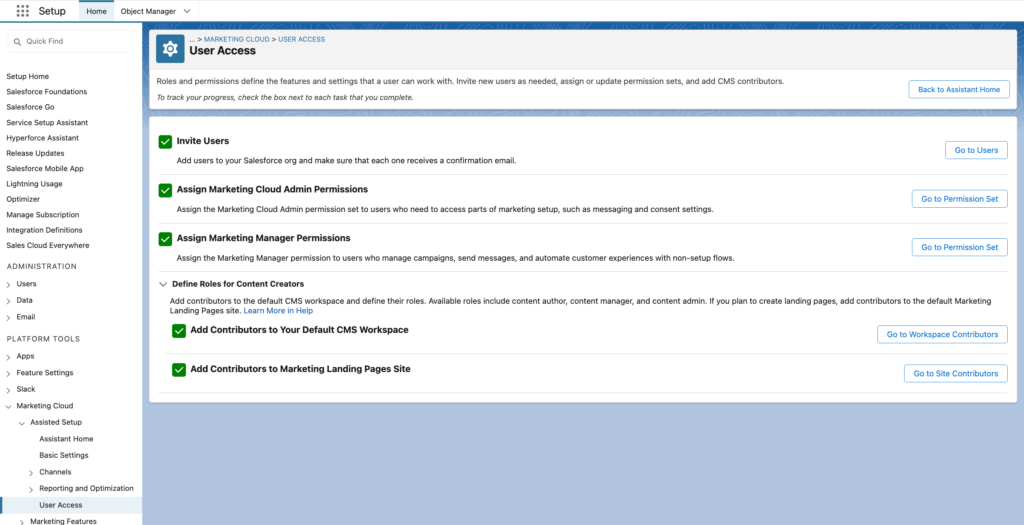
We have provided Marketing Cloud Advanced access to Marketers and giving them the relevant permissions set to use the platform.
Brand #
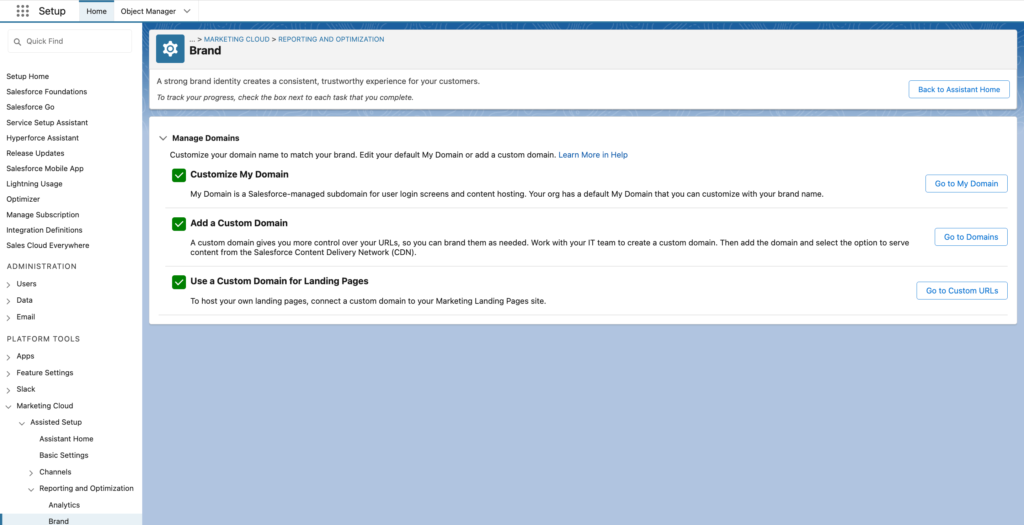
In Marketing Cloud Growth we have set-up the Brand settings that allows us to get personalised url for Marketing Landing Pages based on the domains connected to Salesforce.
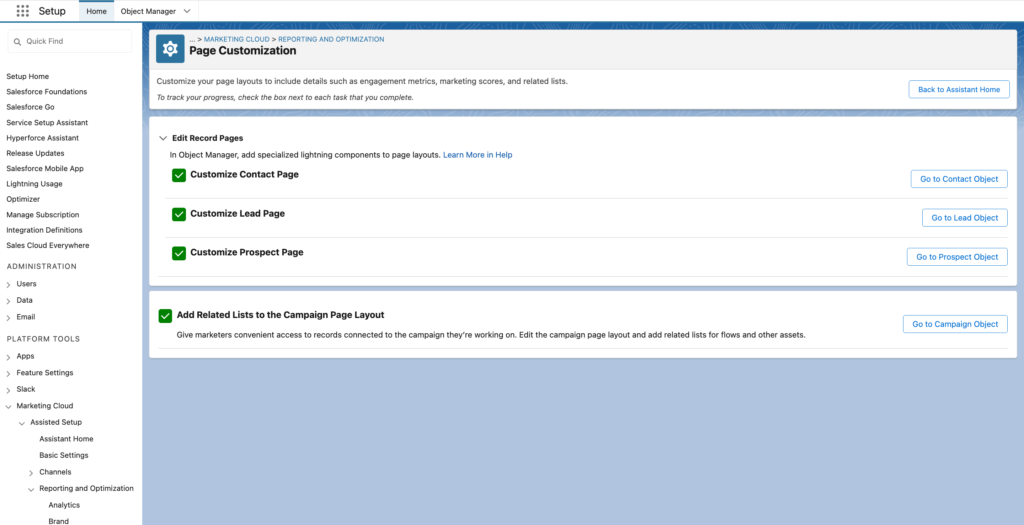
Page Customization #
In Marketing Cloud Growth we have added the Widgets Marketing Cloud Growth (Lightning Web Components) onto the Contact and Lead Page Layout. Those widgets allows us to track how Contacts/Leads are interacting with our Brand/Marketing Efforts.