
In this article, we will explore how to create a Landing Page in Marketing Cloud Next. The Landing Page Builder in Marketing Cloud Next is not comparable to Website builders like Wix, Elementor or Framer but the purpose is different it is a great tool to build webpages used a Lead Magnet to capture customer information.
Creating the Landing Page #
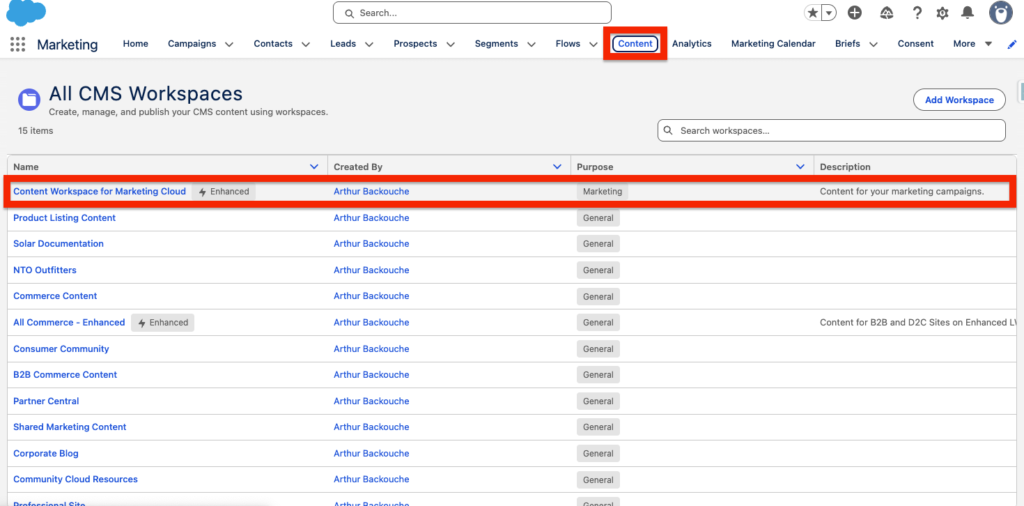
The very first step is to navigate within the Content tab of your Marketing App and select the Content Workspace for Marketing Cloud. This is where all your Marketing assets are stored.
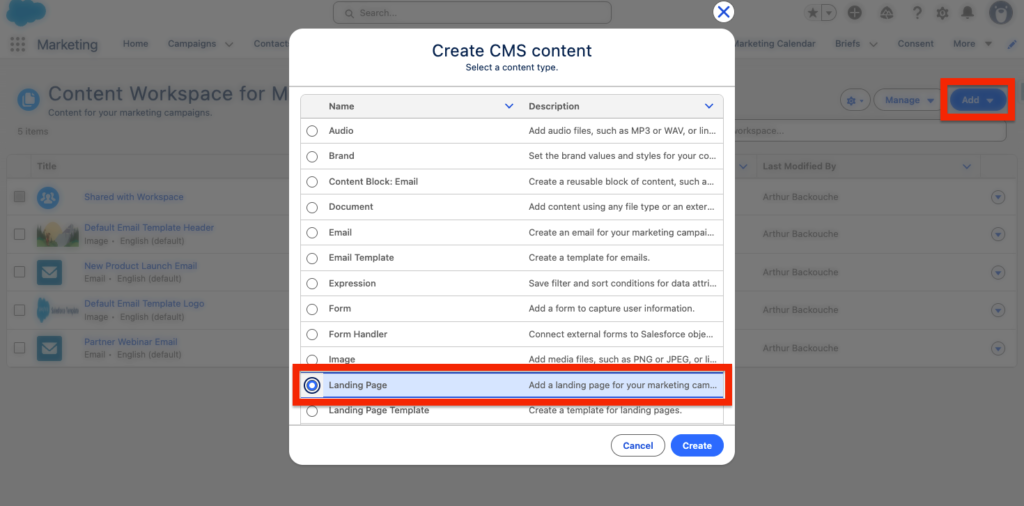
Click Add and select Landing page within the Create CMS Content pop-up window. If you would like to re-use the landing page multiple times for different purposes you can also select Landing Page Template.
Landing Page Settings #
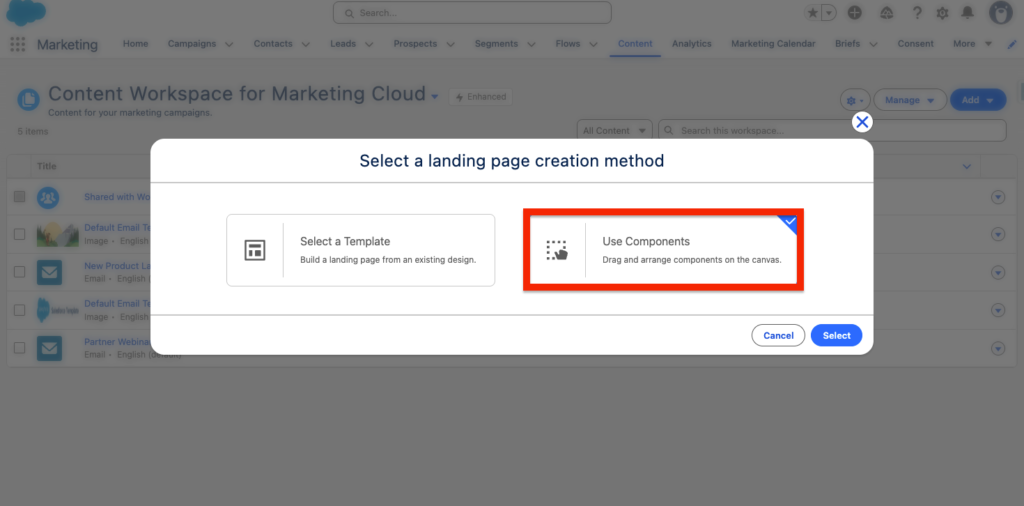
As we don’t have a Landing page template initially created, we will need to select the option use Components and essentially start the landing page from scratch.
Settings #
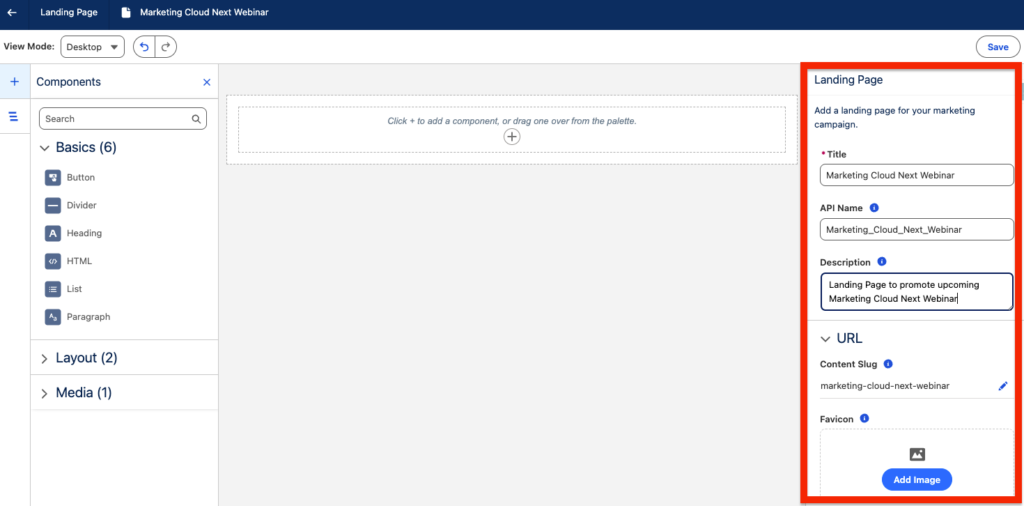
In the example below I’ve set-up my own landing page to promote a Marketing Cloud Next Webinar. The basic settings are to provide the landing page with:
- Title: Marketing Cloud Next Webinar
- API Name: Marketing_Cloud_Next_Webinar
- Description: Landing Page to promote upcoming Marketing Cloud Next Webinar
- Content Slug (URL): marketing-cloud-next-webinar
- Favicon (Logo of the webpage in the browser):
- Public Page Title: The Ultimate Marketing Cloud Next Webinar
- Public Description: Join us for our upcoming Marketing Cloud Next Webinar
- Head Tags (i.e. For Meta Pixel): NA
- Let search engines index this page: True
Style #
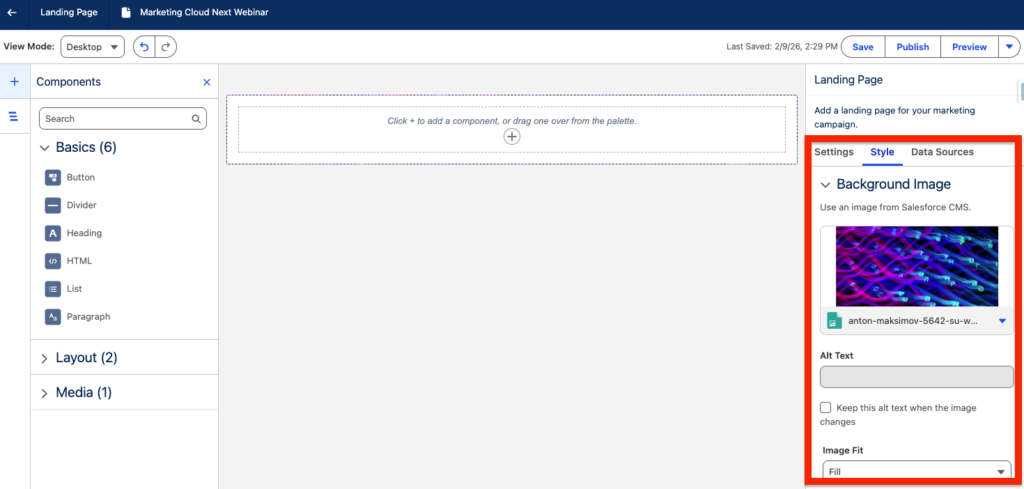
Style allows you to select an image that will be used as background for your Landing Page.
Data Sources #
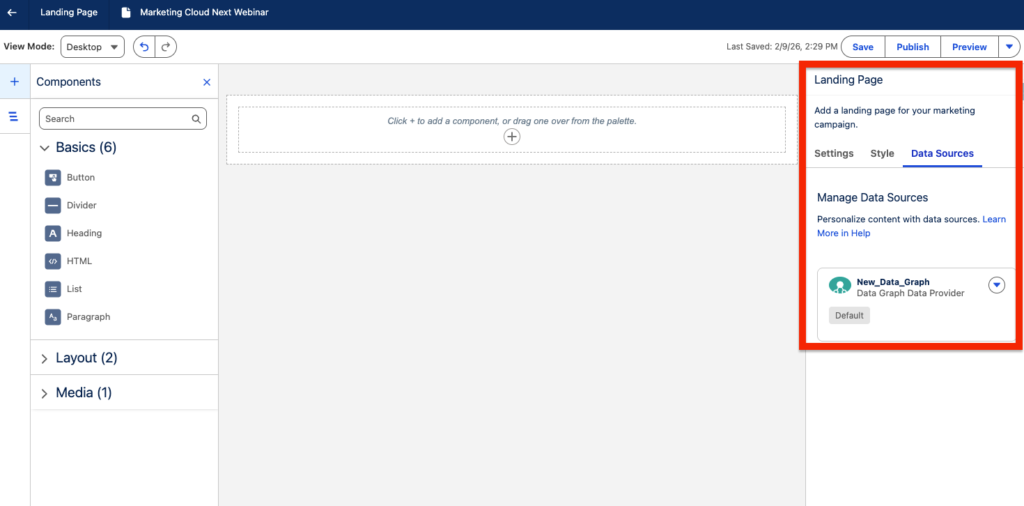
Data Sources allows you to select a Data Graph in order to personalise the landing page with merge fields.
Landing Page Components #
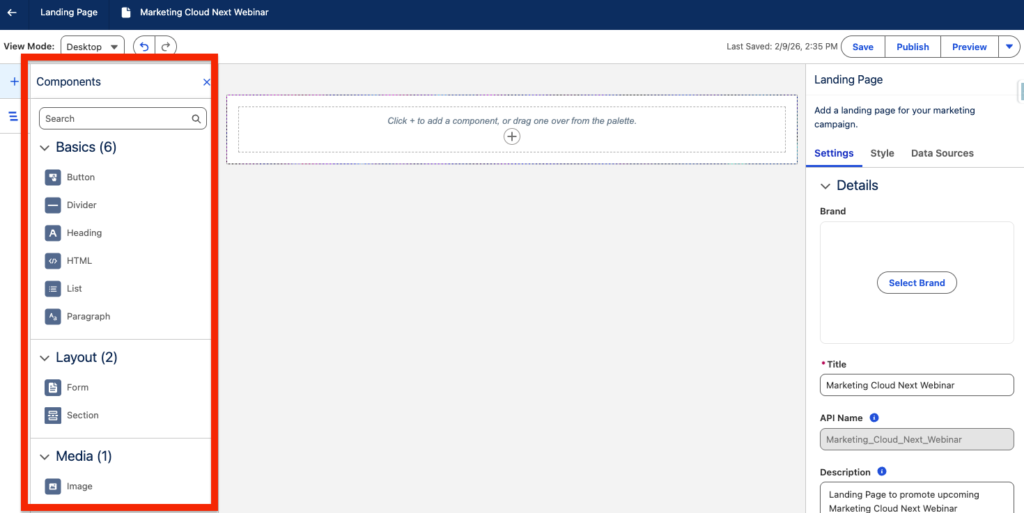
There are multiple landing page components existing including:
- Button
- Divider
- Heading
- HTML
- List
- Paragraph
- Form
- Section
- Image
Results #
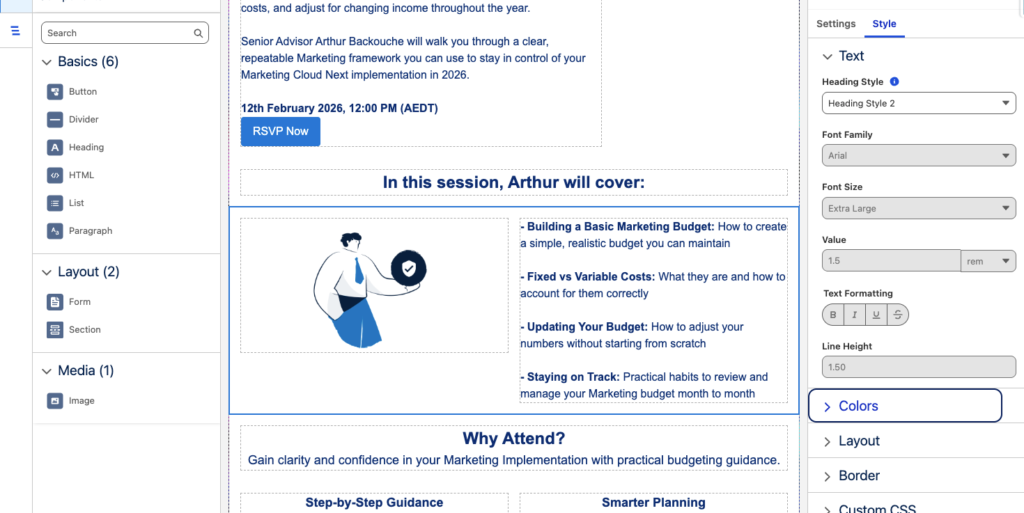
I have created this simple landing page in a few minutes. The Landing page builder is good to build simple landing page – we are obviously far from a website builder like Wix, Framer or Elementor but the objective here is different. The goal is to build simple landing page that can be used as Lead Magnet to capture customer information.
Ressources:
https://help.salesforce.com/s/articleView?id=mktg.mktg_content_lp_create.htm&type=5
https://help.salesforce.com/s/articleView?id=mktg.mktg_content_lp_template_create.htm&type=5


