
Marketing Cloud Next comes with 2 permission sets including Marketing Cloud Admin and Marketing Cloud Manager. The main difference is that Marketing Cloud Admin permission set is allowing you to access the Salesforce Set-up part (The back-end of Salesforce) as well as the Admin Flow (Flows that contains elements fully related to Salesforce CRM rather than Marketing Cloud Next only).
What are the Marketing Cloud Next Permission Sets #
Marketing Cloud Admin: Access to Salesforce Setup, Agentforce Admin, Prompt Template Manager, and full control on campaigns, segments, and flows.
Marketing Cloud Manager: Full control to manage campaigns, segments, and campaign (non-admin) flows, and access to use Agentforce and Prompt Templates.
Long story short, if you are afraid that your Marketer will break something into Salesforce (i.e. by accessing the flows) make sure to provide the Marketing Cloud Manager permission set. Otherwise the Marketing Cloud Admin will ensure that the user can access all the feature of Marketing Cloud Next.
The beauty of Salesforce products is that everything is customisable. Let’s imagine that you would like more control over how people are using Marketing Cloud Next – You can create a fully custom permission set and go into the details of what can be accessed or not. Basically, a Marketing Cloud Permission Permission Set relies on the following categories of permission sets:
- CMS Content Roles
- General Marketing Permissions
- Consent Permissions in Marketing Cloud Next
- Content and Publishing Permissions
- Flow Permissions in Marketing Cloud Next
After implementing Marketing Cloud Next for multiple customers, my understanding is that the Salesforce CRM admins are afraid of letting Marketers accessing Salesforce Flows as it could break the system. So creating a custom permission set with very restricted access to the category of permission “Flow Permissions in Marketing Cloud Next” could be very interesting.
How to setup the Marketing Cloud Next Permission Sets #
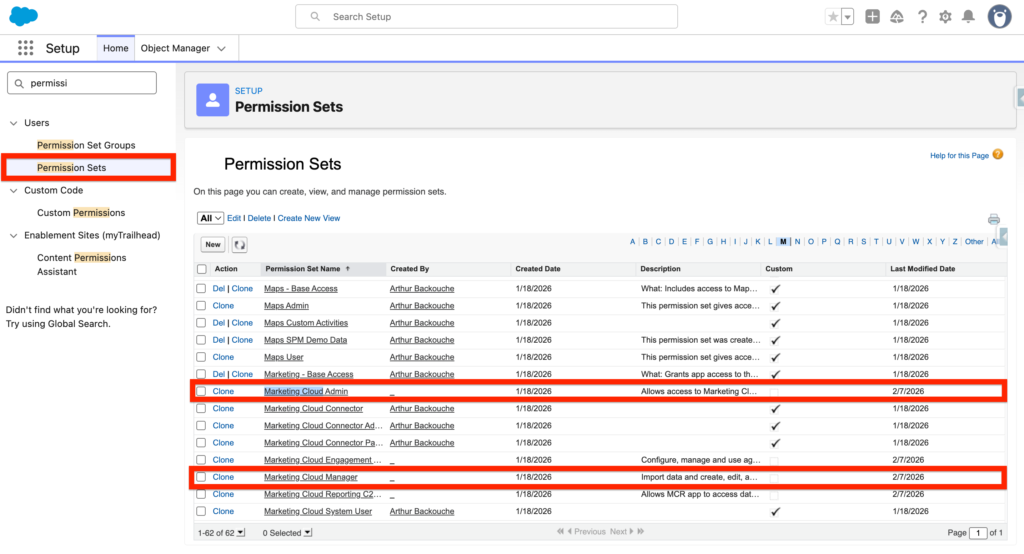
If you would like to associate a permission set to a user navigate to Salesforce Set-up, then select the Permission Sets Tab and search for Marketing Cloud Admin and Marketing Cloud Manager.
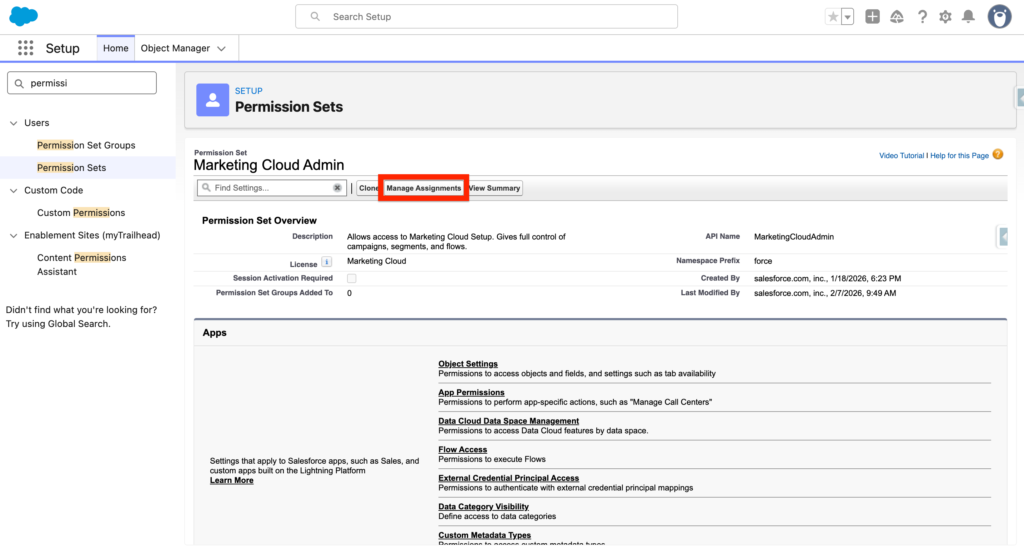
Click on the Permission set of your choice, such as Marketing Cloud Admin and select Manage Assignment.
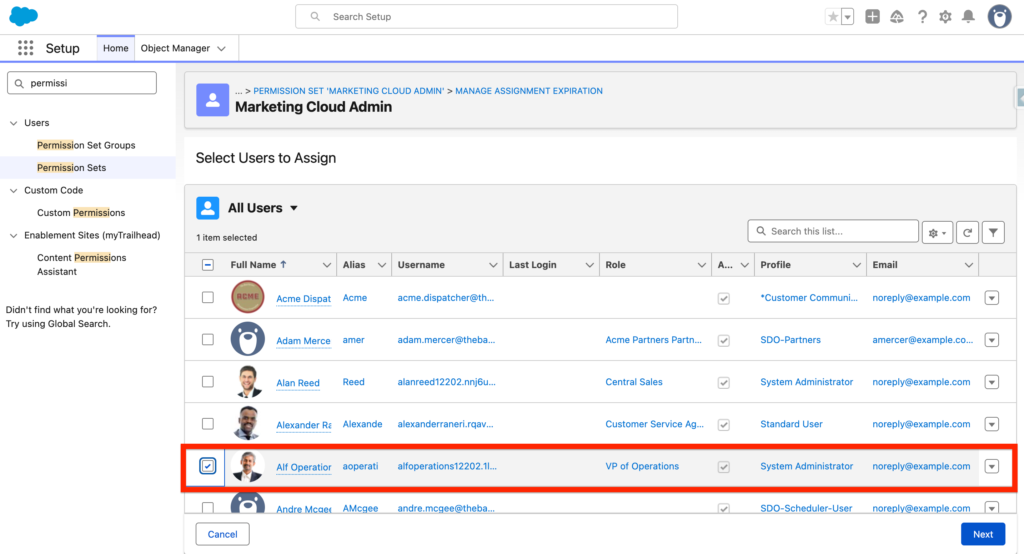
Then select the user that should be associated with the Permission set Marketing Cloud Admin. In my case I will be selecting Alf Operator.
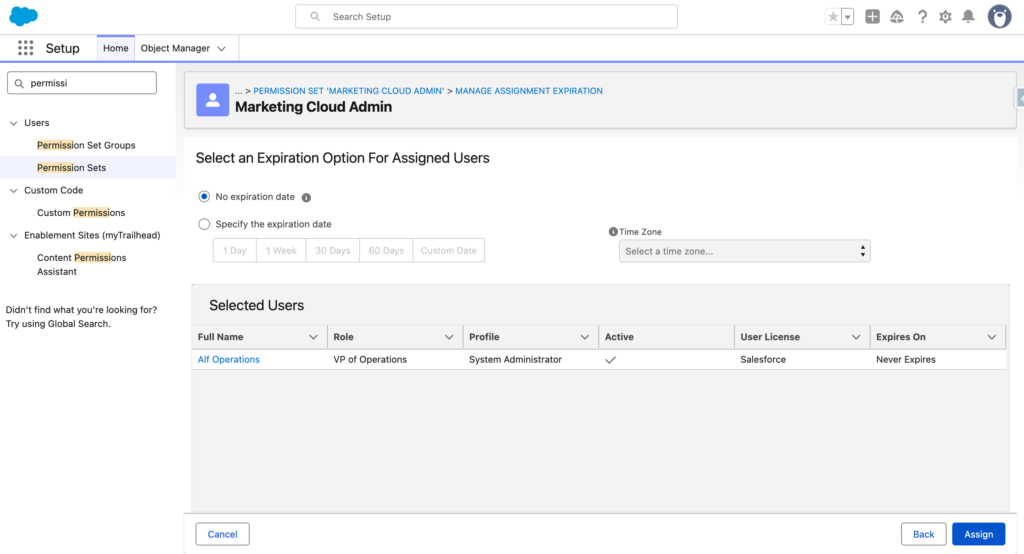
Finally select No expiration date so that the permission set is associated permanently to the user – However if you wish to associate the permission set for a specific period of time you could also select the option Specify the expiration date – and confirm by clicking Assign.
Ressources: https://help.salesforce.com/s/articleView?id=mktg.mktg_admin_permissions_ref.htm&type=5


