In this article, I will explain how to configure Form Handlers in Agentforce Marketing (Marketing Cloud Next). Form Handlers are particularly useful when you already have a form on your website and want to capture and ingest that data directly into Agentforce Marketing without rebuilding the form.
Creating the Form Handler #
The very first step is to navigate within the Content tab of Agentforce Marketing and selecting the Workspace dedicated to it.

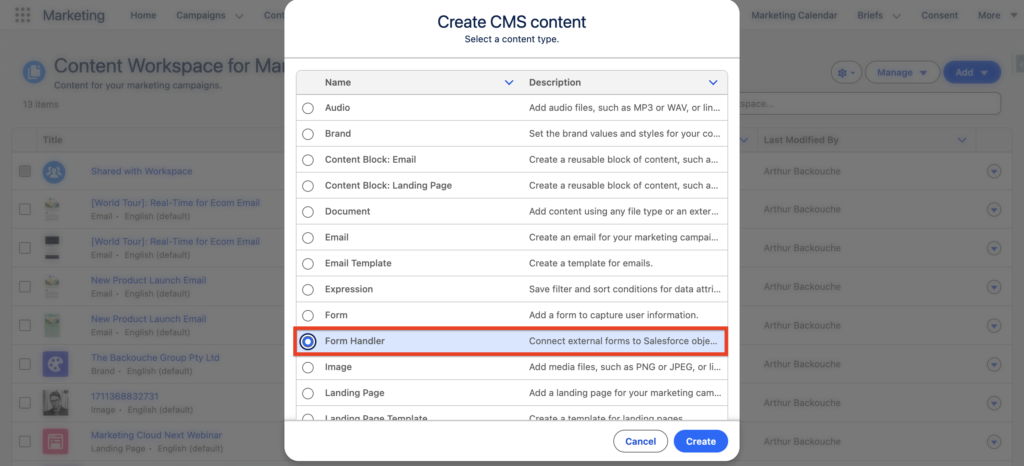
From there, click Add and select Content, and Form Handler. Then click Create.
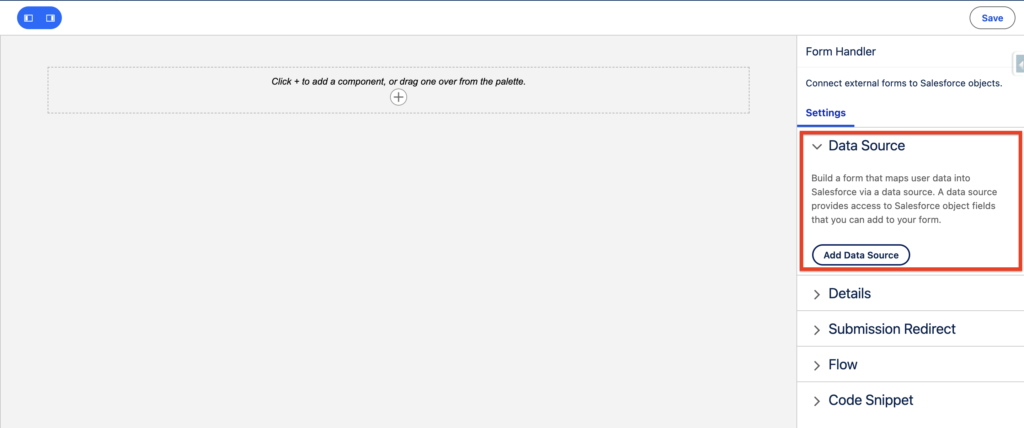
The very first step will be to select a Data Source. This is the Salesforce object where the form submission will be ingested in. Either in the Contact, Lead, Prospect or Account object.
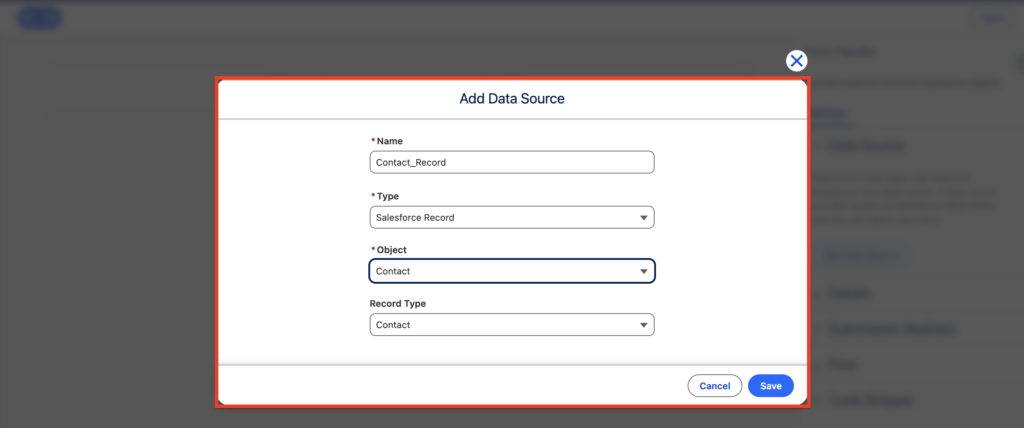
In my case I will be selecting the Contact Object and enter the following information:
- Name: Contact_Records
- Type: Salesforce Record
- Object: Contact
- Record Type: Contact
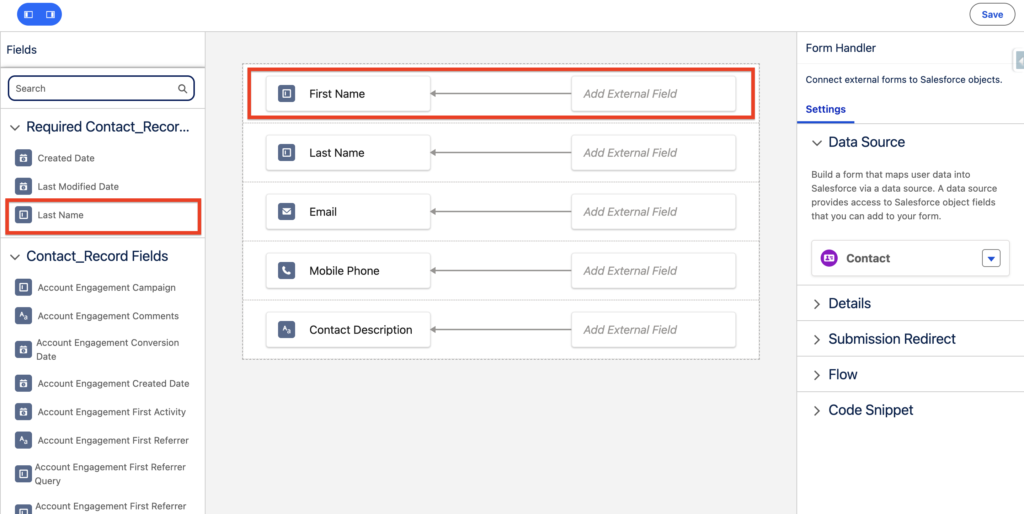
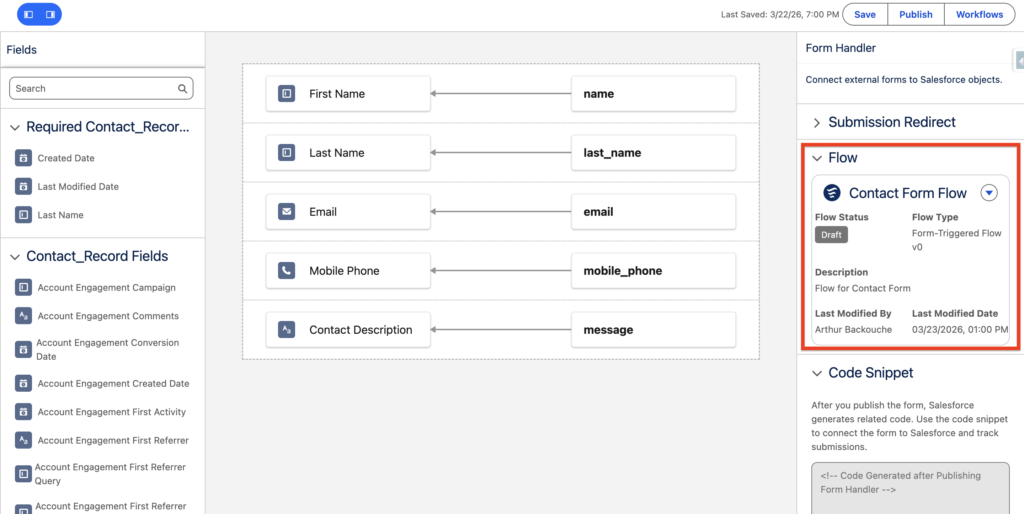
The next step will be to drag&drop the field from the Contact object that will be filled out with the information from the form.
In my case I will be selecting the following attribute fields:
- First Name
- Last Name
- Mobile Phone
- Contact Description
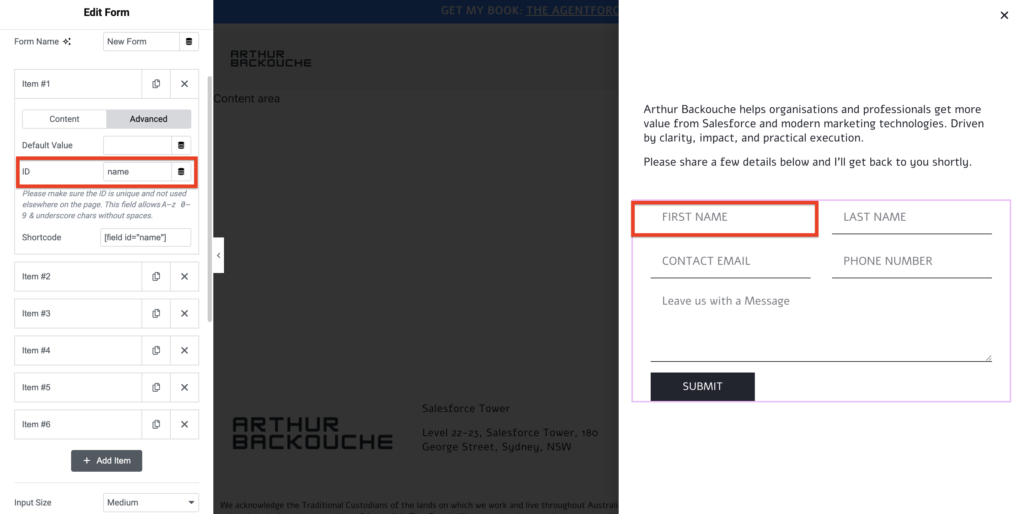
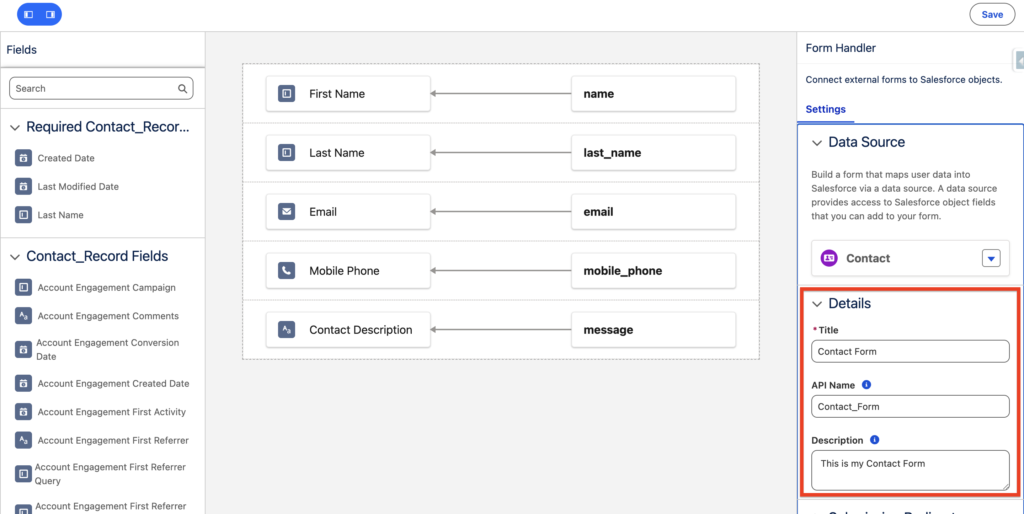
Next, I will check each field attributes ID in my website form (built on WordPress Elementor) and reference it next to the attribute fields from the Contact object that I’ve drag&drop.
Next I will provide generic information about the form within the Details section such as Form Title, API Name and Description.
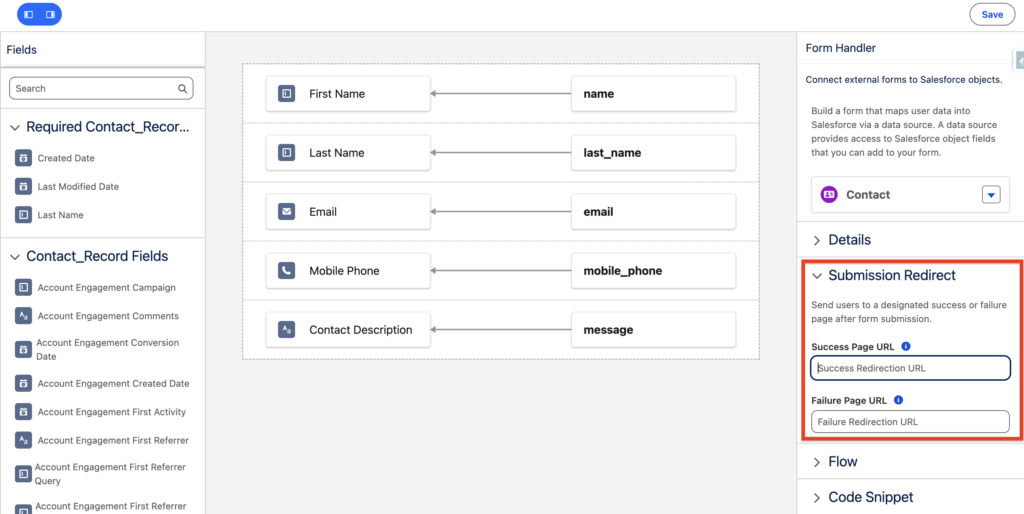
Submission redirect requires you to insert an url in order to save the form: I’ve added the URL of my website.
Now you can save the flow – and before publishing it we will need to create a flow.
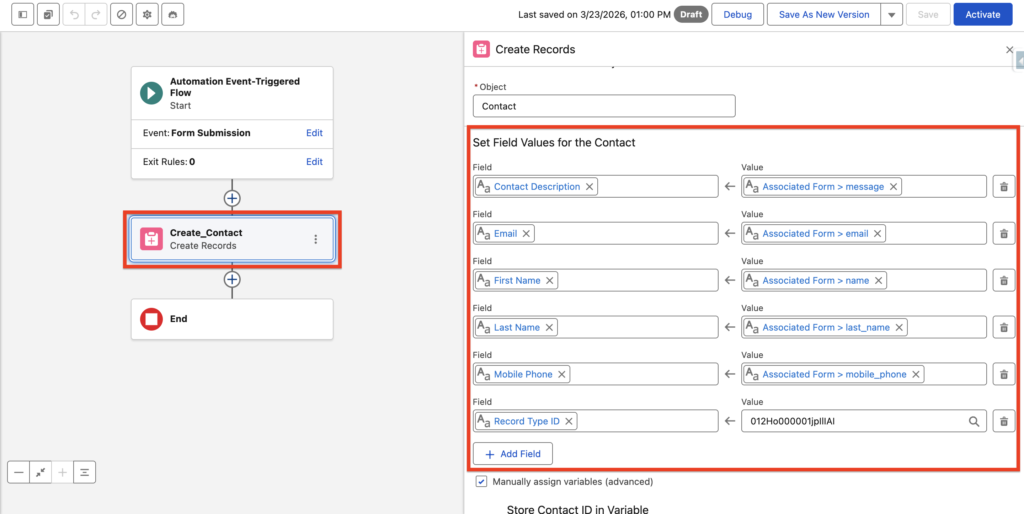
The Flow will be automatically populated and will contain an Element to create the Contact Record in Salesforce CRM Automatically. I can now publish my Form Handler.
—
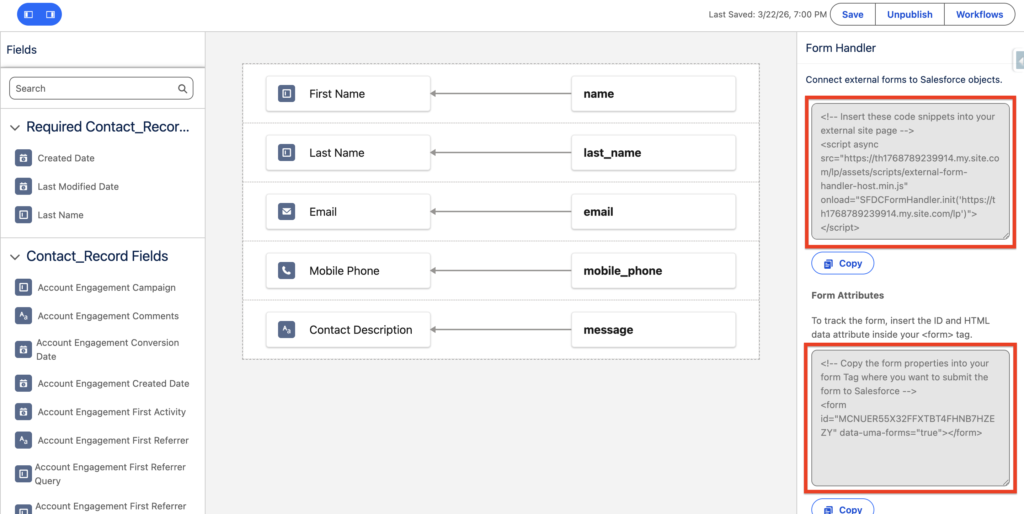
Once the Form Handler is published, I will have access to 2 scripts that need to be inserted into my website.
Add your Domain Name to CORS #
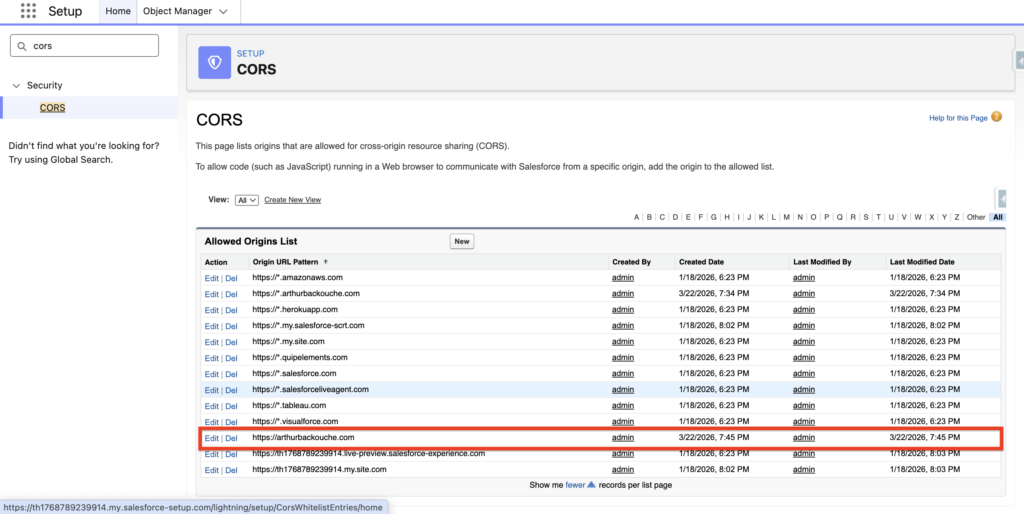
In order for your form handler to receive data from an external website/domain – you will need to ensure that you enable your domain within the CORS section of Salesforce. Navigate to Salesforce Set-up and then CORS and add domain. In my case it will be arthurbackouche.com.