Understanding the Party Area #
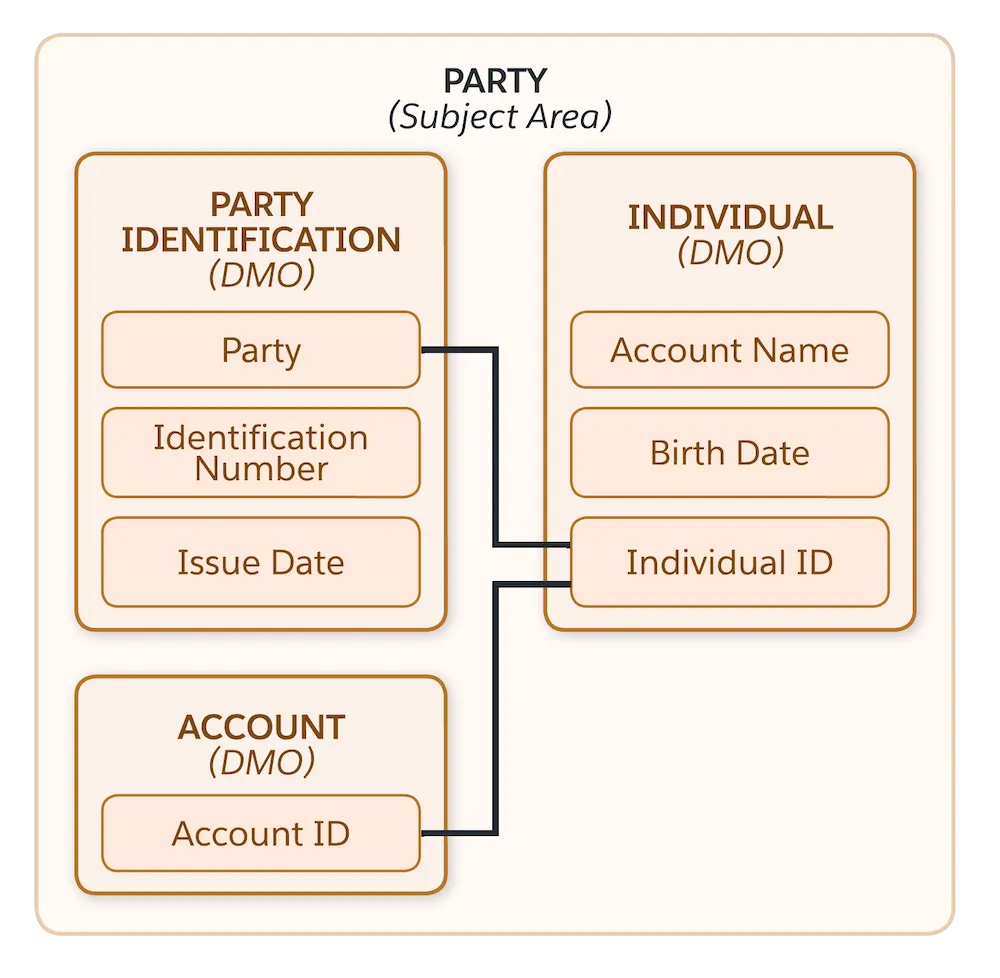
In the Customer 360 Data Model, the “Party” area has nothing to do with celebrations! “Party” refers to the collection of Data Model Objects (DMO) that store information about Individuals.
The party area helps you to answer the following questions about your customers:
- Who are your customers
- How to identify them
- How to contact them
Here’s the Party area of the Customer 360 Data Model diagram:
Understanding the Party Identification DMO #
Objective: The party identification DMO allows us to determine that different records from different systems represent the same person.
The Party Identification Data Model Object act as a cross identifier object between Data 360 and an external platform such as Marketing Cloud Engagement. The Party Identification DMO allows you to link the identifiers (UID) from external platforms to the Individual DMO in Data 360.
The most important fields attributes from the Party Identification DMO are:
- Individual ID (Links to the Individual ID)
- Identification Type (What kind of external platform it is)
- Identification Number (The ID from the external platform)
Many to One Relationship #
Objective: Maintaining all the records of your customer contact points and identifications under a single Individual.
All the Data Model Objects from the Party Area have a Many to One relationship with the Individual Data Model Object:
- An Individual can have many party identifications
- An Individual can have many contact point emails
- An Individual can have many contact point phones
- An Individual can have many contact point addresses
Ingesting Individuals from Marketing Cloud Engagement #
When ingesting the Marketing Cloud Engagement Bundle into Data 360, a data stream named ‘SFMC Ent Profile Attribute’ will allow you to ingest individuals as well as party information.
This will allow you to segment individuals based on the fact that they are coming from Marketing Cloud Engagement (i.e. SELECT all the individuals WHERE Identification Name equal MC Subscriber Key).
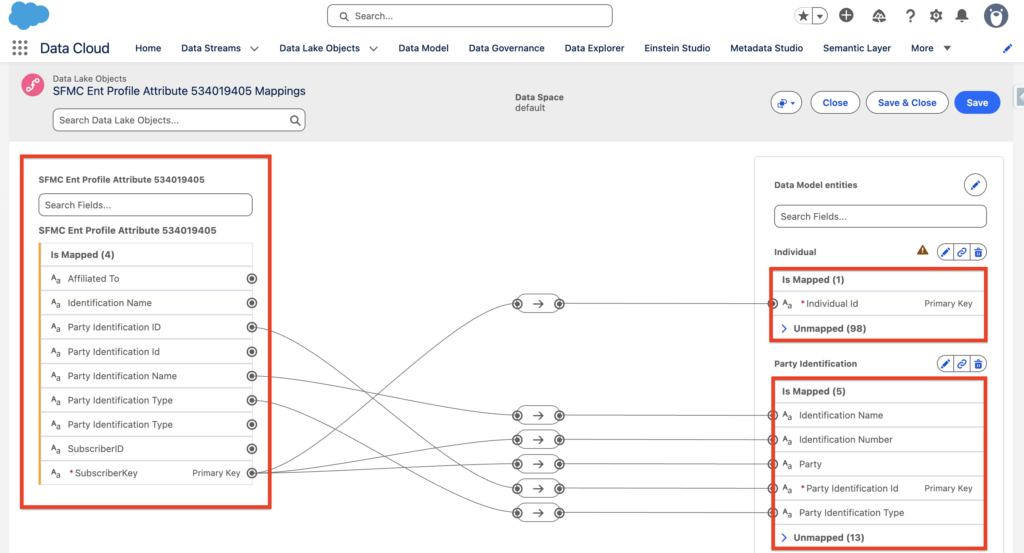
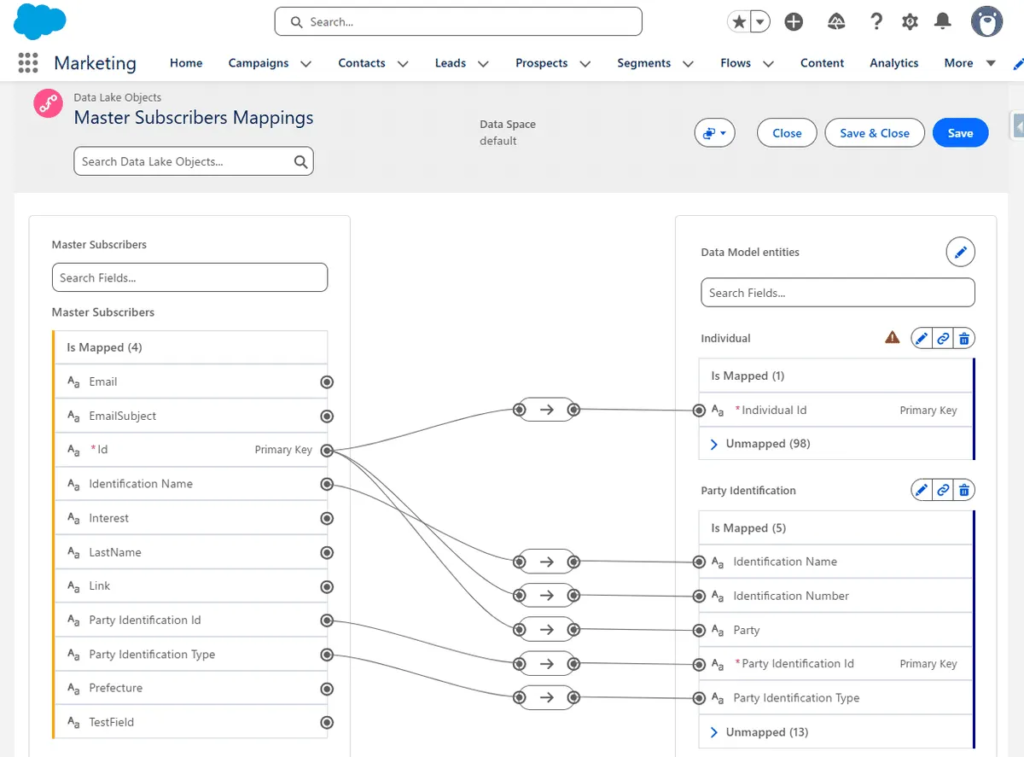
Another possibility would be to ingest in Data 360 a Custom Data Extension containing Master Subscribers from Marketing Cloud Engagement. In that case you would need to create some formula fields on the Data Lake Object (i.e. Master Subscribers Data Extension):
| Formula Field Text Name: | Value: |
|---|---|
| Party Identification Type | Person Identifier |
| Party Identification Name | MC Subscriber Key |
| Party Identification Id | ‘PersonIdentifier_MCSubKey_’ + sourceField[‘SubscriberKey field’] |
By doing so, and mapping these formula fields to the Individual and Part Identification Data Model Objects you will be able to determine that these individuals are coming from Marketing Cloud Engagement when creating segments and activating them into Marketing Cloud Engagement.
Unifying Individuals based on the SFMC Subscriber Key #
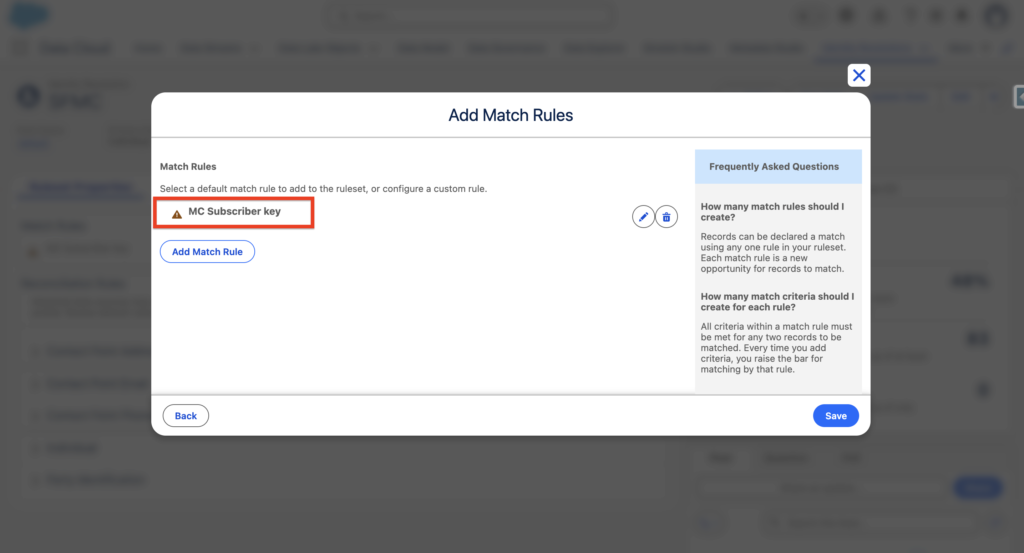
If you wish to unify the Individuals based on their Marketing Cloud Engagement Subscriber Key, you can create a new Identity Resolution Ruleset:
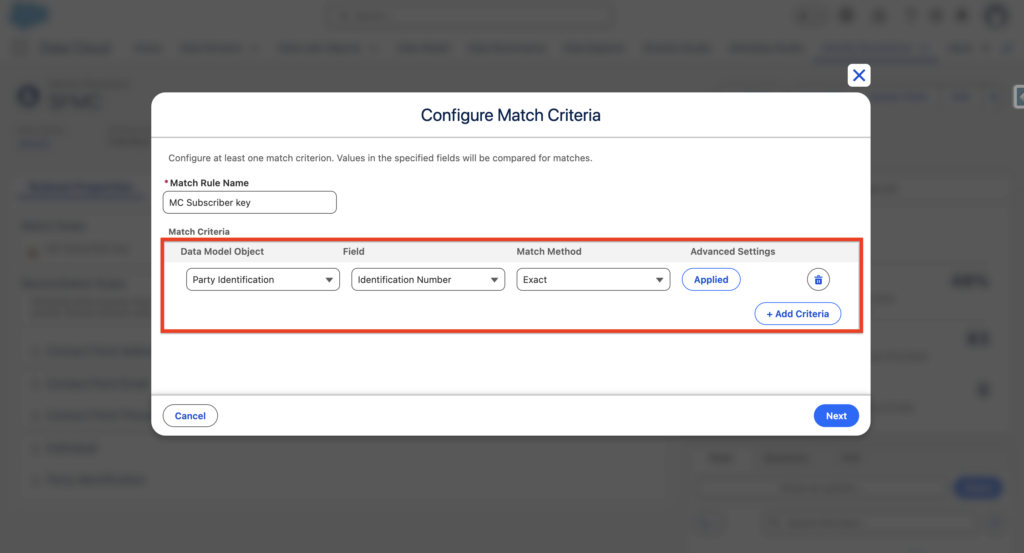
Name of the custom match rule: MC Subscriber Key
Condition: Party Identification > Identification Number > Exact
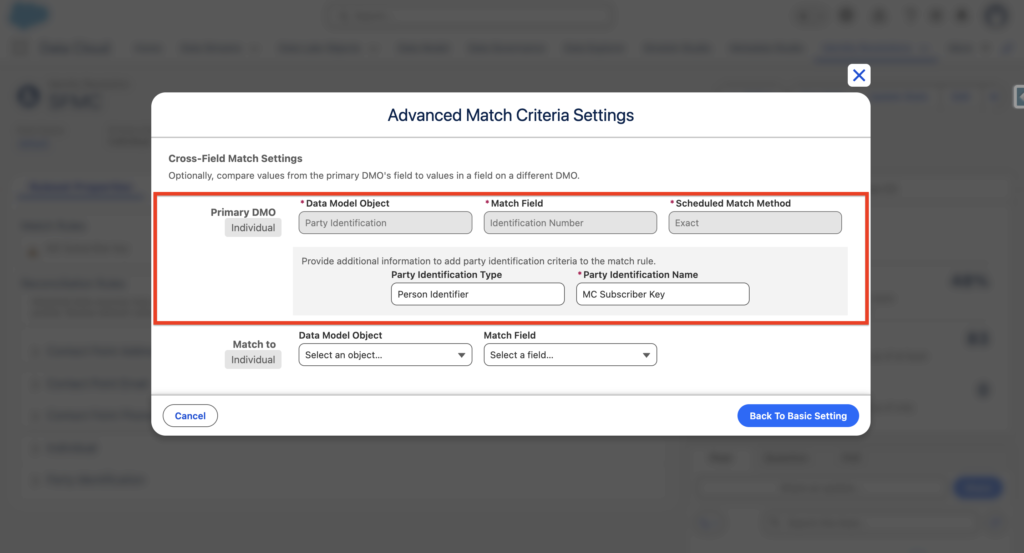
Party Identification Type: Person Identifier
Party Identification Name: MC Subscriber Key
Activating Individuals in Marketing Cloud Engagement #
When activating individuals in Marketing Cloud Engagement, The individual adopted will be based on the filters of the Activation – It is recommended to select the Identification Name equal MC Subscriber Key to activate individuals that were already existing in Marketing Cloud Engagement. It can take up to 30 min to Active a Data 360 segment into Marketing Cloud Engagement.
documentation:
https://help.salesforce.com/s/articleView?id=000396882&type=1
https://help.salesforce.com/s/articleView?id=000396882&type=1