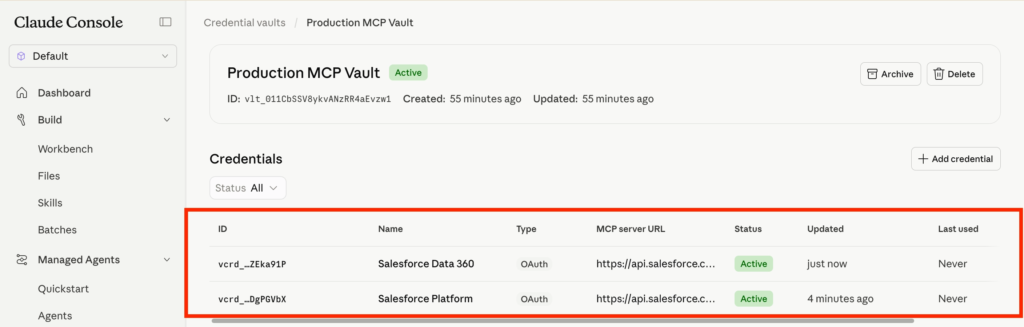
In this article we will explore how to connect Claude to Data 360 via MCP Servers.
Creating an External Client App in Salesforce #
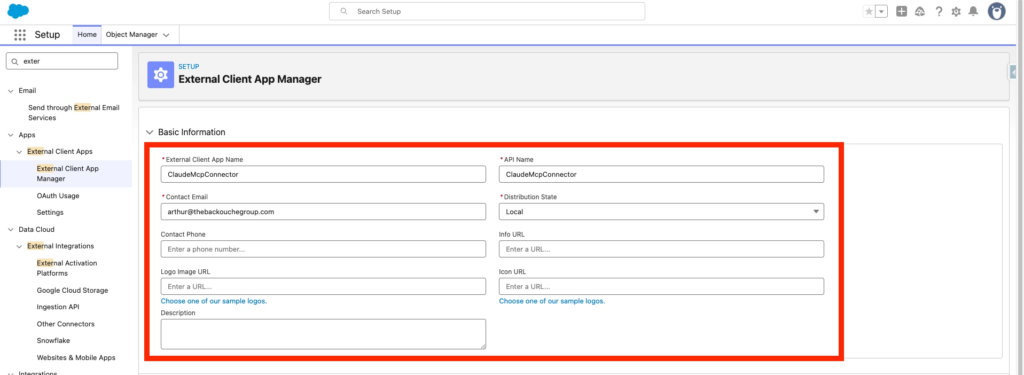
In Salesforce Set-up, we will navigate into the External Client App Manager and click New External Client App.

We will need to provide the following inputs:
- Name: ClaudeMcpConnector
- Contact Email: arthur@thebackouchegroup.com
- Distribution State: Local
- Enable OAuth: True
- Callback URL: https://claude.ai/api/mcp/auth_callback
Scope Selected:
- Perform requests at any time (refresh_token, offline_access)
- Access Salesforce hosted MCP servers (mcp_api)
- Authorize user for Data Cloud Data Governance (data_cloud_user_claims)
- Access all Data Cloud API resources (cdp_api)
- Access Interaction API resources (interaction_api)
- Access the Salesforce API Platform (sfap_api)
- Manage Data Cloud Calculated Insight data (cdp_calculated_insight_api)
- Manage Data Cloud Identity Resolution (cdp_identityresolution_api)
- Perform segmentation on Data Cloud data (cdp_segment_api)
- Manage Data Cloud profile data (cdp_profile_api)
- Manage Data Cloud Ingestion API data (cdp_ingest_api)
- Manage user data via APIs (api)
Security:
- Require Proof Key for Code Exchange (PKCE) extension for Supported Authorization Flows
- Issue JSON Web Token (JWT)-based access tokens for named users
Then you can click Create.
After that navigate to the Settings tab of your ClaudeMcpConnector External Client App and Click on Consumer Key and Secret.
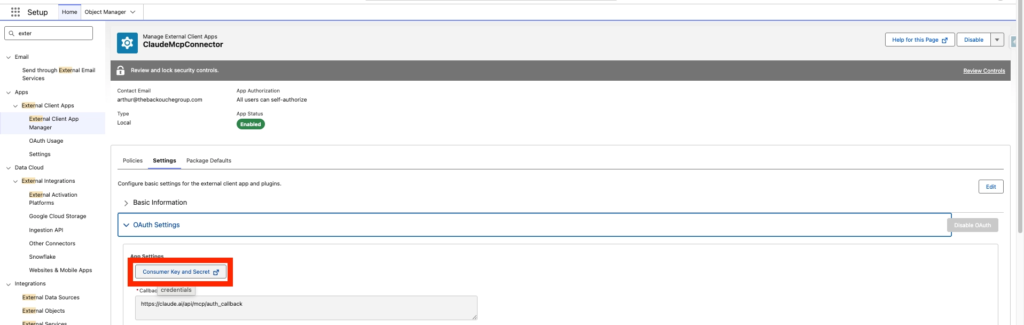
Also make sure your connected App Allows Enable Client Credentials Flow with your username: arthur@thebackouchegroup.com2026_01_19_13-20-30.demo
Salesforce Additional Configuration #
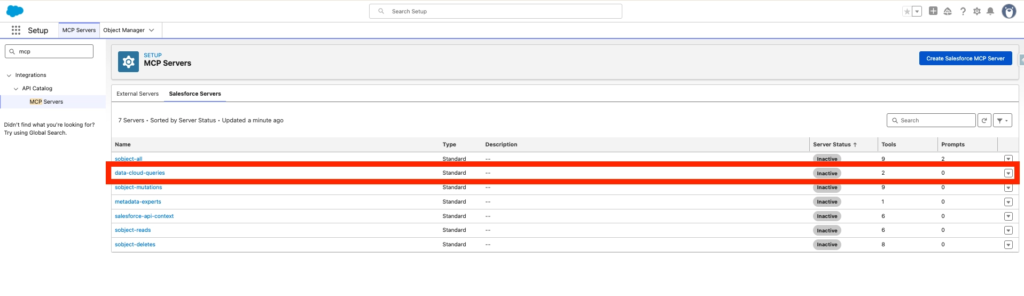
In Salesforce Set-up, navigate to MCP Servers, click the tab Salesforce Servers and enable data-cloud-queries. (Please note that I’ve also activate sobject-all).
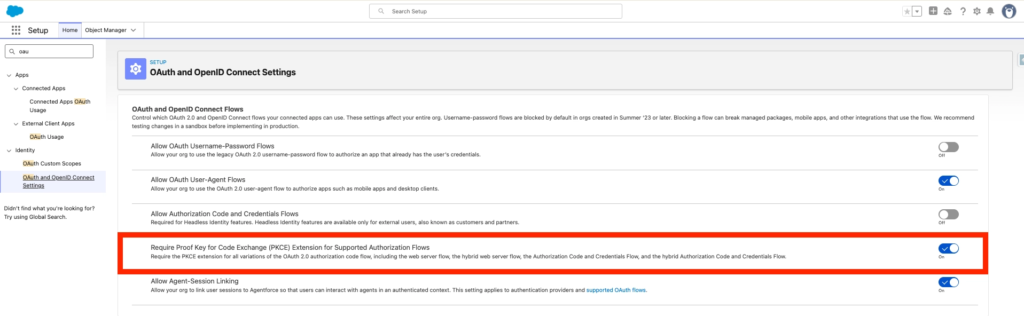
I’ve also turned on the option ‘Require Proof Key for Code Exchange (PKCE) Extension for Supported Authorization Flows’ located within Salesforce Set-up, OAuth and OpenID Connect Settings.
Creating the Connector in Claude Console #
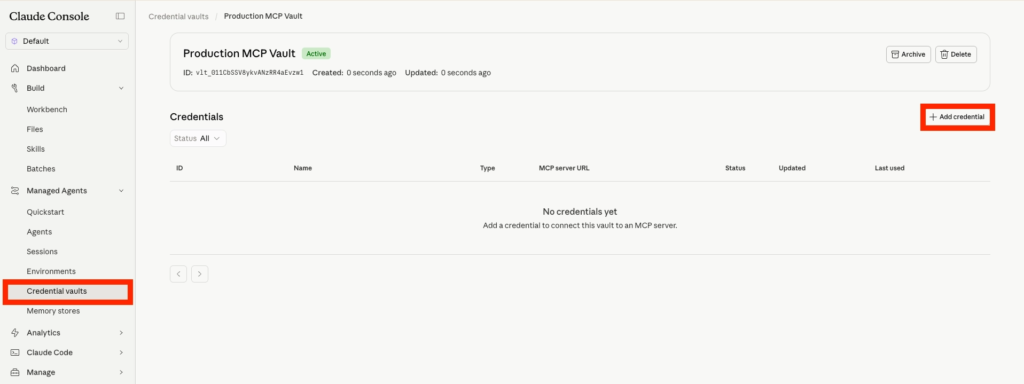
In Claude Console, navigate to the Credential vaults and click Add credential.
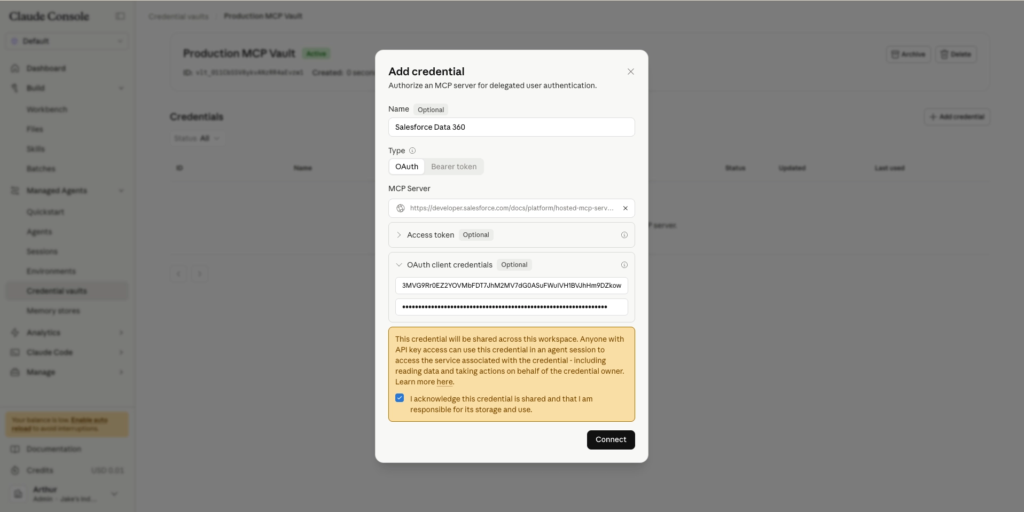
Now I will connect Data 360 as a Claude Connector. I need to provide details such as:
- Name: Salesforce Data 360
- MCP Server URL: https://api.salesforce.com/platform/mcp/v1/data/data-cloud-queries
- Client ID: 3MVG9Rr0EZ2Y[…]
- Client Secret: 199A2F4E7ED4B3[…]
Click Connect
In my case I’ve created 2 Connectors, one for Data 360 and one for Salesforce Platform.