In this article I will explain how to ingest Data from Snowflake into Data 360.
Pre-requisite #
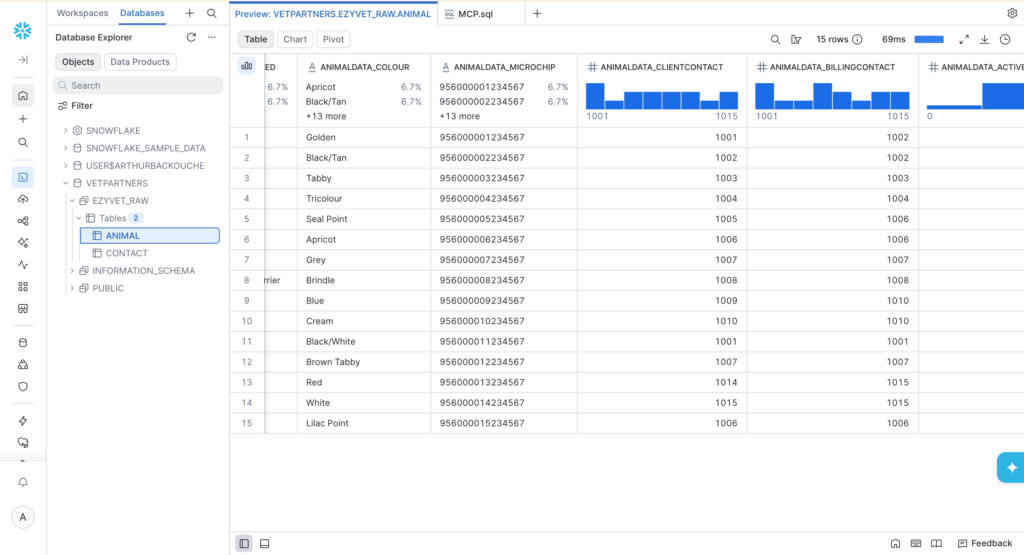
I’ve initially set-up a Snowflake environment with 2 tables in it (Animal, and Contact). This will be used as Dummy Data Source to Ingest into Data 360.
Creating the Snowflake Connector #
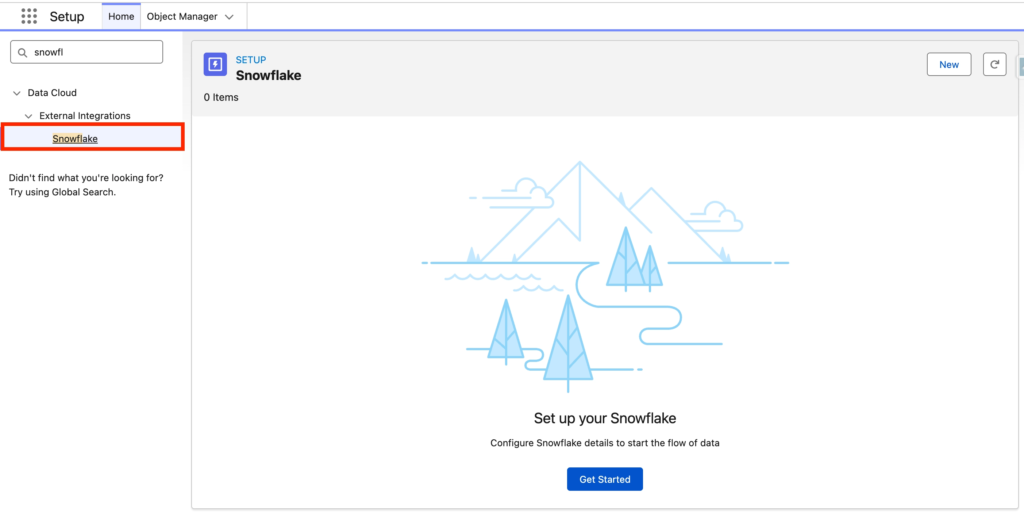
In Salesforce Set-up search for Snowflake and click New.
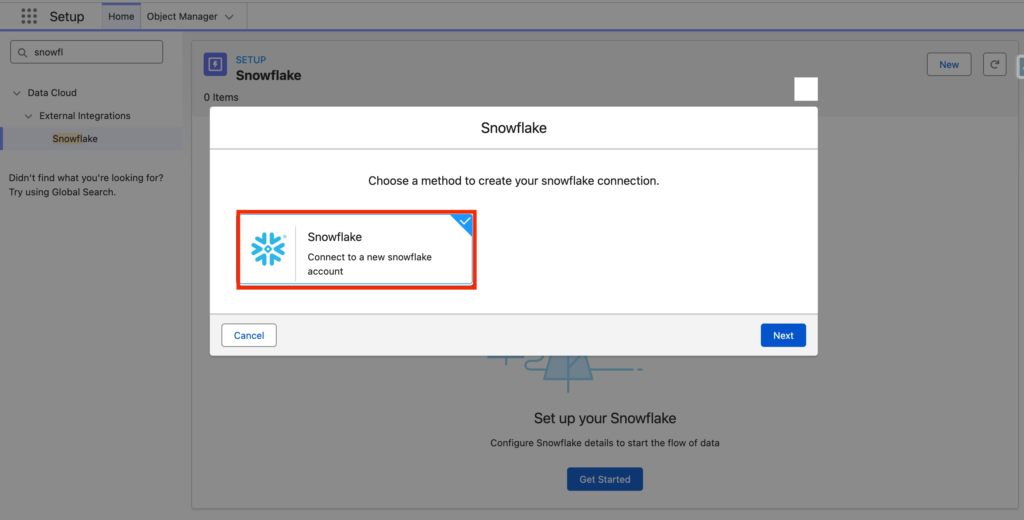
Then select Snowflake Connection and click Next.
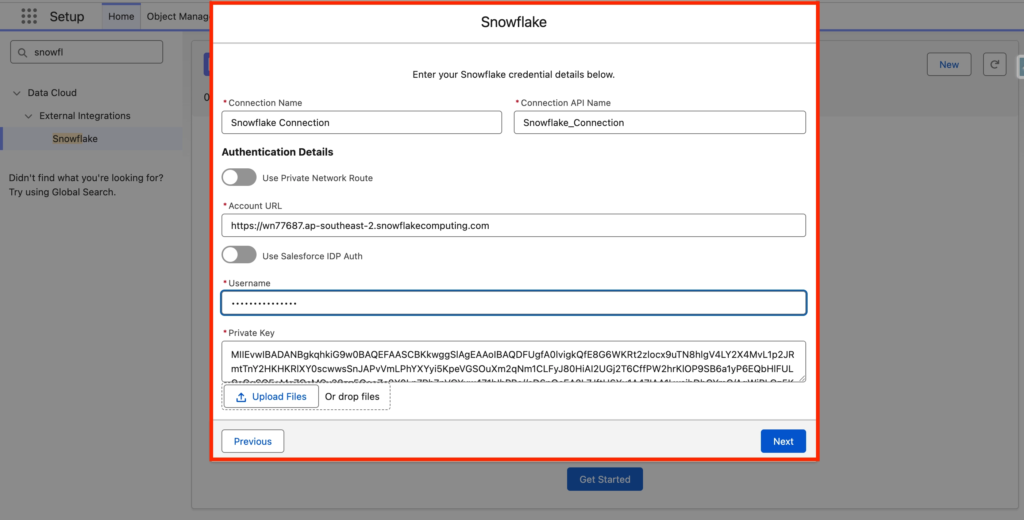
Enter the following information to establish the connection:
- Connection Name: Snowflake Connection
- Connection API Name: Snowflake_Connection
- Account URL: <the URL of your snowflake account>
- Username: <Username in Snowflake>
- Private Key: <Private key in snowflake for Connection>
Then click Next.
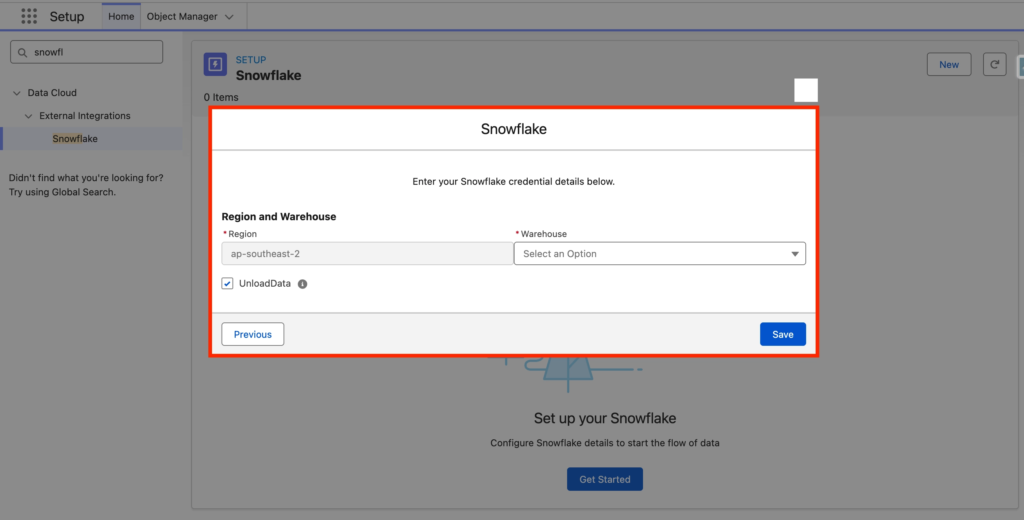
Finally, you will be prompted to select the Warehouse to ingest in Data 360 as well as the Region from your account (Automatically populated from the Account URL field). Click Save.
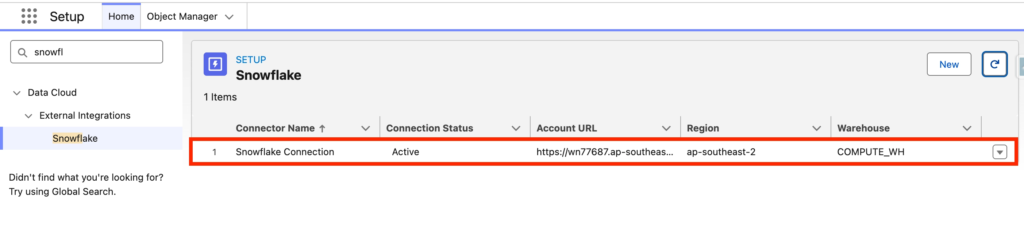
After establishing the connection the Snowflake connector will be listed as Active.
Creating the Snowflake Data Streams #
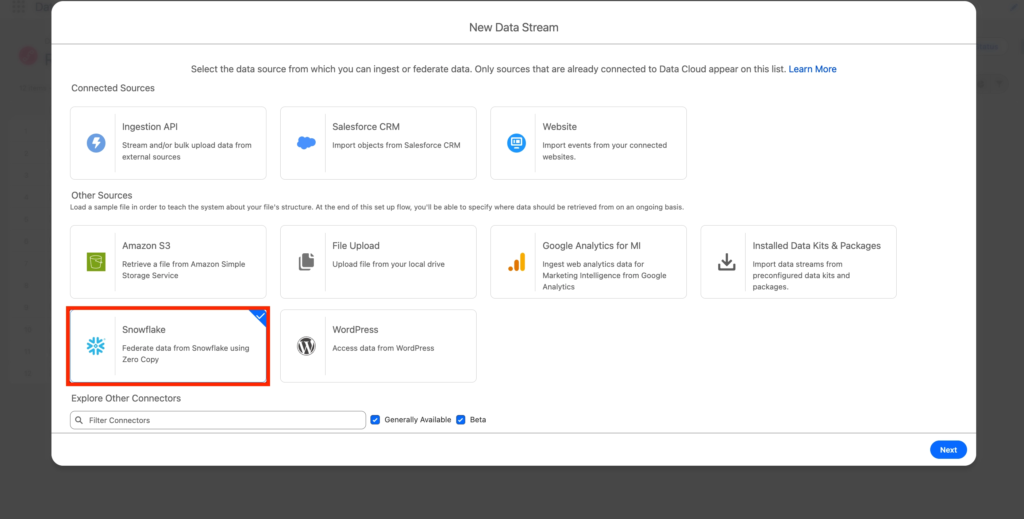
Navigate to the Data 360 App in Salesforce and select the Data Streams Tab. Select the Snowflake Connector and Click Next.
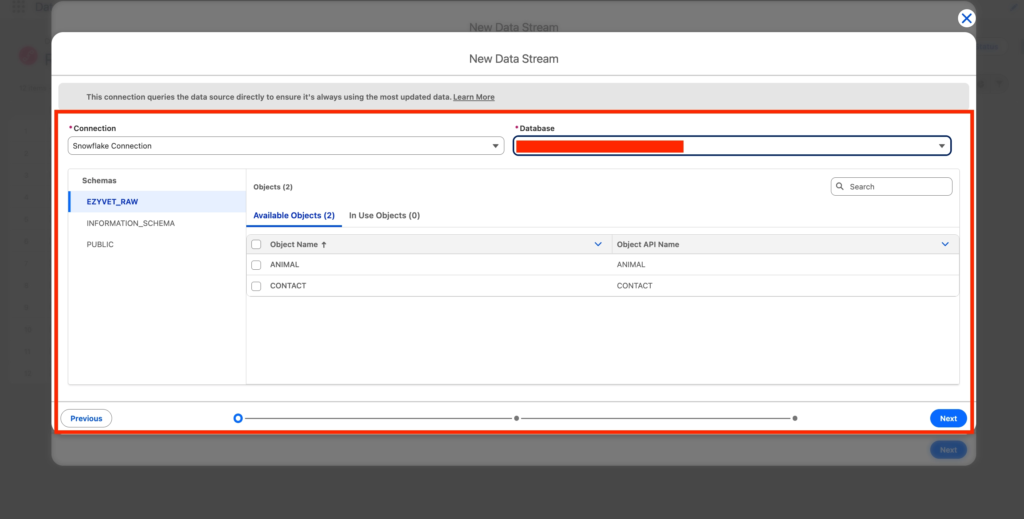
Select the Database that you want to ingest and the objects related to it. i.e. In our case we will be selecting the ANIMAL and CONTACT Objects from Snowflake. Click Next.
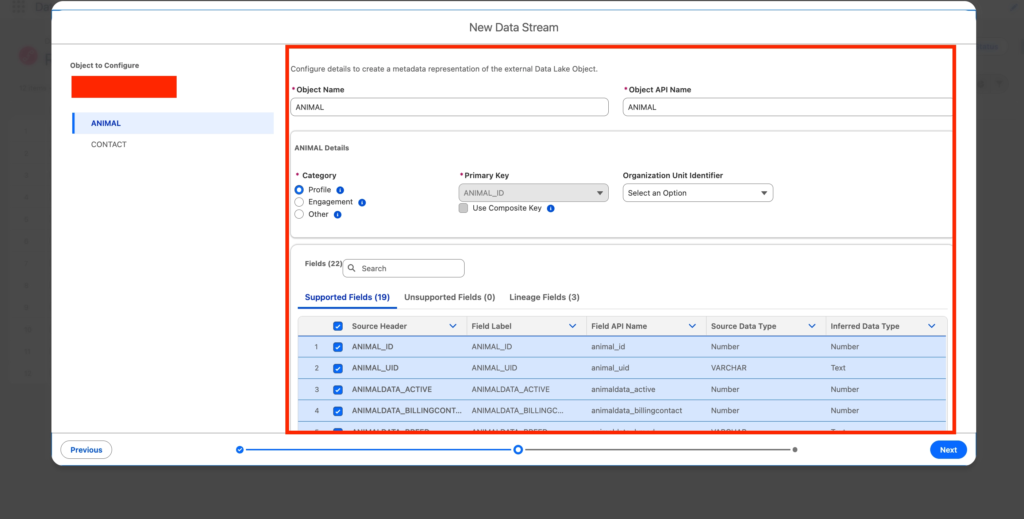
Now for each objects I can select the fields that I want to ingest in Data 360 as well as the Category type of the Objects ingested (Profile, Engagement, Other) and the Primary key that will help us to identify the record ingested. Click Next.
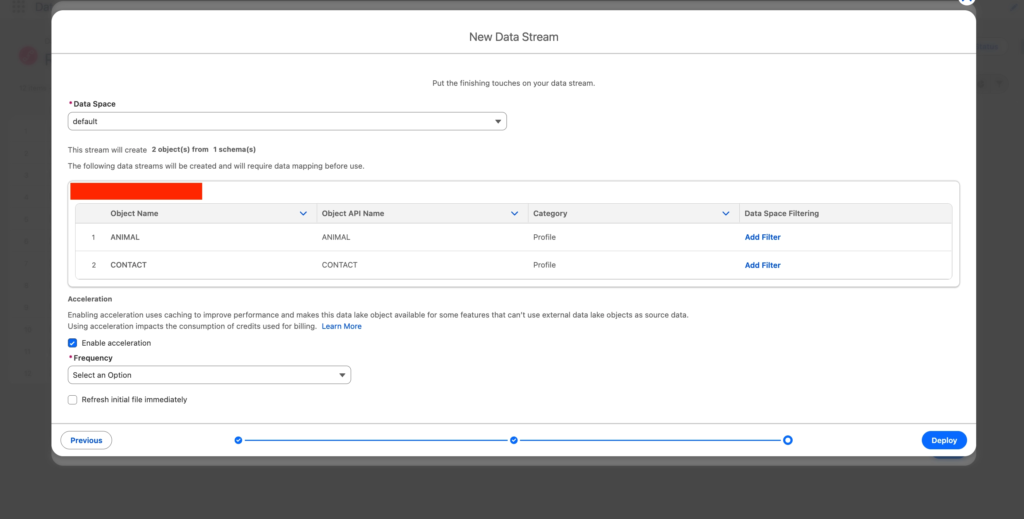
Now I can visualise the 2 objects that are about to be ingested. I can also select the Data Space (Default) as well as the Frequency of ingestion (from 15min to Weekly). Click Deploy.
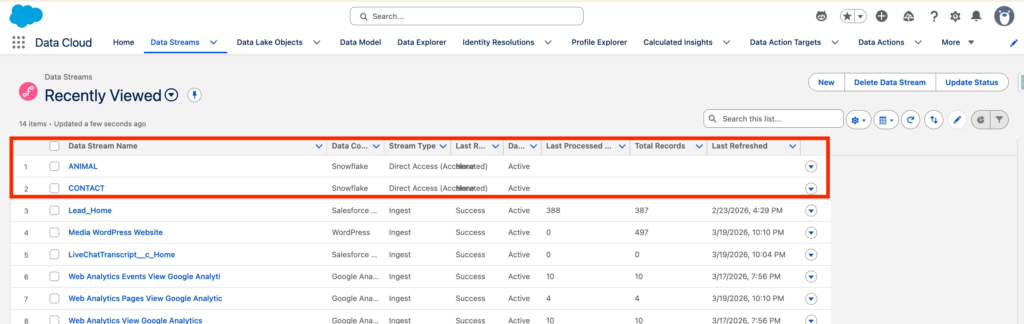
The 2 Data Streams for each objects are now created in Data 360
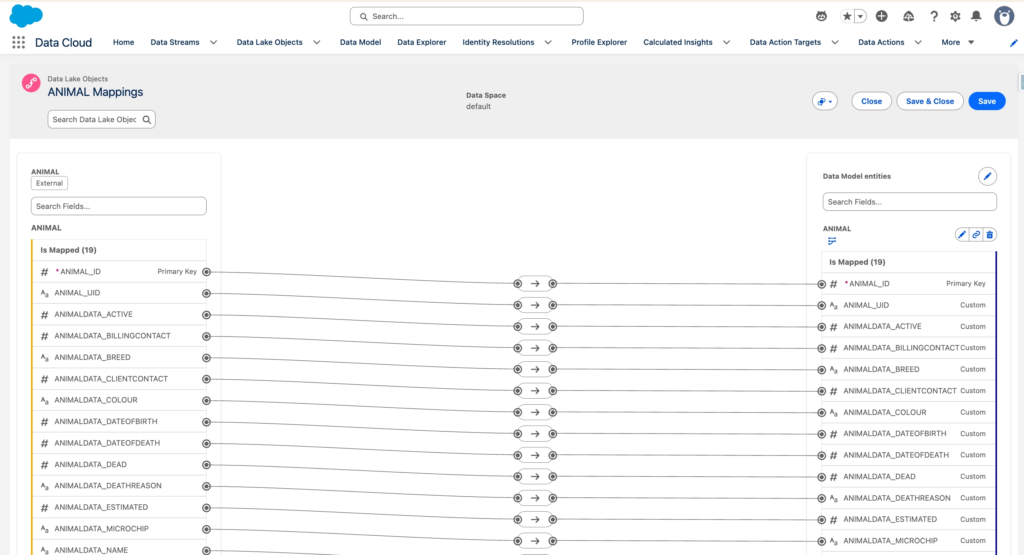
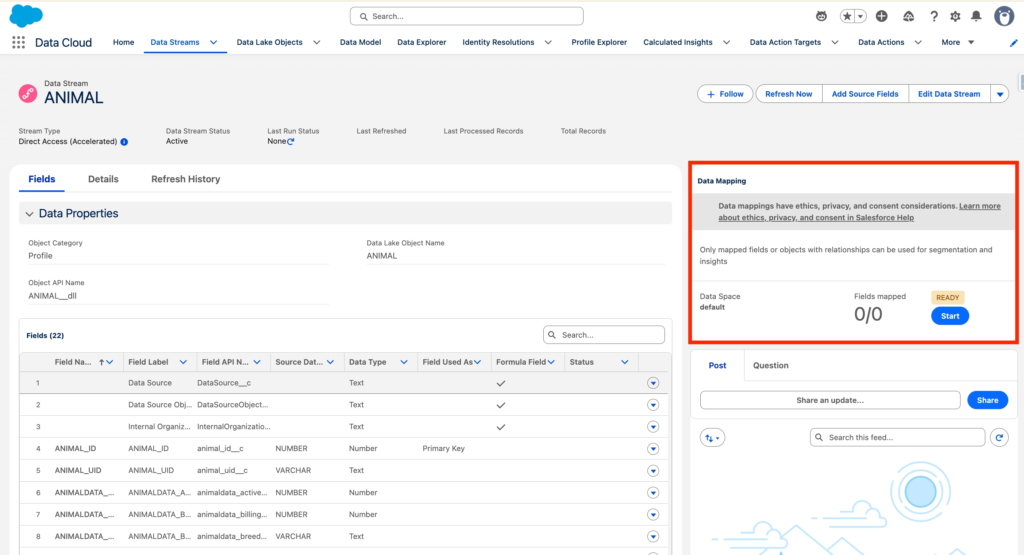
Now we will need to map the ANIMAL Data Lake Object to a Data Model Object (It can be done directly on the Data Stream Related). Click Start on the Data Mapping section.
Here I have created a Custom DMO Animal and automatically mapped all the Fields from the Animal Data Lake Object (DLO) to the Animal Data Model Object (DMO).