
What is Identity Resolution in Marketing Cloud Next? #
Identity Resolution is a key feature initially released for Data 360 (Data Cloud), but also available for Marketing Cloud Next, as the MC Next is an App seating on top of Data 360.
Identity Resolution allows you to “Merge” duplicates records into a single master record. The idea is that data from multiple external platforms is ingested into Data 360, and hence some people existing in system A and B might be in fact the same person.
Imagine being a Brand like Mercedes Benz, your customer named John Smith might have purchased a car recently so John is existing within Sales Cloud, John might also have sign-up to the Newsletter, so he is existing in Marketing Cloud Engagement, and John might have serviced his car over the last 6 months so he is existing in Service Cloud.
All these platforms (Sales, Marketing and Service) are ingested into Data Cloud, so 3 John Smith are existing in the system. This is where the identity resolution comes into play. By using it we are now able to make Data Cloud understand that these 3 John Smith relates to 1 single Person.
How to set-up the identity Resolution Rules in Marketing Cloud Next #
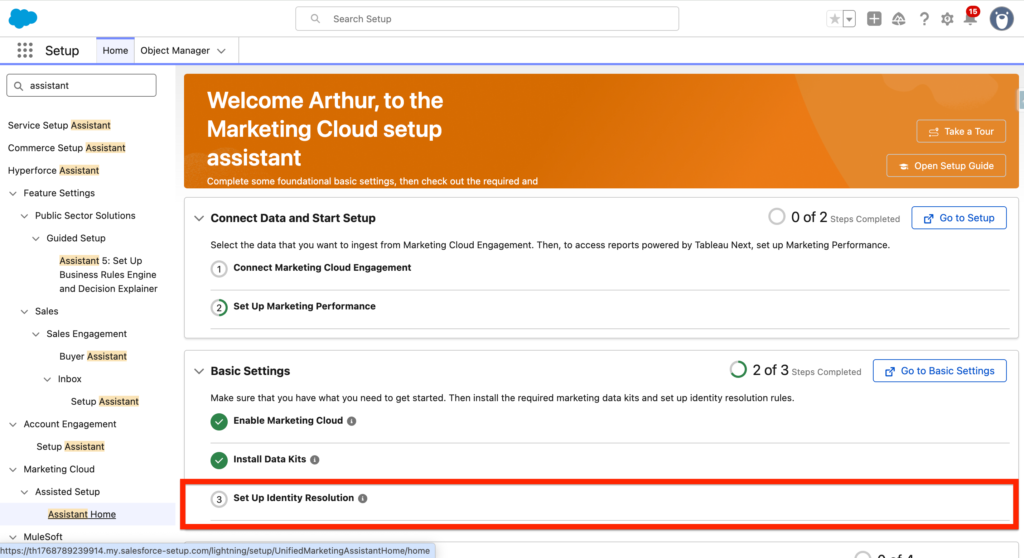
Thankfully Salesforce made it very straightforward and easy to enable the identity resolution feature in Marketing Cloud Next. if you navigate to Salesforce Set-up within the Assistant Home tab, the third and last step of the Marketing Next Basic Settings section is ‘Set Up Identity Resolution’. Let’s navigate to ‘Go to Basic Settings’.
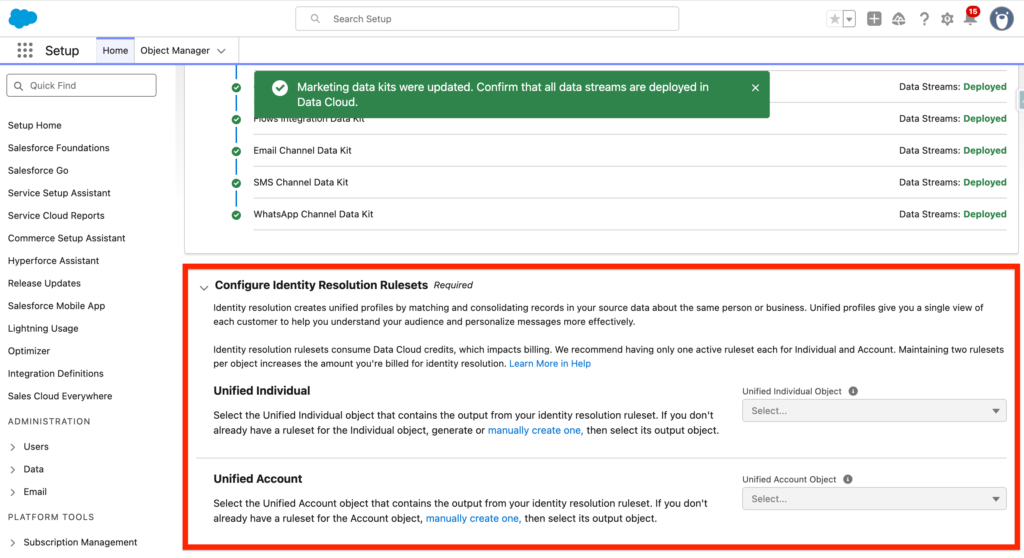
At the bottom of the Basic Settings page you will note that there is possibility to select a ‘Unified Individual’ that will be used for the Marketing Cloud Next as well as a Unified Account. The Unified Individual is the output/result of the identity Resolution set. It is created once the the Identity Resolution is populated. In our case, we don’t have the possibility to automatically generate one, so we will have to create an Identity Resolution Set manually. Click ‘Manually Create One’.
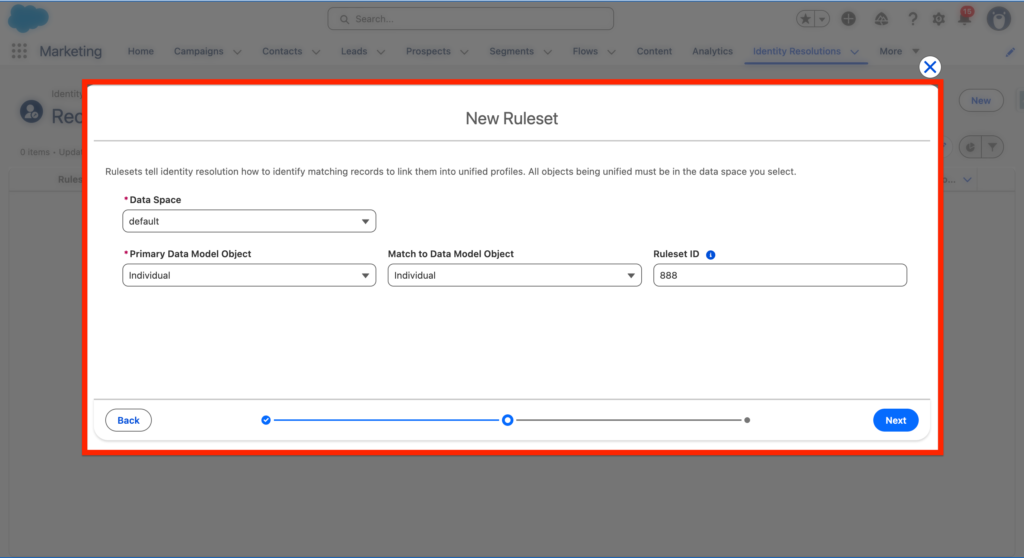
Within the Identity Resolution page, we are clicking new and ‘Create a New Ruleset’. We are selecting the ‘Default’ Data Space, and indicating that the Identity Resolution will be created based on the ‘Individual’ Data Model Object, we are also adding a reference number to it.
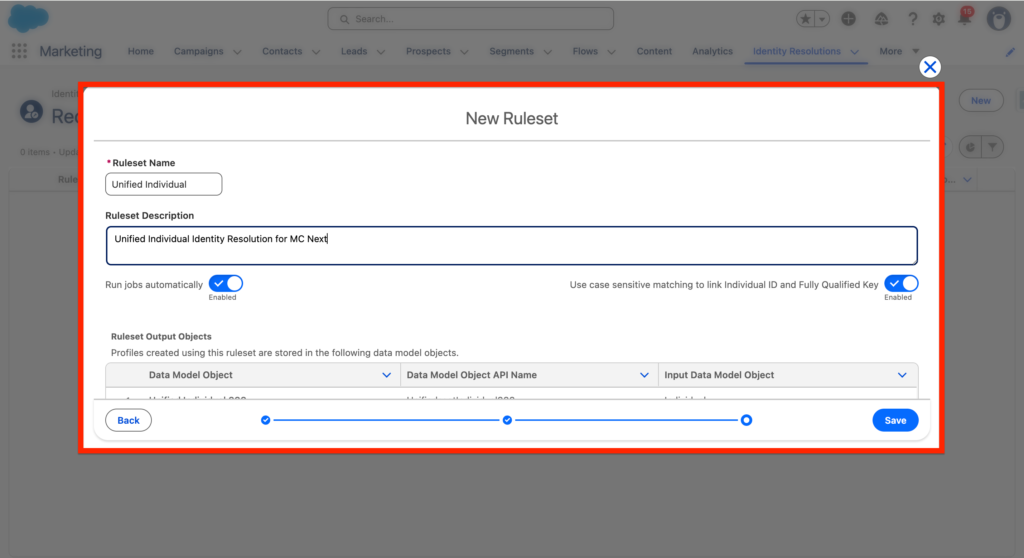
We are giving a Name and a Description to the identity resolution Ruleset and clicking Save.
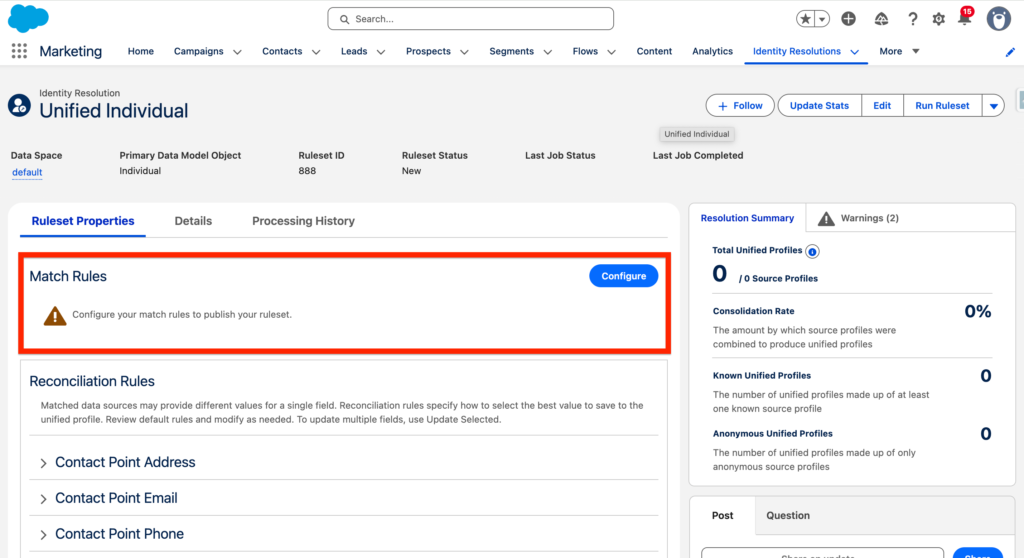
Now that we are on the page dedicated to the Identity Resolution Rule Set that we created we will Configure the Match Rules that will allow us to identify duplicate individuals.
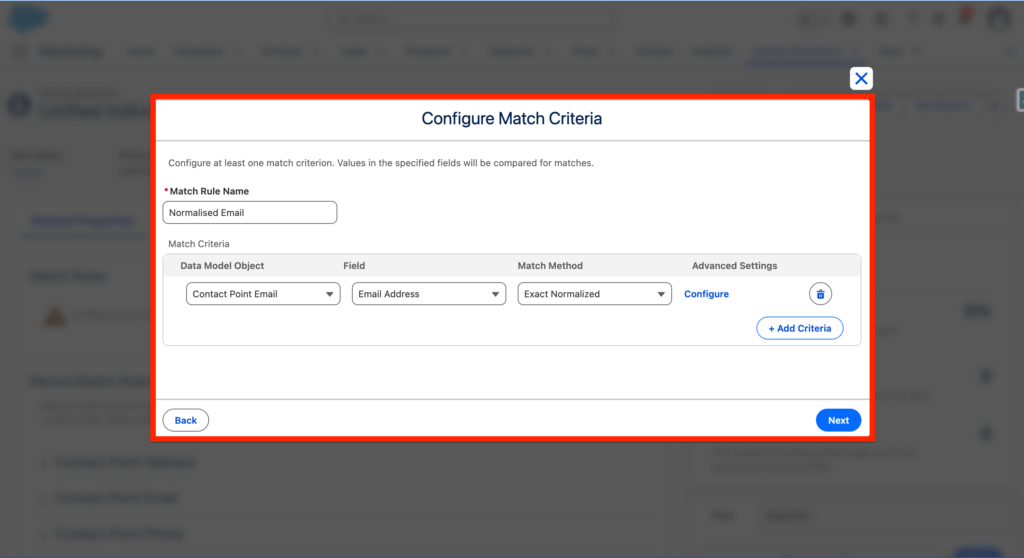
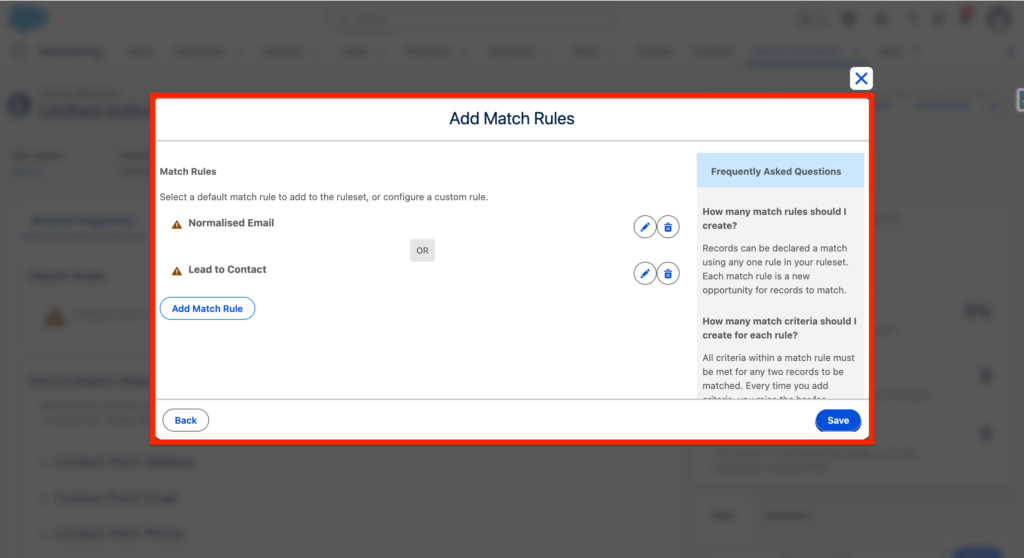
In our case we will create 2 Matching Rules, the first one is Normalised Email, we simply compare email addresses from Individuals and check is they are the same. We are selecting the Data Model Object ‘Contact Point Email’ the field ‘Email Address’ and the Match Method ‘Exact Normalised’ – which mean it will match the email addresses without checking if uppercases are used or not.
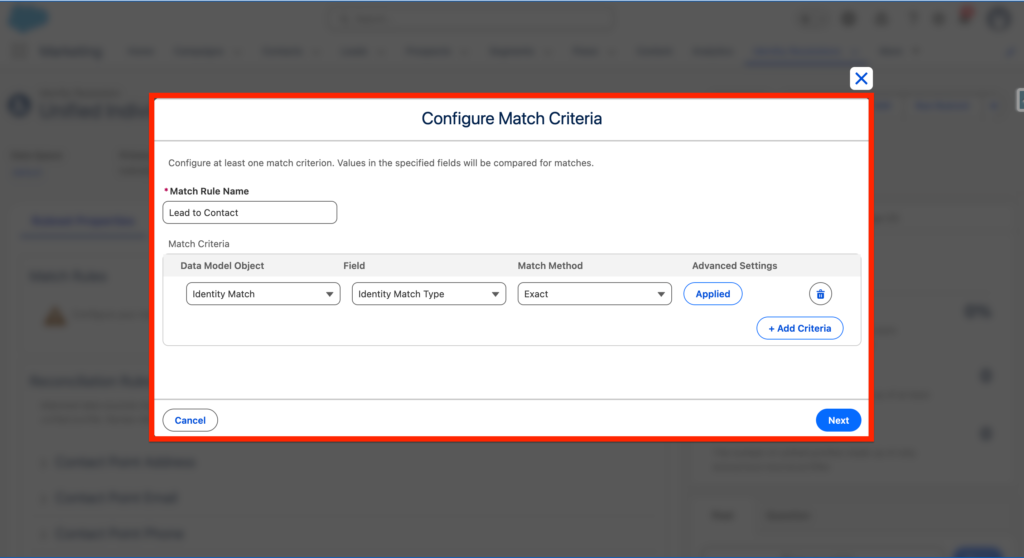
The second matching rule is a bit more complex, it will allow us to ensure that when a Lead is Converted into a Contact in Sales or Service Cloud we are still considering as a single individual.
We will create a new Match Rule Name ‘Lead to Contact’ and we will be selecting the Identity match Data Model Object then we will be selecting the field ‘Identity Match Type’ and the ‘Exact’ Match Method. – Click Advanced Settings.
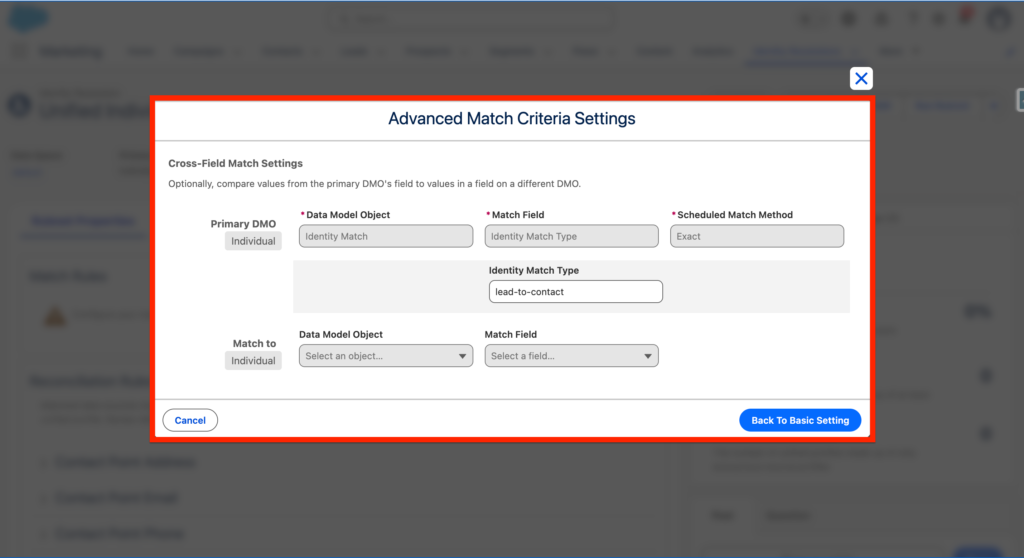
Then within Identity Match Type we will write ‘lead-to-contact’ and Back to Basic Setting.
We will save the Matching Rules and Click Save –
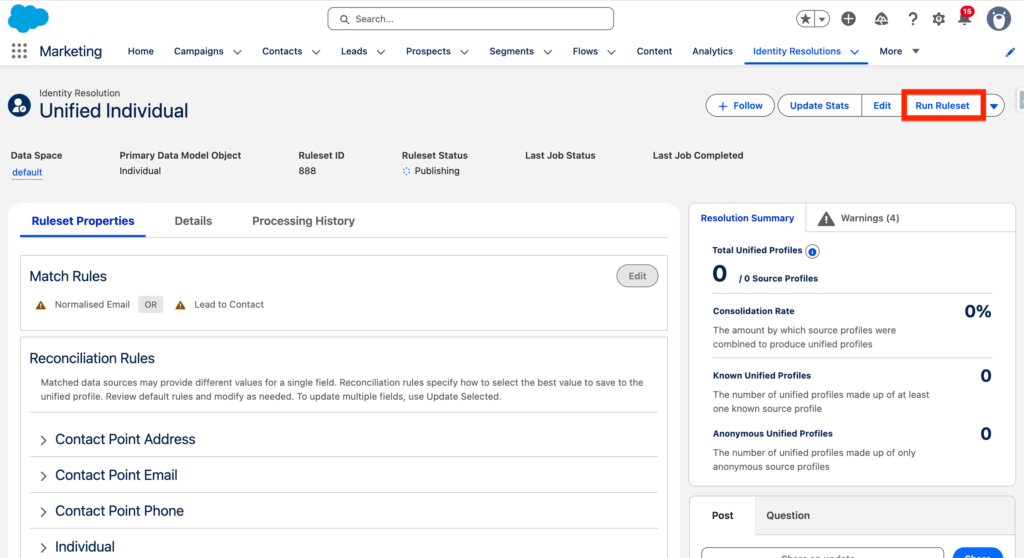
Finally we will click the Run the Ruleset.
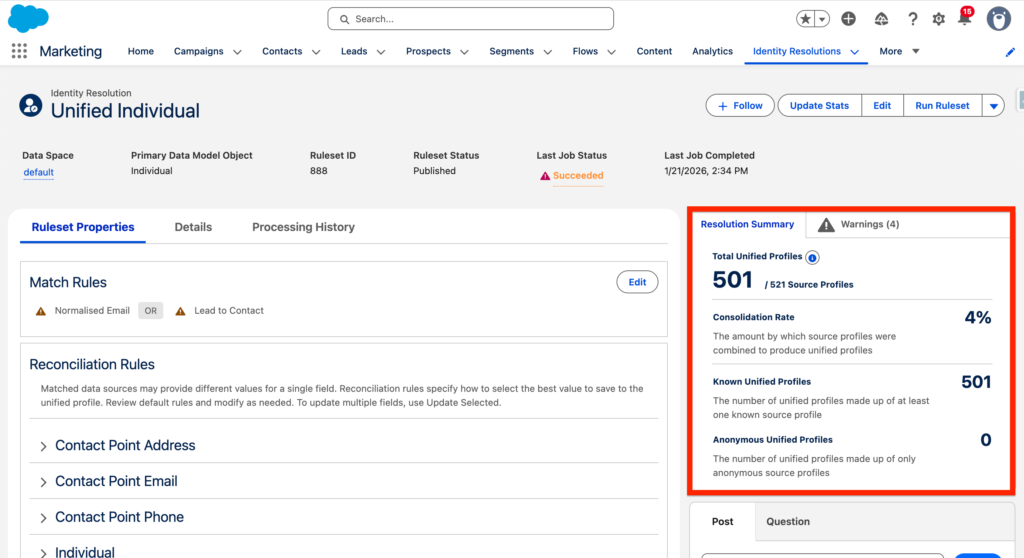
Here’s the result, we note that with this specific identity resolution we have a Consolidation Rate of 4% – meaning that 4% of the individuals have been unified into a unified individual as they had similar email addresses and/or were converted from a Lead to a Contact.
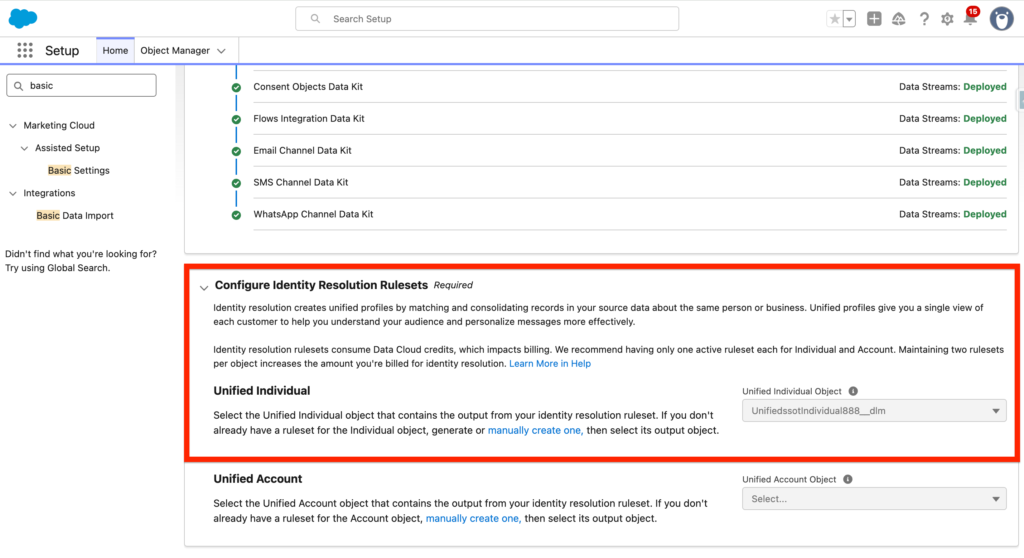
Now back into the ‘Basic Settings’ Tab of Salesforce Set-up – we note that the Unified Individual Data Model Object that will be used in Marketing Cloud Next is listed: UnifiedssotIndividual888__dlm
Ressources: #
- https://help.salesforce.com/s/articleView?id=mktg.mktg_admin_data_identity_resolution.htm&type=5
- https://help.salesforce.com/s/articleView?id=data.c360_a_identity_resolution_ruleset_create.htm&type=5
- https://developer.salesforce.com/docs/marketing/marketing-cloud-growth/guide/mc-manage-identity-resolution.html